
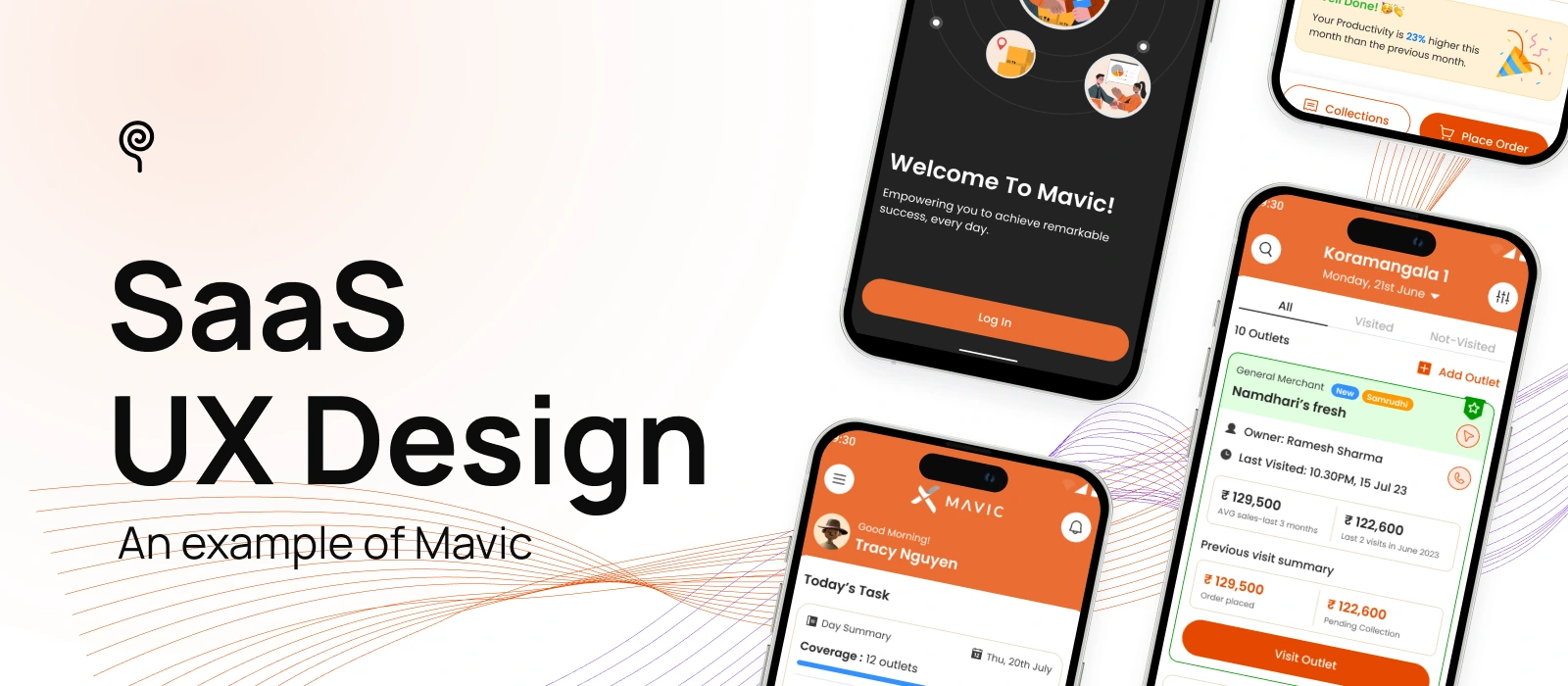
UX design plays a vital role in the success of any digital product, helping to drive higher user adoption rates and ensuring sustainable growth over time.
This role becomes even more critical in the context of SaaS products, where the complexity of features and workflows often presents a steep learning curve for many users. Without thoughtful SaaS UX design, users can quickly become frustrated or overwhelmed, leading to low engagement and high churn rates.
In this blog, Lollypop will explore the key benefits of great UX design for SaaS growth. We’ll also share SaaS best practices through a practical case study of Mavic — a Sales Force Automation platform developed by Tata Consumer Products Limited (TCPL).
Let’s dive in!
First impressions matter. An engaging and user-friendly interface attracts new users and encourages them to explore the product further. Consistent and positive user experiences foster trust and reliability, making users more likely to continue using the service and recommend it to others.
Thoughtful UX design SaaS keeps users engaged by making interactions enjoyable and efficient. Features like intuitive navigation, responsive design, and personalized content encourage users to spend more time with the product, increasing the likelihood of achieving their goals and deriving value from the service.
A seamless and intuitive UX minimizes user frustration, leading to higher satisfaction and loyalty. By addressing pain points and simplifying workflows, users are less likely to abandon the product. This reduction in churn enhances customer lifetime value and stabilizes revenue streams.
Empowering users involves providing them with the tools and information they need to succeed. A well-designed UX offers clear guidance, accessible resources, and supportive feedback, enabling users to utilize the product effectively and confidently. This empowerment leads to increased satisfaction and a stronger connection to the product.
Now that you understand the crucial role UX design plays in the success of a SaaS product, let’s dive into the best UI/UX practices for B2B SaaS platforms to bring your success to life.
To illustrate SaaS design principles, we’ll examine Mavic, a Sales Force Automation (SFA) app developed by Tata. About the context, despite the existence of SFA platforms, many sales teams in India still rely on manual methods to manage their work. By collaborating with Lollypop, Mavic set out to develop an innovative solution that bridges this gap, enabling Direct Sales Representatives (DSRs) to work smarter and boost their performance.
Unlike one-time purchases, SaaS products thrive on long-term engagement and recurring value. To build features that users truly need, SaaS businesses need to understand user workflows, pain points, and goals. This can be achieved through UX research methods, such as observations, user interviews, surveys, and product analytics.
By conducting thorough UX Research, businesses can reduce risk in Saas design decisions and ensure the product meets real use cases across diverse user segments.
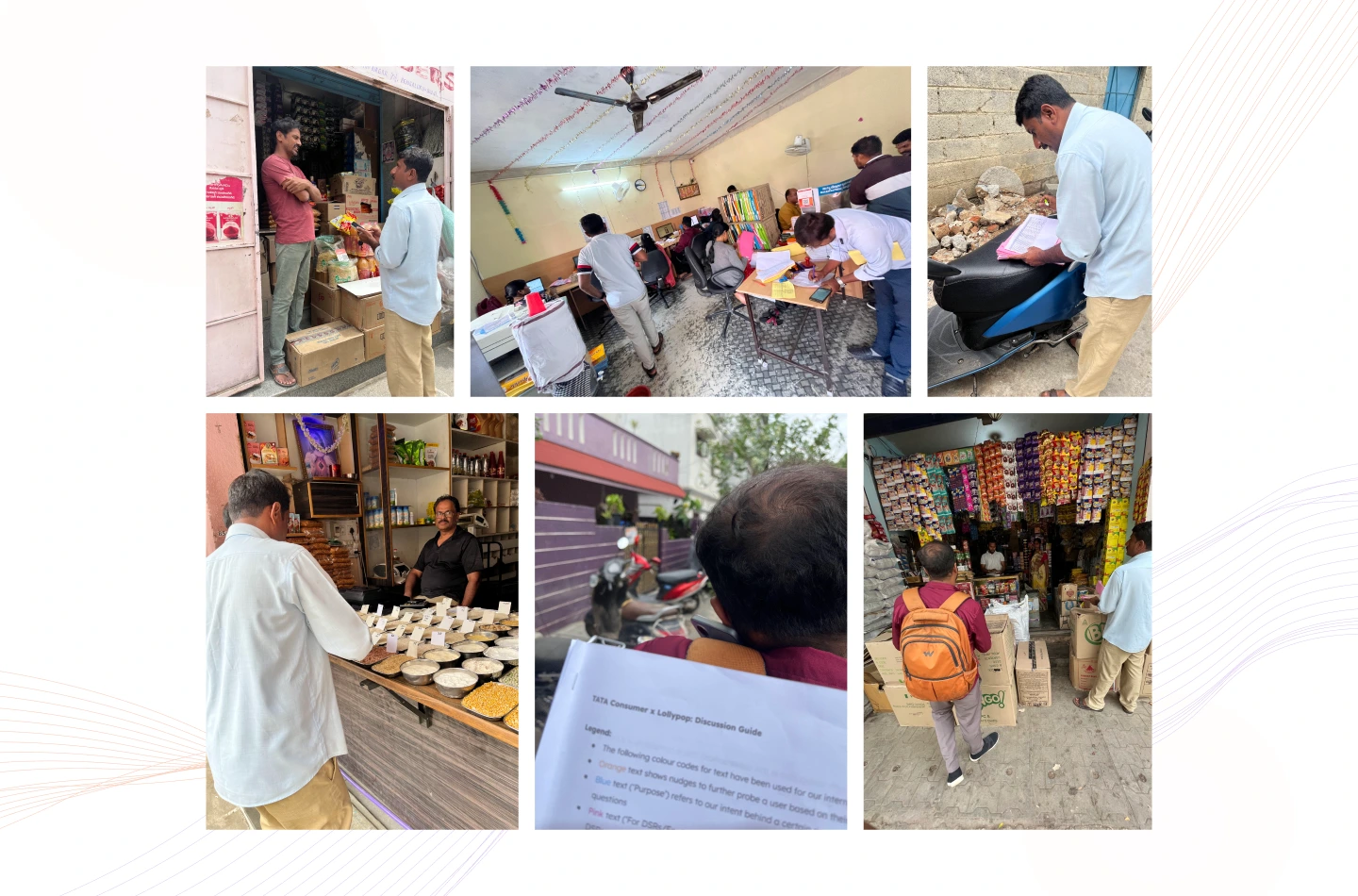
What we did for Mavic:
Over 3 months, the team deeply immersed in TCPL’s sales ecosystem, employing diverse UX research methods to uncover genuine user needs:
Key challenges uncovered:
With these insights, the team was able to develop effective solutions moving forward.
Information architecture (IA) is the backbone of intuitive navigation. A well-structured IA makes it easier for users to find content, complete tasks efficiently, and feel confident using your SaaS product, especially when dealing with complex or high-frequency workflows.
How to conduct:
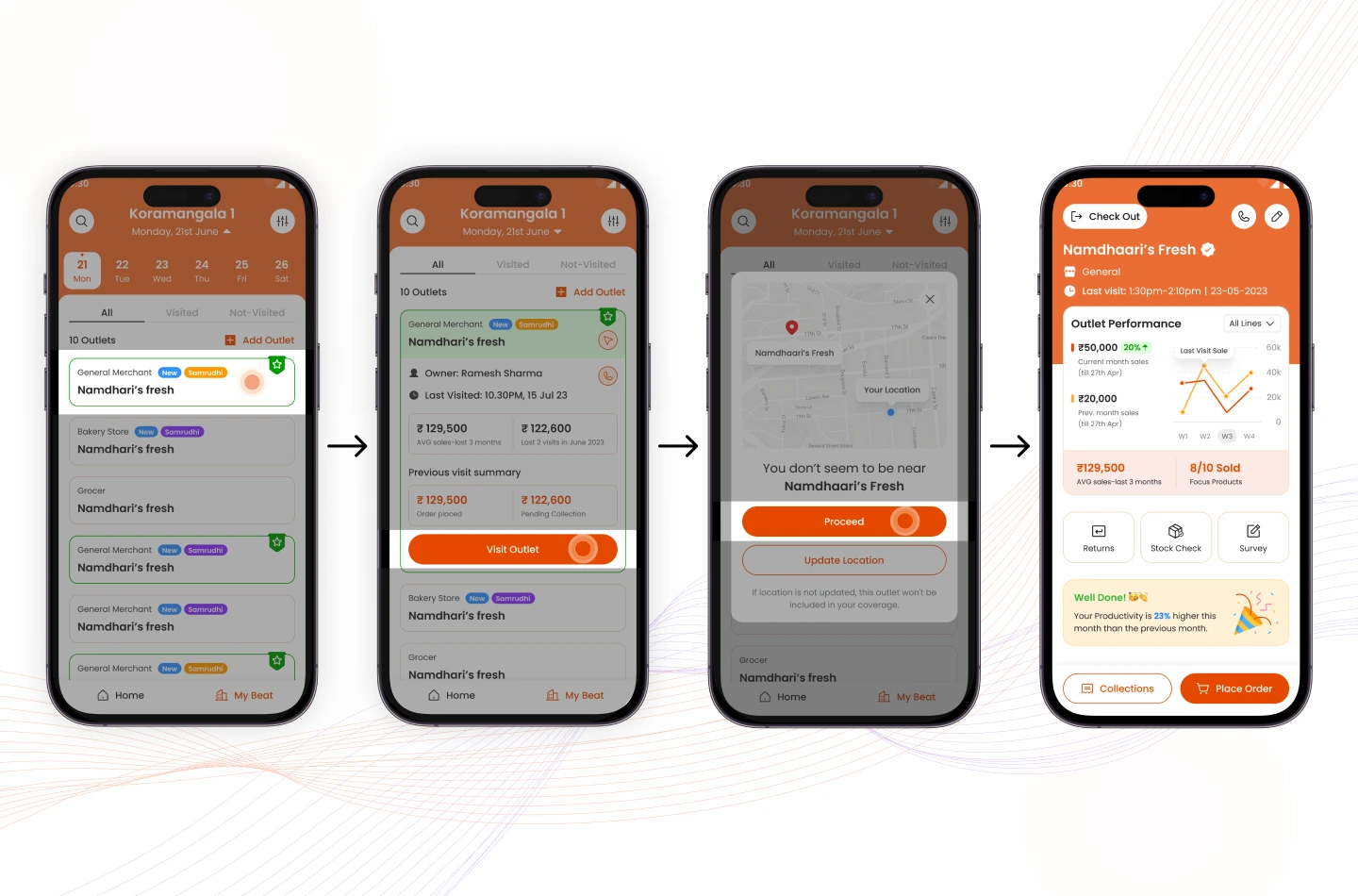
What we did for Mavic: During the define phase, we collaborated closely with Mavic to define a comprehensive feature list, along with further requirements. This informed the structure of the information architecture, allowing us to hierarchize features effectively.
In SaaS UI UX design, onboarding is a critical moment that often determines whether users stay or leave. It generally involves 3 main stages: account setup, data collection, and customer education.
If the process feels confusing or overwhelming, users may abandon the product before experiencing its true value. A well-designed Onboarding UX Design flow should minimize friction, accelerate time-to-value (TTV), and lead users to early, meaningful achievements.
How to conduct:
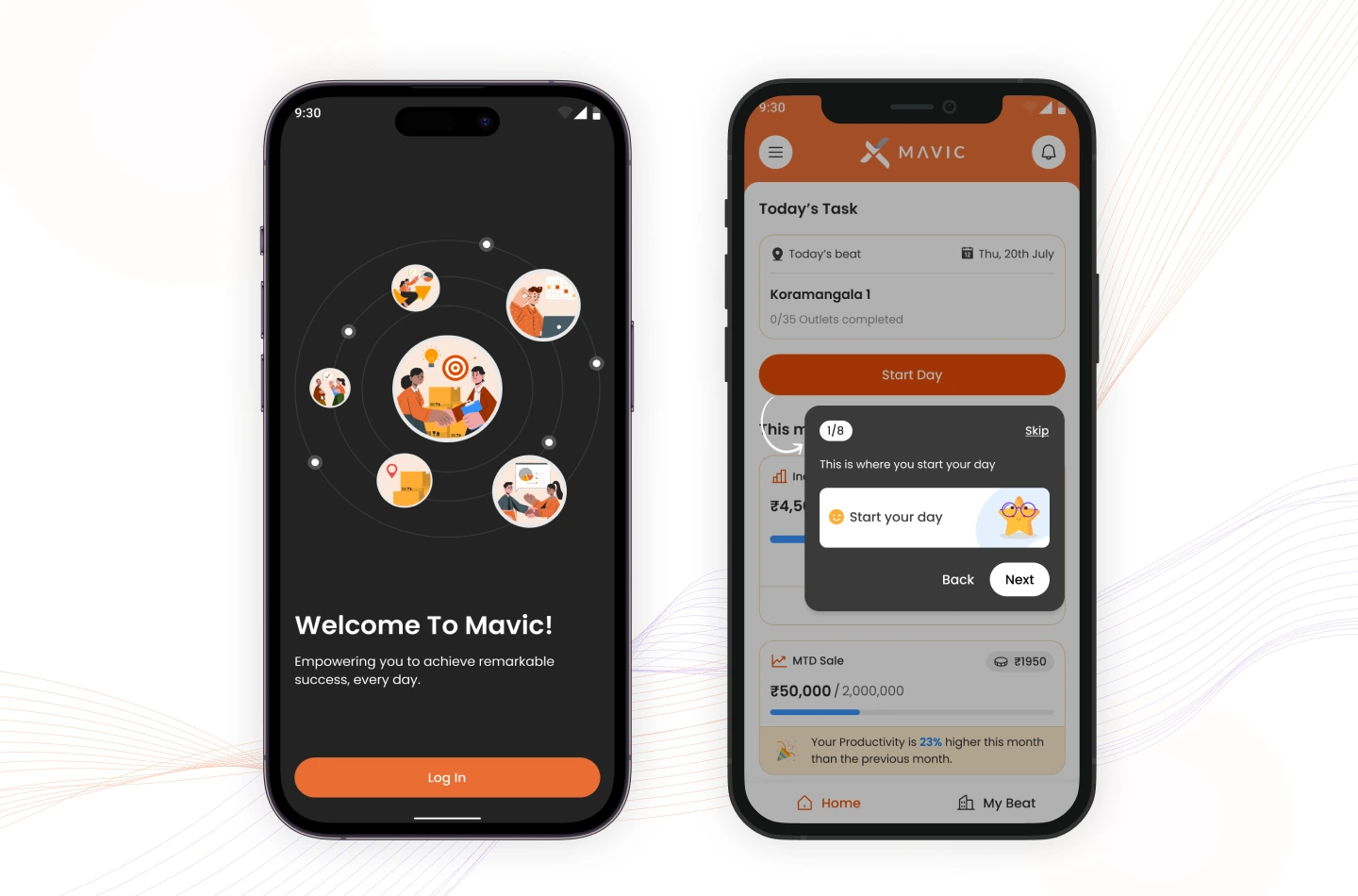
What we did for Mavic:
Mavic’s onboarding begins with a welcoming screen featuring a clear “Log in” CTA. After logging in, users are guided through a product tour with helpful tooltips, which they can skip if they’re already familiar with the app. This approach ensures a smooth, user-friendly introduction to the platform.
Progressive disclosure is an interaction design pattern that introduces information and features gradually, revealing them as users move through the product. This approach helps lower the learning curve, keeps the interface clean, and enhances the onboarding experience—especially for new users.
Instead of overwhelming users with every feature upfront, guide them step by step, releasing key information only when it becomes relevant.
How to conduct:
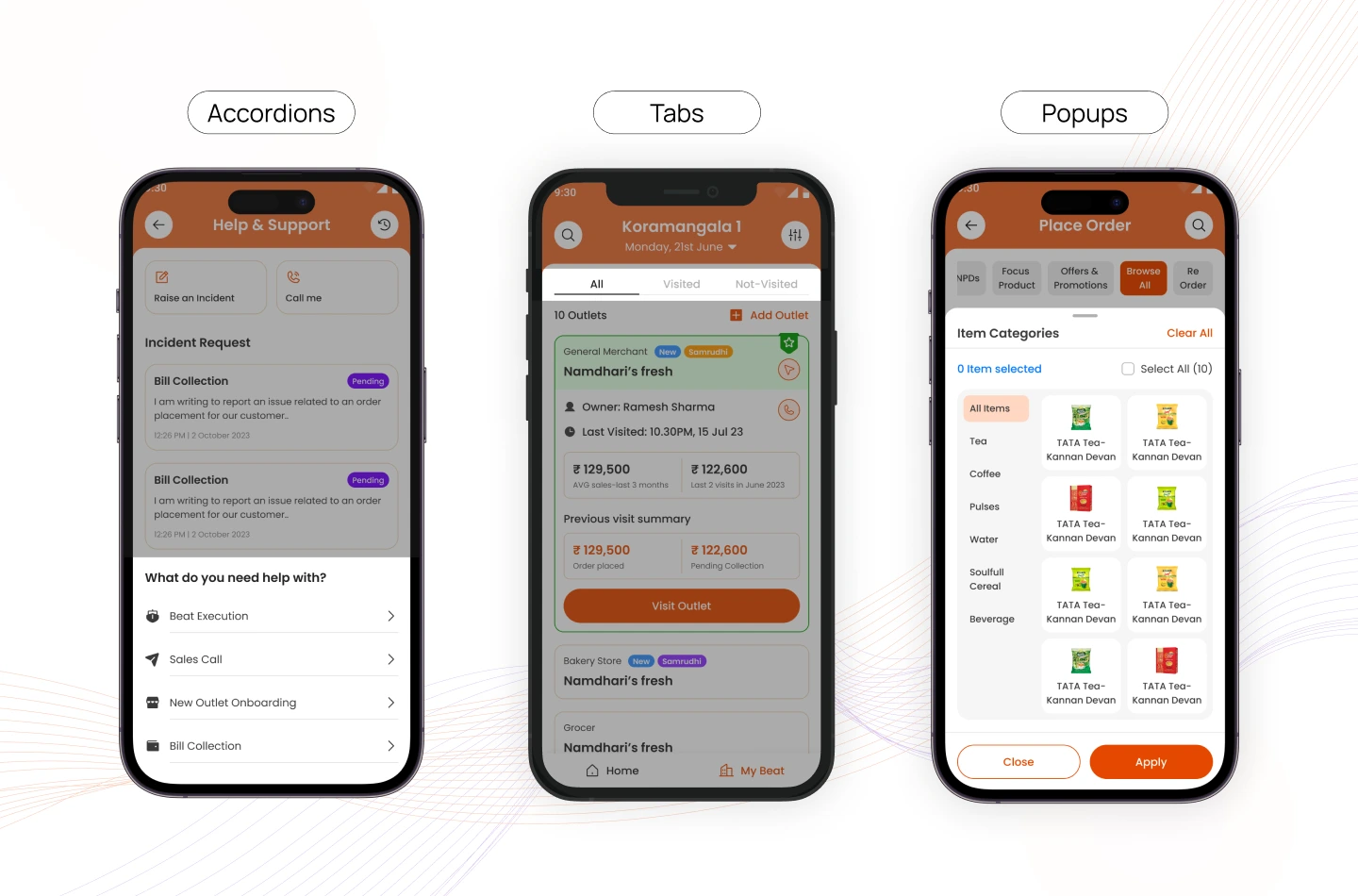
What we did for Mavic:
In Mavic’s saas platform design, we applied progressive disclosure through various UI elements—accordions to hide help content, tabs to organize order types, and pop-ups to display item categories only when needed. This kept the interface streamlined while making deeper functionality available as users progressed.
In B2B SaaS UX design, where users often engage with the platform daily to complete critical tasks, an intuitive interface is essential. A well-designed UI reduces the time needed to learn the system, lowers support costs, and builds user trust. When actions feel familiar and predictable, users can focus on their goals rather than figuring out how the product works.
How to conduct:
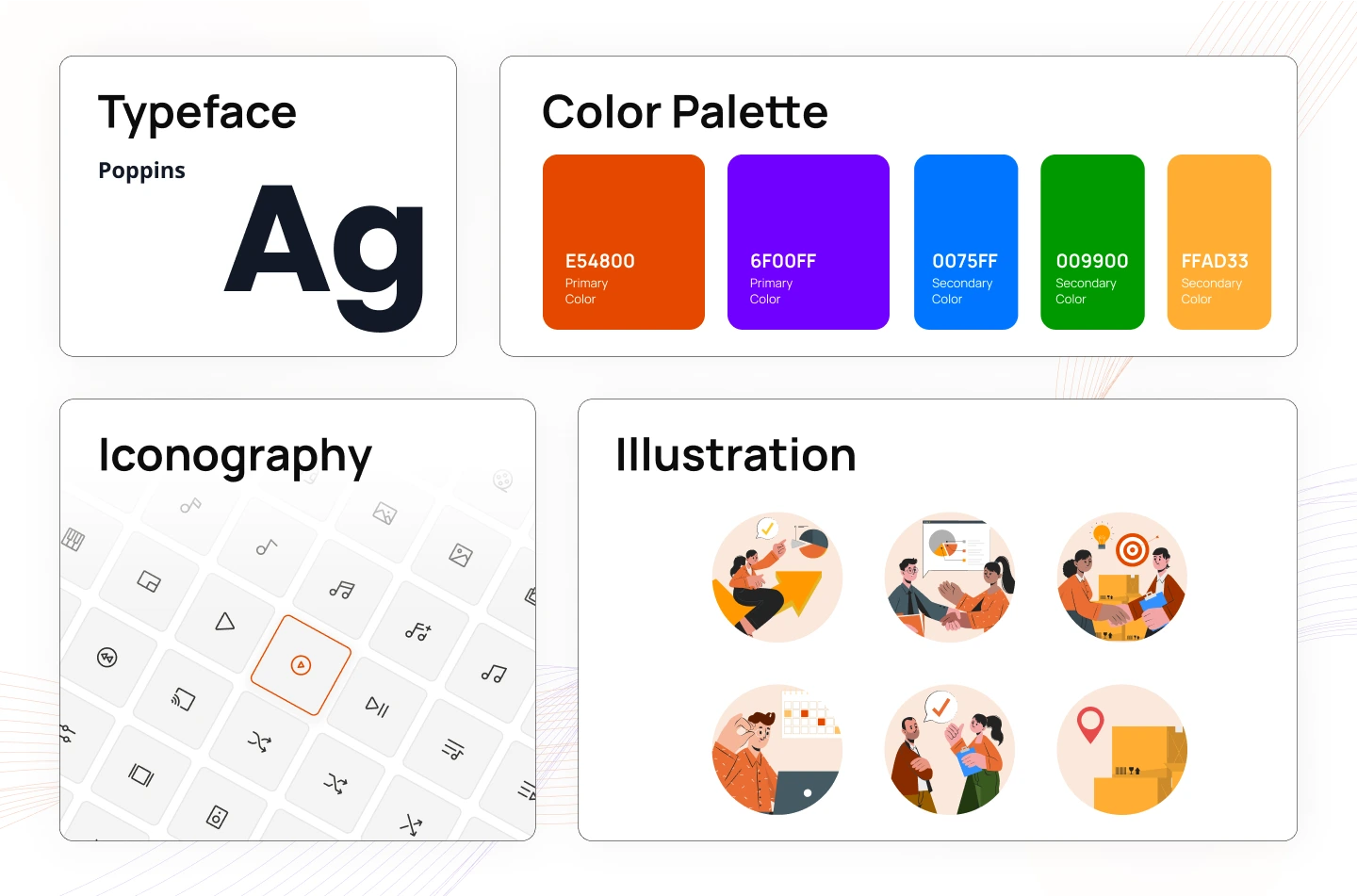
What we did for Mavic:
Dashboards are often the first screen users see and a major touchpoint for daily engagement. A great dashboard design presents useful insights and actions at a glance, helping users feel in control and productive.
How to conduct:
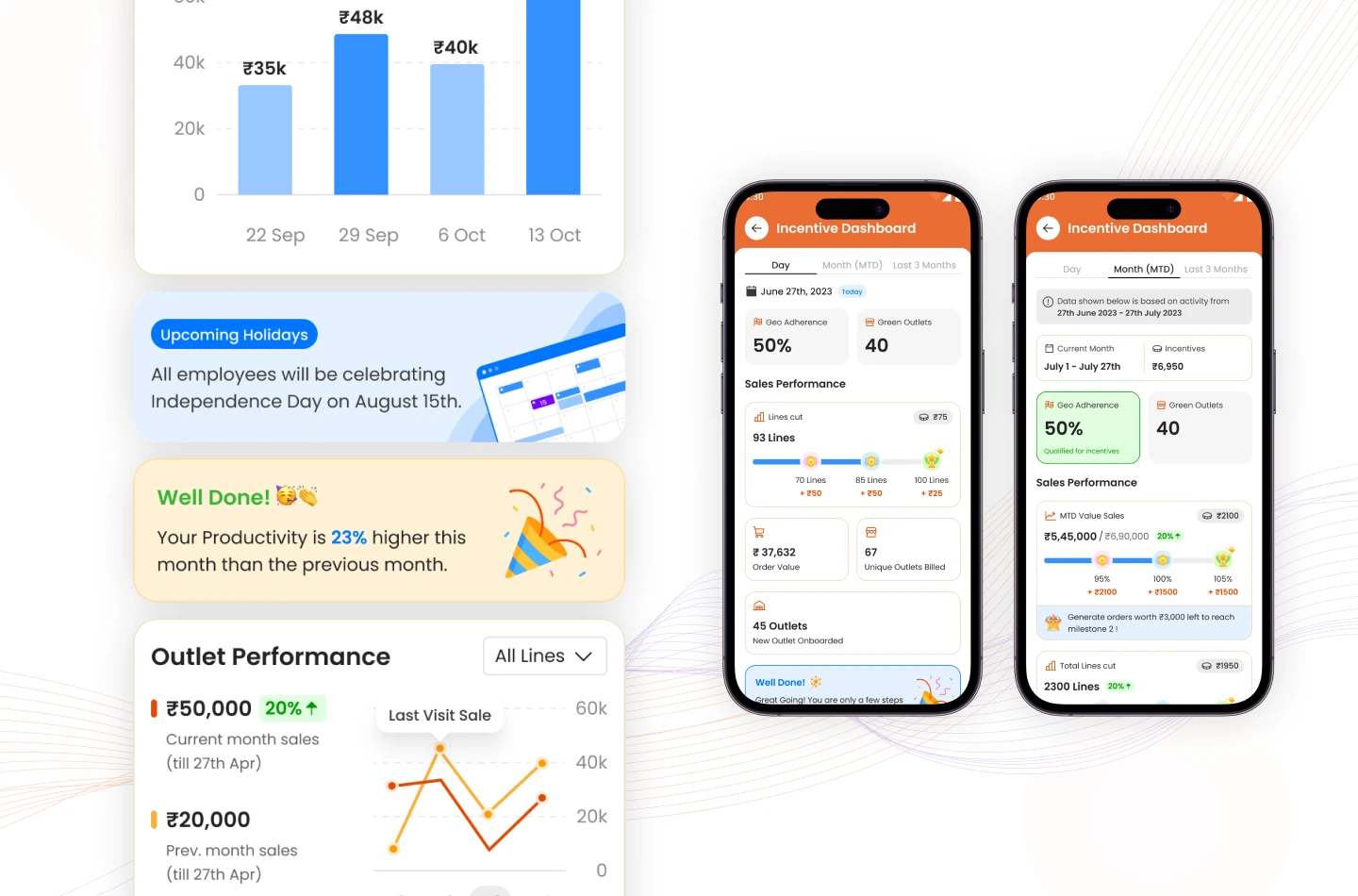
What we did for Mavic:
Looking at the Mavic dashboard, key data is organized into separate tabs, allowing users to switch between daily, monthly, and 3-month views effortlessly.
In the monthly view (middle), the screen surfaces essential insights at a glance: Total incentives earned (₹6,950); Geo adherence (50%), which is qualified for incentives; Sales performance, which is visualized as progressive milestones, gives users a clear sense of achievement and encouraging continuous improvement.
Users interact with SaaS products on various devices. Responsive design ensures a consistent, seamless experience across screen sizes, which is vital for accessibility and user satisfaction.
How to conduct:
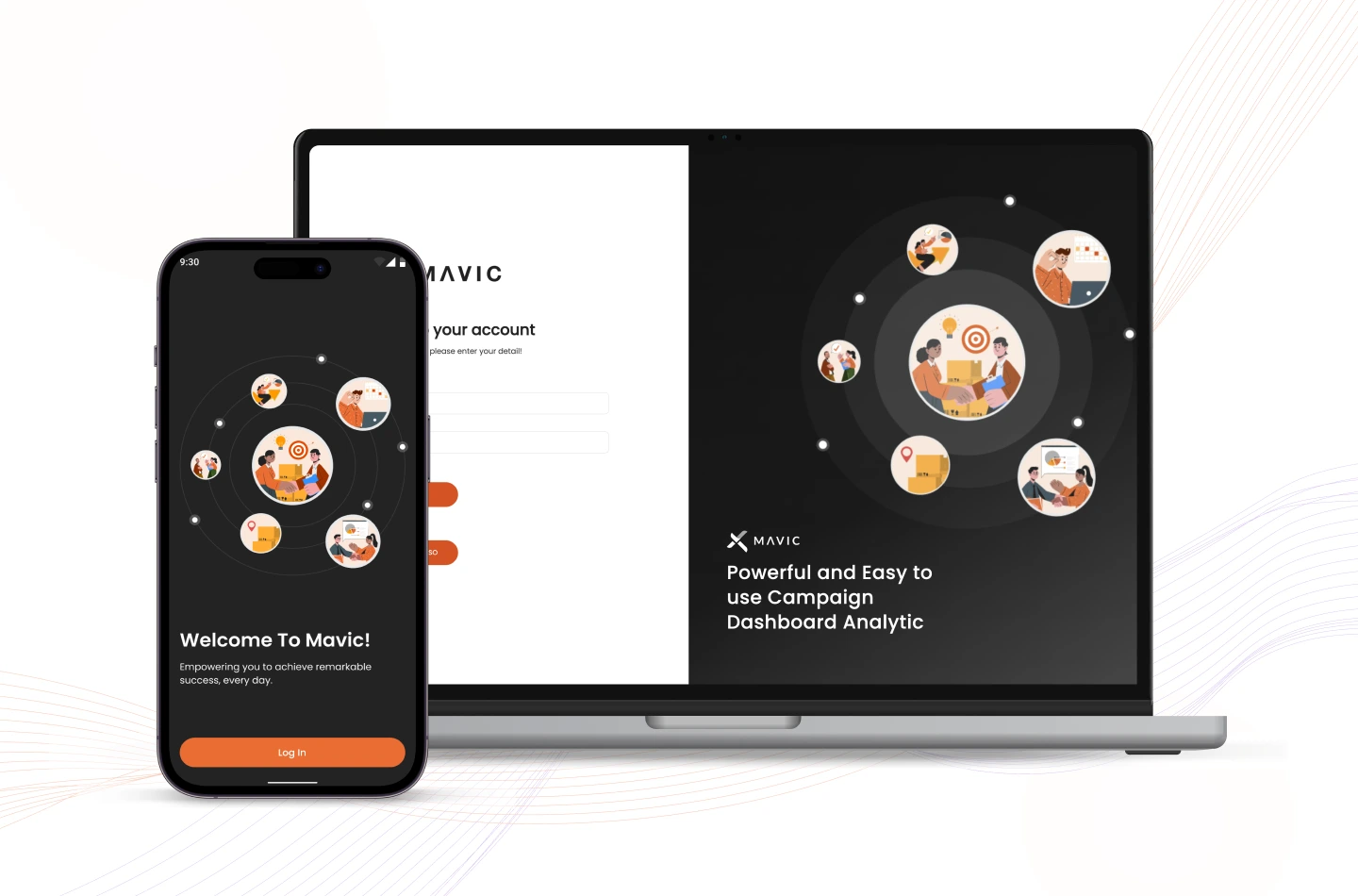
For Mavic, the platform was crafted to be fully accessible on both mobile apps and web browsers, allowing field sales reps to choose their preferred device without compromising usability or performance.
You may want to read more: How to Build a Minimum Viable Product for SaaS?
Effective SaaS UX design can drive meaningful results for your product. Thanks to the collaborative effort behind Mavic’s UX design, the app has achieved impressive milestones:
If you’re looking for saas ux design expert support in building a powerful SaaS product, Lollypop is here to help. As a globally recognized SaaS UX design agency, we specialize in crafting intuitive, user-focused Web/App & Landing Page designs that accelerate business growth.
Contact us today for a FREE consultation and see how we can elevate the best SaaS UX design for your product.
SaaS UX Design refers to the process of creating user-centered experiences for software delivered via the cloud (Software as a Service). It focuses on making complex tools simple and intuitive by understanding user behavior, streamlining workflows, and ensuring consistency across interfaces. A good SaaS user experience enhances usability, boosts engagement, and ultimately drives user retention by making digital products easier and more enjoyable to use.
The costs of saas design services can vary greatly depending on their complexity, features, and level of customization. At Lollypop, we offer flexible pricing packages tailored to suit businesses of all sizes — from startups and SMBs to large enterprises. If you’re interested in a customized quote that fits your specific saas product design needs, feel free to reach out to us.





