
AI is everywhere—from tools that generate images and text, to systems that predict what users need before they ask. In the world of product design, design teams are already leveraging these technologies to streamline research, accelerate ideation, and uncover insights from user data at scale.
As AI becomes more accessible and embedded in creative workflows, it creates an exciting opportunity to combine its capabilities with design thinking. This approach blends the efficiency of machines with the empathy of human-centered design. It’s leading to solutions that are both technologically advanced and truly meaningful for users.
In this blog, we’ll explore what AI design thinking is, highlighting its key benefits and common challenges. We’ll also walk you through how AI tools, such as generative models, predictive systems, and chat-based agents, are changing each stage of the design thinking process.
Let’s get started!
Design thinking is a human-centered, iterative process that supports teams in solving complex problems through empathy, creativity, and experimentation. It encourages designers to understand real user needs, question assumptions, and generate solutions that can be rapidly tested and refined.
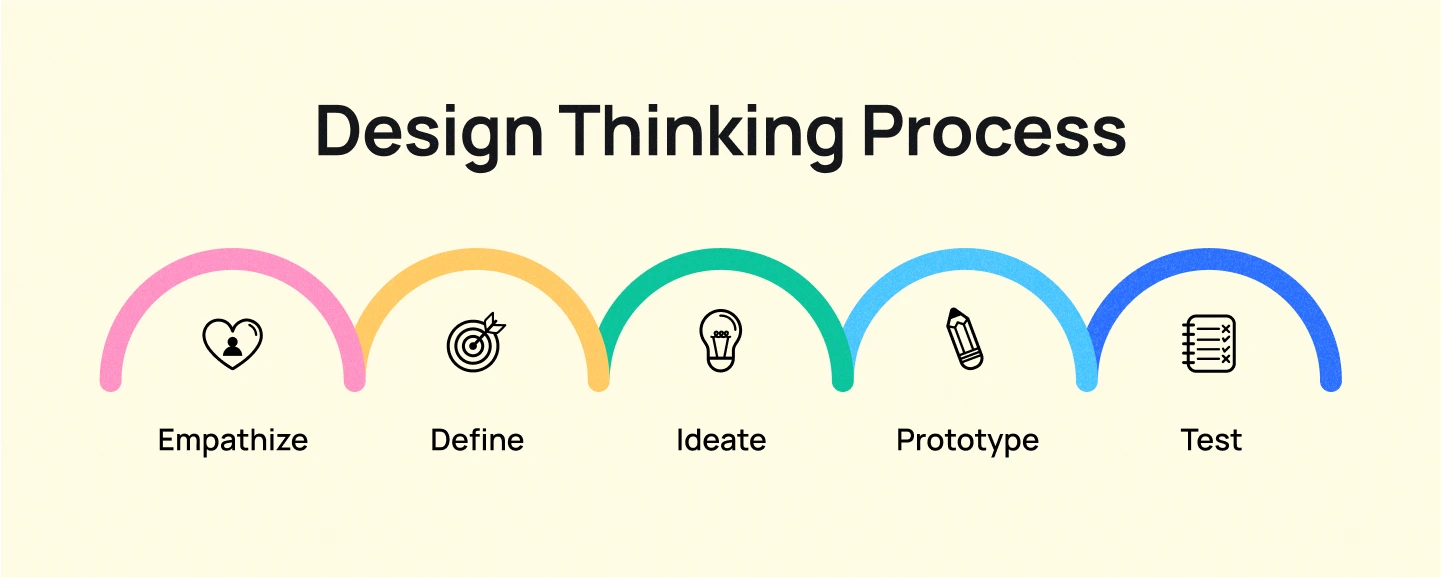
This approach is particularly effective when the problem is not clearly defined, requiring a deep exploration of user behaviors and motivations. The process is commonly organized into five key stages:
AI design thinking is the integration of artificial intelligence into the traditional, human-centered design thinking process. It combines the strengths of both—AI’s ability to process vast amounts of data quickly, and human designers’ empathy, intuition, and creativity. The goal isn’t to replace people with machines, but to amplify what teams can achieve by working alongside intelligent tools.
When used intentionally, AI becomes a helpful partner that uncovers patterns, sparks ideas, and accelerates testing. It supports research, speeds up prototyping, and improves decisions, making design thinking more efficient and adaptable.
The following sections explore the key benefits of using AI in design thinking, as well as the challenges that teams need to navigate to use it effectively and responsibly.
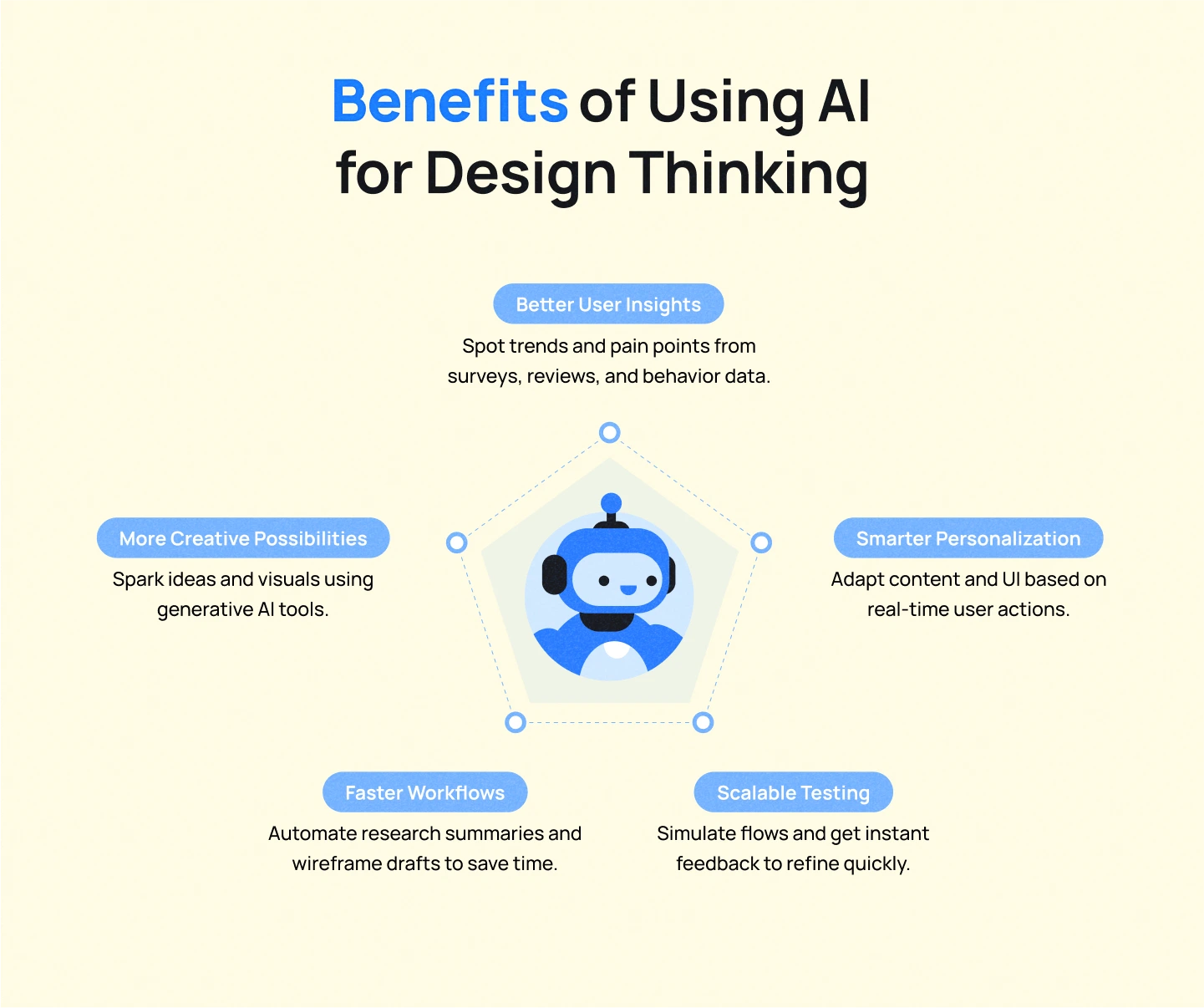
Adding AI to design thinking brings powerful advantages across the entire process. Here’s how it helps:
AI can quickly process huge amounts of data, like surveys, reviews, or social media, to uncover trends, behaviors, and pain points. AI tools for UX Research that use natural language processing (NLP) can read and understand text data like reviews or survey answers. They help find important patterns or problems that human researchers might overlook.
AI can automate routine design tasks such as sorting research data, summarizing user responses, or producing initial wireframe drafts. This not only accelerates workflows but also frees up teams to spend more time on ideation and problem-solving.
AI enables hyper-personalization by analyzing user behavior patterns, such as browsing history, clicks, or time spent on features. The AI uses these insights to automatically adjust content, interfaces, or functionality for different users. This helps deliver more relevant, meaningful experiences tailored to each user’s needs and preferences.
AI helps spark creativity by generating variations and design ideas that push beyond traditional thinking. AI Tools like ChatGPT or Midjourney allow teams to explore more options during brainstorming and prototyping. With AI, teams can visualize layout themes in seconds, providing diverse directions to explore.
AI can simulate hundreds of users interacting with your design, helping you test multiple ideas quickly before involving real people. AI tools can also monitor real user testing sessions and provide instant feedback about usability issues and suggested fixes.
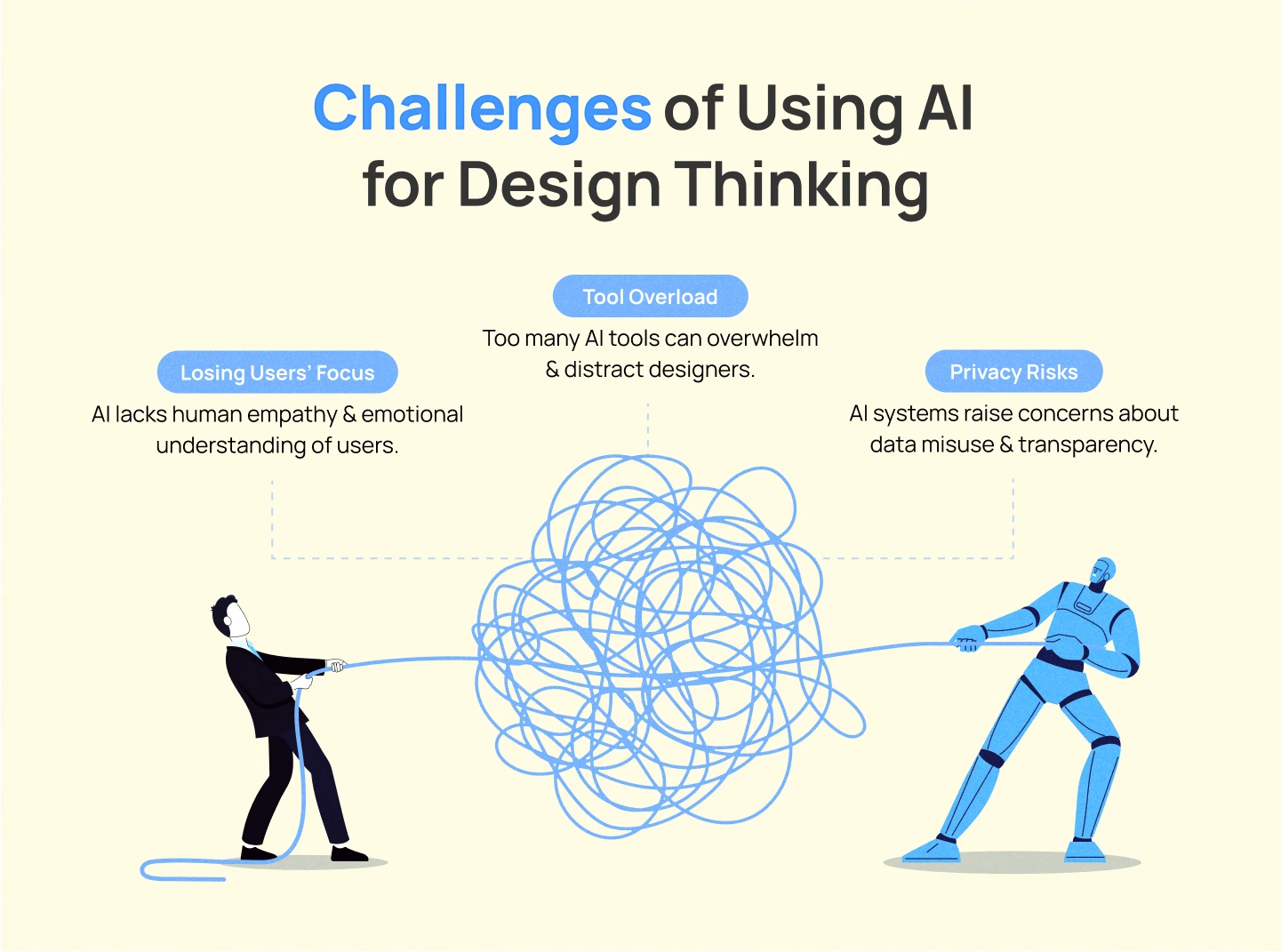
While AI can boost speed and insight in the design process, it also introduces new risks. To use AI responsibly and effectively in design thinking, here are the key challenges teams must consider:
AI can analyze user behavior patterns, but it cannot understand human emotions like frustration, excitement, or confusion. Teams may rely too heavily on AI data instead of talking directly to users. This creates designs that solve surface problems but miss deeper emotional needs.
Tip: Use AI insights as a starting point, but always validate findings through direct user interviews and observations.
The explosion of AI tools can overwhelm teams with too many options to choose from. Teams may waste time constantly learning new platforms or chasing the latest trends instead of focusing on actual design work. This leads to fragmented workflows and burnout from trying to keep up with every new AI tool.
Tip: Start with one or two AI tools that address your biggest pain points, and master them before adding new ones to your workflow.
AI tools often require large amounts of user data to work effectively, creating privacy and security concerns. Teams may collect personal information without users fully understanding how it’s being used. Poor data handling can damage user trust and create legal problems.
Tip: Always be transparent about data collection, get clear user consent, and regularly audit your data practices to ensure compliance.
AI doesn’t just plug into one part of the design thinking process; it weaves through every phase. It’s offering new ways to collect insights, spot patterns, generate ideas, and test solutions, while supported by AI, the process remains deeply human-driven. AI acts as a force multiplier, helping teams move faster and explore more possibilities without losing sight of user needs.
Let’s take a closer look at how AI supports each phase:
Understanding users is central to design thinking, but gathering meaningful insights from user interviews, feedback, and surveys can be a time-consuming process.
Designers often spend extensive time observing users, conducting one-on-one conversations, and analyzing qualitative data to gain a deeper understanding of their needs, emotions, and pain points. While this approach is valuable, it can be overwhelming due to the sheer volume of data and the slow pace of manual analysis.
Here’s how AI supports empathy-driven design:
Once user data is collected, design teams need to organize and interpret it to uncover meaningful insights. This stage requires teams to pull together information, identify key user needs, and craft clear problem statements that will guide the ideation process. It’s a critical but often messy phase, where important details can be overlooked amid the noise.
Designers spend time organizing data on whiteboards or digital tools, looking for patterns and grouping similar feedback. Designers must carefully sort through feedback to tell apart surface complaints from deeper user needs. Without a clear structure, it’s easy to misinterpret the data, rush into solutions, or miss the real problems entirely.
AI supports this phase by:
Ideation and prototyping are the phases where teams generate potential solutions and shape them into visuals through sketches, wireframes, or early mockups.
Designers lead brainstorming sessions, explore creative directions, and build quick prototypes to validate ideas before investing in development. However, when teams are under tight deadlines, they may skip exploration or settle on familiar ideas, thereby limiting creativity and innovation.
AI supports this phase by:
Testing helps teams validate whether a design truly works for users, uncovering areas of confusion or friction that may need improvement. In this phase, designers define test goals, moderate usability sessions, and interpret findings to guide refinements. However, analyzing feedback at scale and comparing design versions can be time-consuming or prone to bias.
AI supports this phase by:
AI is no longer just a behind-the-scenes tool, it’s now a real collaborator in the creative process. When used thoughtfully, it helps UI UX Design teams understand users faster, explore more ideas, and build better products with confidence.
That said, the foundation of design thinking remains the same: empathy, curiosity, and problem-solving. AI simply makes it easier to put these UI UX Design principles into action, helping designers understand user needs faster and create better solutions.
At Lollypop Design Studio, we believe in designing experiences that feel both intelligent and human. If you’re working on an AI-powered product or service, we’d love to help you shape it into something people truly connect with.
Book a free consultation with our team, and let’s bring your AI vision to life.





