

In design thinking, understanding users is always the foundation of creating meaningful products! From the very first stages, UX researchers rely on interviews, observations, and data analysis to uncover what users need and why they behave in a certain way.
However, as digital products grow more complex and user expectations continue to rise, the research process has become heavier. Teams now face the challenge of processing large volumes of data to understand user needs and uncover meaningful patterns.
This is where AI is beginning to reshape the workflow. Instead of spending hours sorting feedback or identifying patterns manually, AI helps teams analyze data faster, reveal deeper insights, and focus more on strategic decision-making.
In this blog, we’ll explore how to use AI tools for UX research across different phases of design thinking, the limitations, and 7 of the best AI-powered tools every UX researcher should know in 2026.
Research is a foundational stage in the UX design process. It establishes a clear understanding of both user needs and business objectives, providing the insights necessary to inform strategic design decisions. While traditional research methods remain valuable, AI tools for researchers can significantly enhance this process.
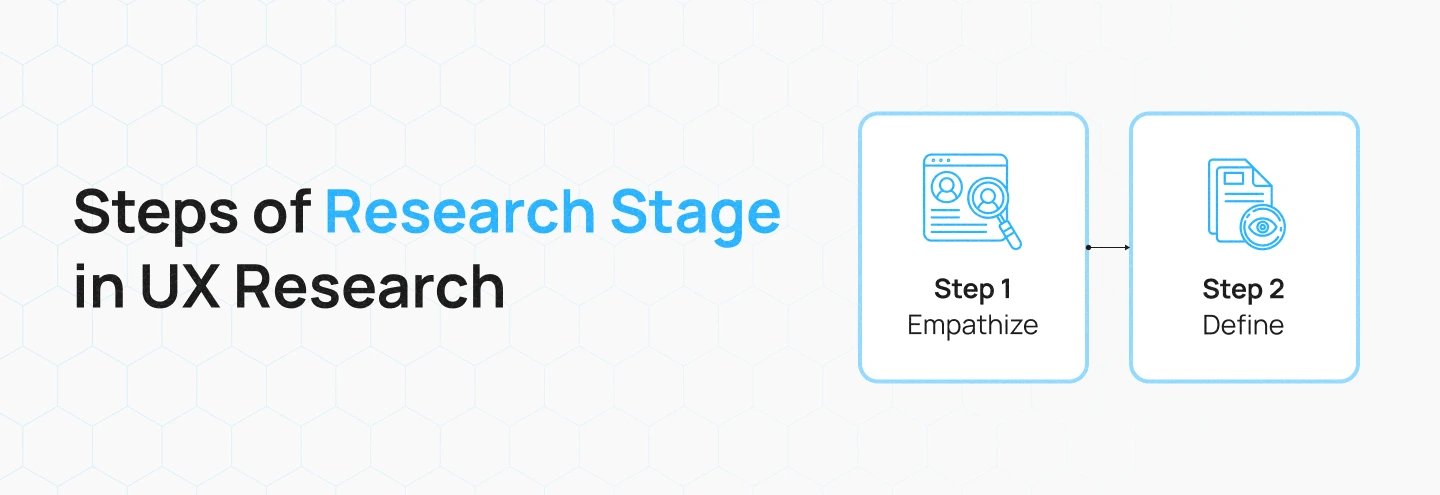
Let’s explore how these tools can be applied, starting with the Empathize stage:
The Empathize phase focuses on understanding users by planning the right research activities, recruiting participants who reflect the target audience, and conducting studies that capture real behaviors and motivations. Through this phase, researchers can gather the foundational insights needed to support the Define stage.
UX research in the age of AI has transformed how teams approach user insights. Let’s explore how to use AI for ux research tools, starting with the Empathize stage:
At the start of the Empathize phase, UX researchers need to plan their research activities. This means defining the questions they want to answer, the user groups to study, and the research methods to use. Proper planning ensures that the research captures meaningful insights rather than random or irrelevant data.
AI can support by analyzing past research to suggest high-impact questions, identifying target user segments from demographic or behavioral data, and recommending the most effective research methods. By using AI in planning, teams can save time, reduce guesswork, and focus on activities that deliver the most valuable insights.
AI Capabilities: Research scoping and participant targeting
After defining the research plan, the next step is to recruit participants who represent the target audience. This process is often slow because teams need to review screening surveys, check demographics, and filter users manually. Finding the right participants is crucial, as the quality of insights depends on how well these users reflect real product behavior.
AI tools for user research can streamline this stage by analyzing demographic, behavioral, or usage data to identify the best-fit participants. It can automatically match user profiles to research criteria and predict which users are most likely to provide valuable insights. This helps teams recruit faster with greater accuracy.
AI Capabilities: User profiling and participant matching
After recruiting participants, researchers begin conducting user studies, such as interviews, surveys, observations, or usability tests. These activities help capture real user behaviors, motivations, and challenges in context, but they can be time-consuming to run and document accurately.
AI in ux research supports this stage by automating key tasks during the sessions—such as transcribing conversations in real time, detecting emotional cues like confusion or hesitation, and capturing important moments or quotes. This allows researchers to stay fully engaged with participants while ensuring no detail is lost.
AI Capabilities: Automated transcription and sentiment detection
Figure this blog out: Generative AI vs Predictive AI – What are the differences?
The Define phase focuses on identifying the core problem to solve based on the insights gathered during research. Traditionally, teams manually analyze interview notes and survey results to find recurring issues, a process that can be slow and subjective. How AI supports the define phase:
After completing user studies, researchers need to review all collected materials to understand what users experienced. This includes going through interview notes, survey responses, observation records, and usability walkthrough findings. Proper review ensures that early insights are grounded in real user behavior rather than assumptions.
AI enhances this step by scanning large volumes of data to highlight repeated topics, recurring pain points, and noteworthy signals. It helps teams identify patterns more quickly, reduce manual review time, and ensure no important detail is overlooked.
AI Capabilities: Data extraction and pattern highlighting
After reviewing the research data, the next step is to organize and interpret the findings. Researchers begin by grouping similar comments, behaviors, and pain points into shared themes, then analyze these themes to uncover root causes, user needs, and key opportunities. This process helps teams see connections across studies and form a clearer picture of the challenges users consistently face.
AI tools for qualitative research strengthens this stage by automatically clustering related insights and revealing relationships between themes. It highlights recurring issues, detects hidden patterns, and helps teams identify which problems have the greatest impact. This leads to faster synthesis, more accurate interpretation, and more confident decision-making.
AI Capabilities: Thematic clustering, insight correlation, and root-cause analysis
Once teams finish clustering and analyzing insights, the next step is to translate these findings into clear UX deliverables. The first deliverable they must identify is the Problem Statement, which defines what needs to be solved based on evidence gathered in the research stage. This ensures the team is aligned on the core challenge before moving forward.
AI supports this step by validating whether the defined problem aligns with user goals, business objectives, and product KPIs. It helps refine the statement so it remains focused, actionable, and strategically relevant.
AI Capabilities: Problem synthesis and goal alignment
Once the Problem Statement is finalized, researchers and designers usually define several key deliverables during the Define phase. These outputs help structure insights and align design strategies before moving into ideation and development.
Once the key problems and opportunities are defined, the team can confidently move into the Design and Development stages, turning validated insights into impactful, user-centered solutions.
You may want to read more about: What is AI Design Thinking? Your Guide to Human-Centered AI
AI in ux research is redefining how research is conducted, from automating repetitive tasks to uncovering deeper user insights. Choosing the best ai tool for research depends on your workflow, research goals, and data type. Below are 7 of the most effective AI tools for UX research that help researchers work faster, analyze smarter, and collaborate better.
What it is: Miro AI is an advanced feature of the Miro platform that transforms brainstorming and research sessions into structured, data-driven experiences.
How it helps:
Best for: Visual collaboration, affinity mapping, workshop facilitation, brainstorming synthesis, and transforming messy ideas into structured deliverables like product briefs and user stories.
What it is: Dovetail AI is a comprehensive qualitative research platform designed to centralize, analyze, and share user research findings through its suite of “Magic” AI features.
How it helps:
Best for: Managing qualitative research, analyzing interview and usability test data, building a centralized research repository, and transforming continuous user feedback into actionable insights.
What it is: Maze is an AI-assisted usability testing tool that converts prototype testing into actionable, quantitative insights.
How it helps:
Best for: Rapid usability testing, validating prototypes, unbiased survey design, and understanding user flows through automated analytics.
What it is: Notably AI is a qualitative research platform with Posty, an AI research assistant that automates research workflows and turns unstructured data into organized insights.
How it helps:
Best for: Organizing qualitative research, synthesizing interview data, automating repetitive analysis tasks, and building a centralized knowledge base for teams.
What it is: QoQo AI is a UX design and research assistant available as a Figma plugin and web app that streamlines early-stage design planning and research documentation.
How it helps:
Best for: Sentiment analysis, understanding emotional responses, and analyzing conversation data through conversational AI capabilities.
What it is: Notion AI extends Notion’s workspace with AI-powered writing, summarization, and organization tools to streamline documentation and knowledge management.
How it helps:
Best for: Writing research summaries, organizing documentation, meeting notes, and transcription, creating structured knowledge repositories, and collaborating on team research insights.
What it is: Looppanel is an AI-powered research assistant designed to streamline user interview and usability test analysis from recording to insight.
How it helps:
Best for: Interview analysis, usability test synthesis, automated transcription and theming, and sharing research insights across teams with video evidence.
Using ai tools for ux research provides significant advantages but cannot replace human judgment, empathy, or contextual understanding. Recognizing these limitations helps teams use AI effectively.
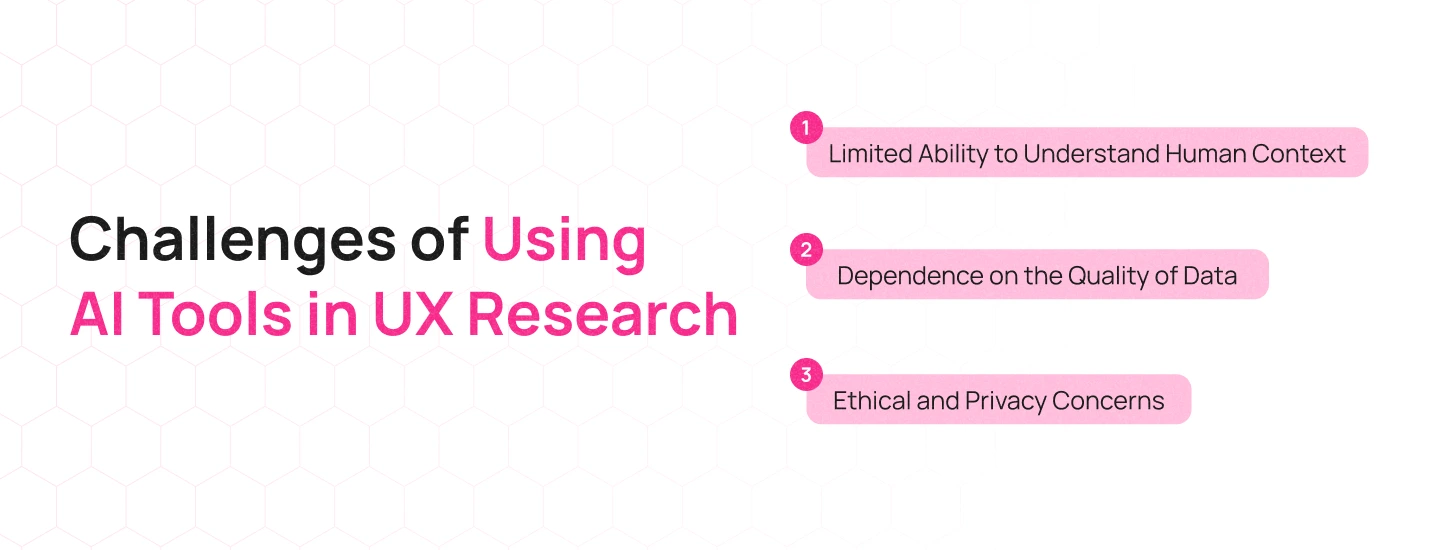
Here are some of the limitations:
AI can identify patterns in what users say and do, but it cannot grasp the deeper human context behind those behaviors:
How to address: Researchers must actively interpret AI findings. They could verify it by conducting follow-up interviews, reviewing original data sources, and applying their knowledge of psychology and cultural context.
AI is only as reliable as the data it analyzes. When data quality is poor, AI produces flawed or misleading conclusions. Common data quality issues include:
How to address: Researchers must prepare data carefully. This includes cleaning datasets, standardizing formats, validating responses, and confirming that data represents the full diversity of the user base.
UX research often involves sensitive user information, and using AI to process this data introduces important ethical and privacy risks:
How to address: Research teams must implement strong data governance practices, including anonymizing user data, obtaining informed consent, selecting AI vendors with robust security measures, and regularly auditing tools for bias.
Read more: A Practical Tutorial for Using AI in A/B Testing
AI integration is transforming the way UX research is approached—making it faster, more accurate, and deeply insightful. From analyzing qualitative data to detecting user sentiment, AI enhances how teams collect, process, and act on user feedback. It helps researchers save time, uncover patterns, and make data-backed design decisions that improve the overall user experience.
At Lollypop Design Studio, we help businesses harness the potential of AI to create smarter, more user-centered digital experiences. From UX research to design strategy, our team blends human empathy with intelligent design tools to build products that truly connect with users.
Book a free consultation to explore how our design expertise and AI-powered research can help you uncover deeper insights and craft exceptional user experiences.





