

Color accounts for up to 85% of the reason a user stays or leaves your product (Source: Secretariat of the Seoul International Color Expo 2004). Yet, crafting a palette that balances brand identity with strong visual contrast used to take hours of manual work.
AI Color Palette Generators are optimizing the workload. By learning from 100+ millions of human-curated palettes, these tools can now suggest harmonious combinations in seconds—from a text prompt, an image, or a single seed hex code.
At Lollypop, we have a core belief: AI is the tool; the designer is the conscience. Not every palette created by AI is ready to use. For Product Designers, Brand Designer, and UX Designers, this guide goes beyond basic tool lists. We’re diving into the professional workflow: how to use AI to get the results you actually need, and how to test a palette before using it.
AI Color Palette Generator is a machine-learning engine designed to suggest groups of colors (typically 2-8) that function seamlessly within a digital interface. While traditional color wheels rely on rigid geometric math.
AI models—like Khroma, Coolors, or Huemint—are trained on massive datasets comprising millions of the world’s human-made palettes. This training helps the AI learn the complex relationships between primary, secondary, and tertiary colors.
For example, an AI understands that a “sunset” palette isn’t just random oranges; it’s a mathematically precise gradient of red, orange, and yellow that mimics natural light transitions. Analyzing everything, including existing color schemes, design trends, and user interactions. So that these tools identify not only the “hue” but the “why” behind, they recognize patterns in how humans perceive value, saturation, and temperature, allowing them to predict which combinations will evoke “trust,” “energy,” or “luxury.”
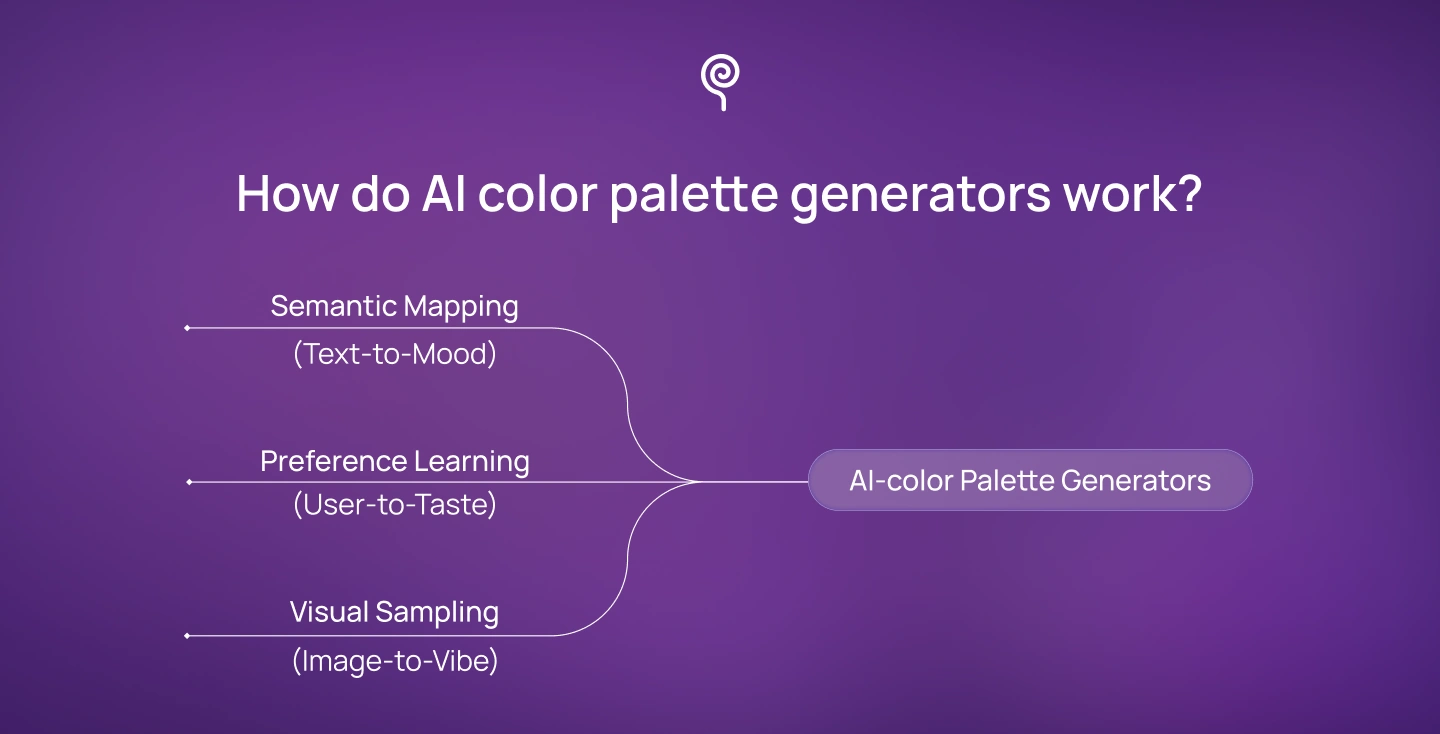
To steer the AI, a designer must understand its technical “brain.” Based on comprehensive research (including insights from SuperAGI), leading AI tools operate via three primary channels:
Do not just click “Generate” and hope for the best. Here is how Lollypop integrates AI into a real-world project workflow:
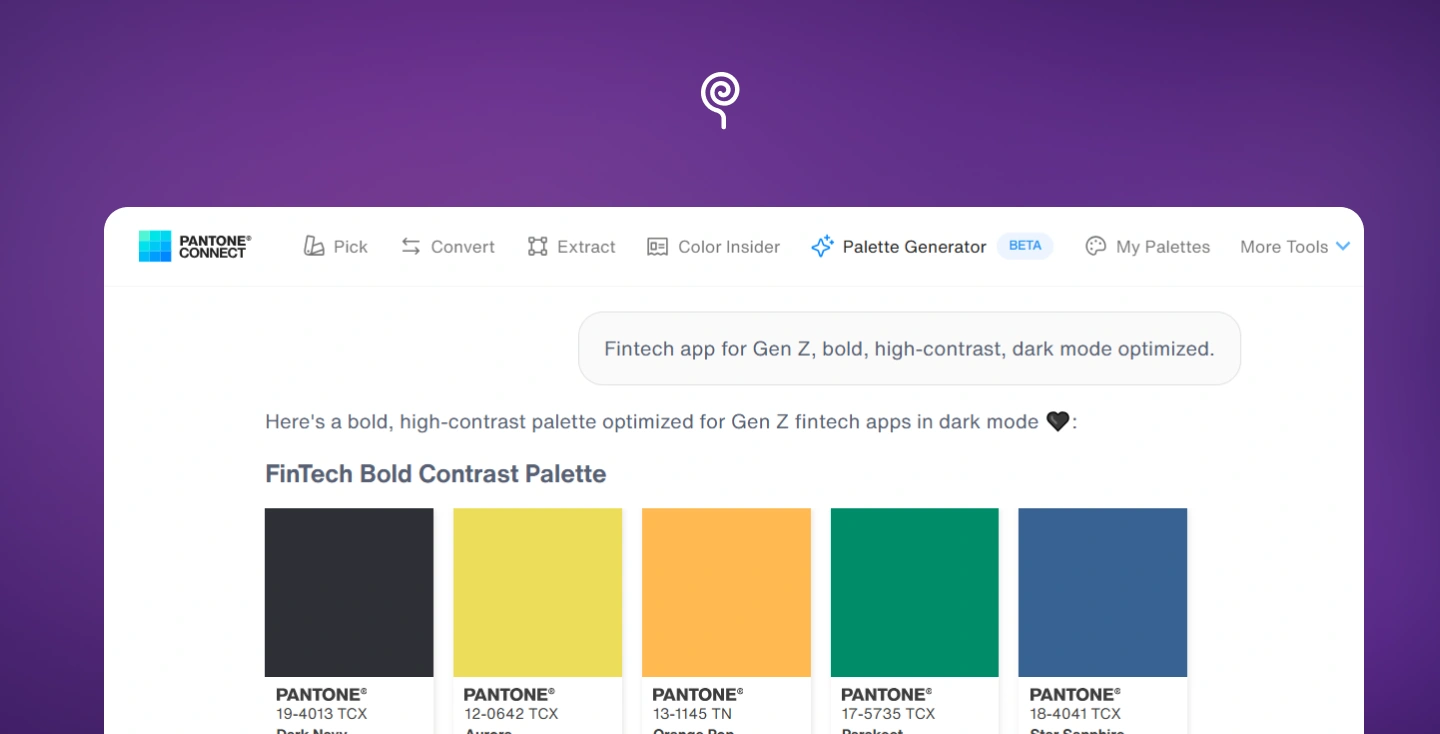
Pantone turns your ideas into standard colors you can trust. It works great for turning text prompts into real palettes.
Why It Works: By entering a specific mood or thematic prompt, you leverage an engine that understands color theory at scale, delivering a precisely curated palette as your base, leaving you free to focus on the craft and final decision-making.
Protips: Avoid boring prompts like “beautiful blue.” Be specific about your audience and goal. For example: “Fintech app for Gen Z, bold, high-contrast, dark mode optimized.”
Huemint is great because it shows your colors on actual website layouts.
Why It Works: It can generate a palette directly onto built-in UI mockups (like SaaS dashboards, Bootstrap layouts, or landing pages). It understands visual hierarchy, knowing which color should act as the background, which is for text, and which should be the high-contrast Call-to-Action (CTA).
Protips: Lock your primary brand color first, then generate the rest of the palette. This allows you to instantly demo how your brand identity functions within a functional Bootstrap or landing page layout.
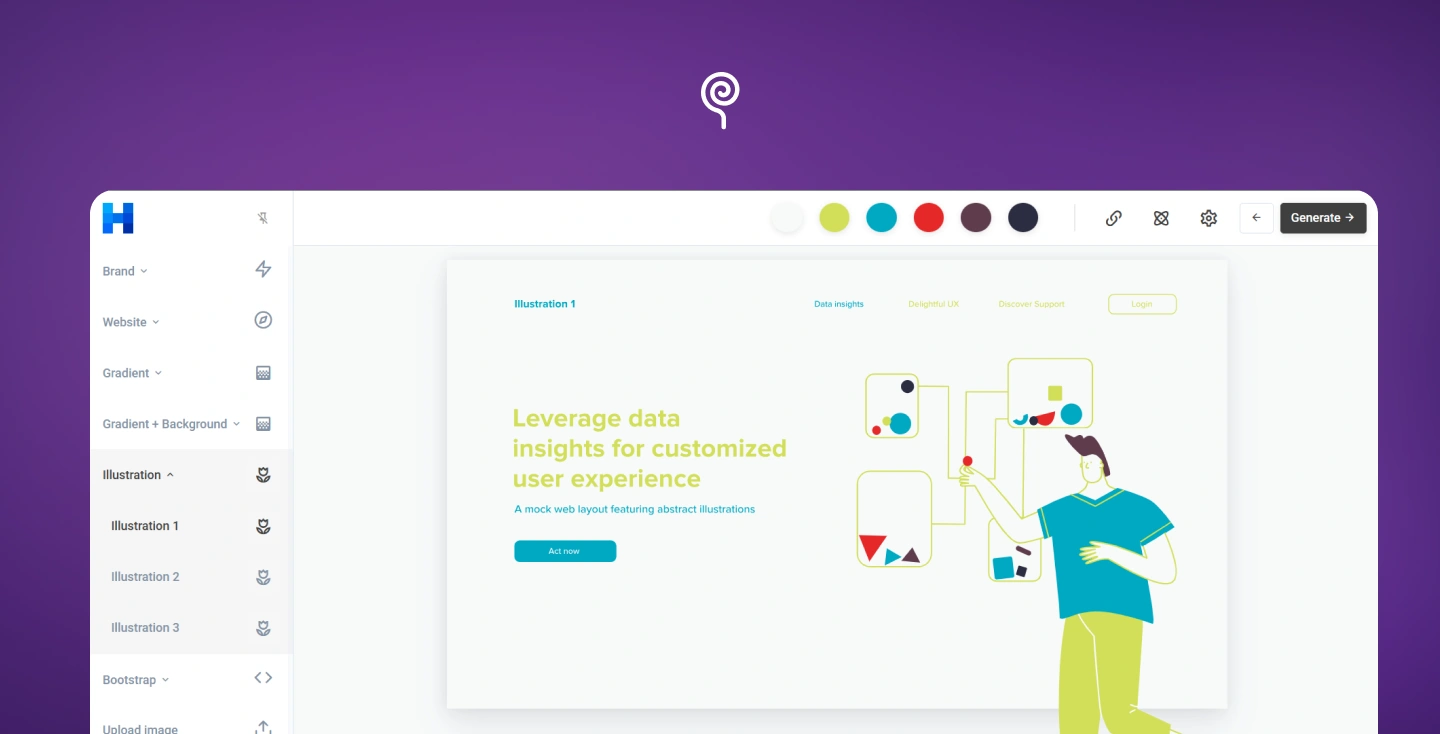
Huemint is great because it shows your colors on actual website layouts.
Why It Works: It can generate a palette directly onto built-in UI mockups (like SaaS dashboards, Bootstrap layouts, or landing pages). It understands visual hierarchy, knowing which color should act as the background, which is for text, and which should be the high-contrast Call-to-Action (CTA).
Protips: Lock your primary brand color first, then generate the rest of the palette. This allows you to instantly demo how your brand identity functions within a functional Bootstrap or landing page layout.
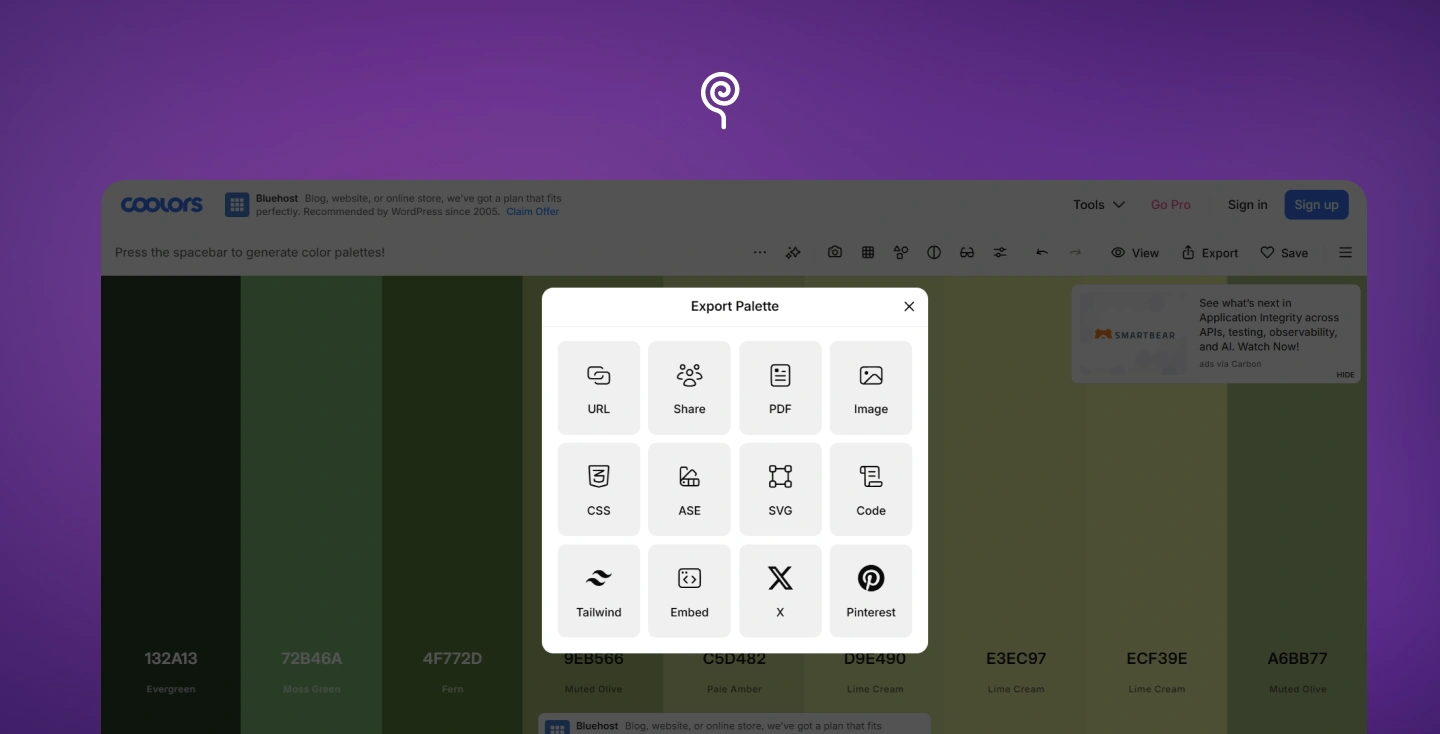
Coolors is a useful tool because it is fast and easy to use.
Why It Works: It is a fast AI Generated Color Palettes tool for websites. The tool gives you up to 5 colors and lets you preview them on over 30 design mockups. You can also search for trending palettes for inspiration and see how they look on mockups in seconds.
Protips: Once you have your final colors, do not copy and paste the codes by hand. Use Coolors to export the palette directly into CSS or Figma. This stops mistakes when handing the design over to developers
AI sets the stage, but the designer is the conscience. Every palette must pass these four “Human-in-the-loop” checkpoints before it earns a place in your Figma file:

AI color palette generators fundamentally changed the speed at which designers can explore color — but speed without judgment is just noise. They save you from slow, manual work and give you more time to focus on what matters most: the user experience.
But remember: AI explores options; you make the rules. A palette only works when you check it for readability, culture, and technical needs.
If your team is looking to build a scalable, high-performance design system, let’s talk. At Lollypop Design Studio, we don’t just pick colors; we build ecosystems. Let’s connect to discuss your vision and see how we can bring it to life together.
We design AI-powered products ourselves – see how our Design for AI Products services turn AI capabilities into experiences people trust.
For example, we designed an AI co-pilot platform for Asato.ai for enterprise CIOs, where AI outputs had to be presented with clarity and trust.
A tool that uses machine learning to translate your raw ideas, whether they’re text prompts, keywords, or mood images—into a cohesive, theory-backed color system. Unlike traditional tools, it understands the ‘vibe’ and psychology behind the hues, giving you a professional head start so you can focus on the craft that truly matters
Don’t name colors — describe the feeling and the audience. Example: “Calm, trustworthy healthcare dashboard for elderly users.” When you define the strategic intent, the AI can surface the psychological harmonies that actually resonate with your users.
Huemint and Coolors are the most useful for digital design because they let you preview colors on real website parts and export them easily for developers.
Huemint is a game-changer because it doesn’t just show you colors, it shows you how they behave. You can preview your palette on actual UI components—like buttons and menu bars right in the browser. This helps you spot balance issues early, before you even move the design into Figma.
Coolors is all about speed and precision. It’s a favorite because it lets you export palettes as clean CSS variables or other dev-friendly formats in a few clicks. This bridges the gap between your Figma file and the browser, ensuring your exact hex codes translate perfectly into the live interface without any manual work.





