







What if your customers could get instant answers, voice-to-text fluid interactions, and intent-driven, hyper-personalized recommendations—anytime, anywhere?
Chatbots are no longer just an optional support widget; they are an enterprise operational layer. As businesses rapidly pivot toward autonomous agentic architectures, understanding and implementing effective best practices for chatbot UI UX design principles is critical to preventing user drop-off. In fact, UX industry data reveals that 71% of AI product abandonment is caused by interface and interaction design failures, not the backend model itself. Today’s businesses leverage advanced, multi-layered AI-driven conversational interfaces (Chatbots) that transcend basic Q&A to execute workflows, sense sentiment, and adapt visually to user intent in real time.
What is a Chatbot in the Era of Generative AI?
A chatbot is a software application that utilizes natural language processing (NLP), large language models (LLMs), and adaptive user interfaces to simulate human-like conversations. In 2026, chatbots have evolved from rigid, click-button wizards into multimodal agents embedded directly within apps, websites, and messaging ecosystems like WhatsApp, Slack, and Apple Business Connect.
What are Chatbots Used For?
- Intent-Driven Execution & Support: Providing instant, accurate responses while pulling live data from CRMs and ERPs.
- Multimodal E-commerce Assistance: Recommending hyper-targeted products via dynamic text, image cards, and voice prompts.
- Context-Aware Lead Generation: Gathering user context dynamically through fluid, natural conversations without standard forms.
- Automated Feedback & Sentiment Analysis: Detecting user frustration in-line to adjust responses or instantly trigger a human agent.
Understanding the UX nuances of conversational architecture shapes how users trust your system. Let’s dive deep into the definitive blueprint for modern chatbot UI UX design.
Read More: In the era of autonomous agents, explore how technology is fundamentally reshaping human-computer interaction in our comprehensive guide to AI conversational interfaces.
Best Chatbot UI UX Design Practices for 2026
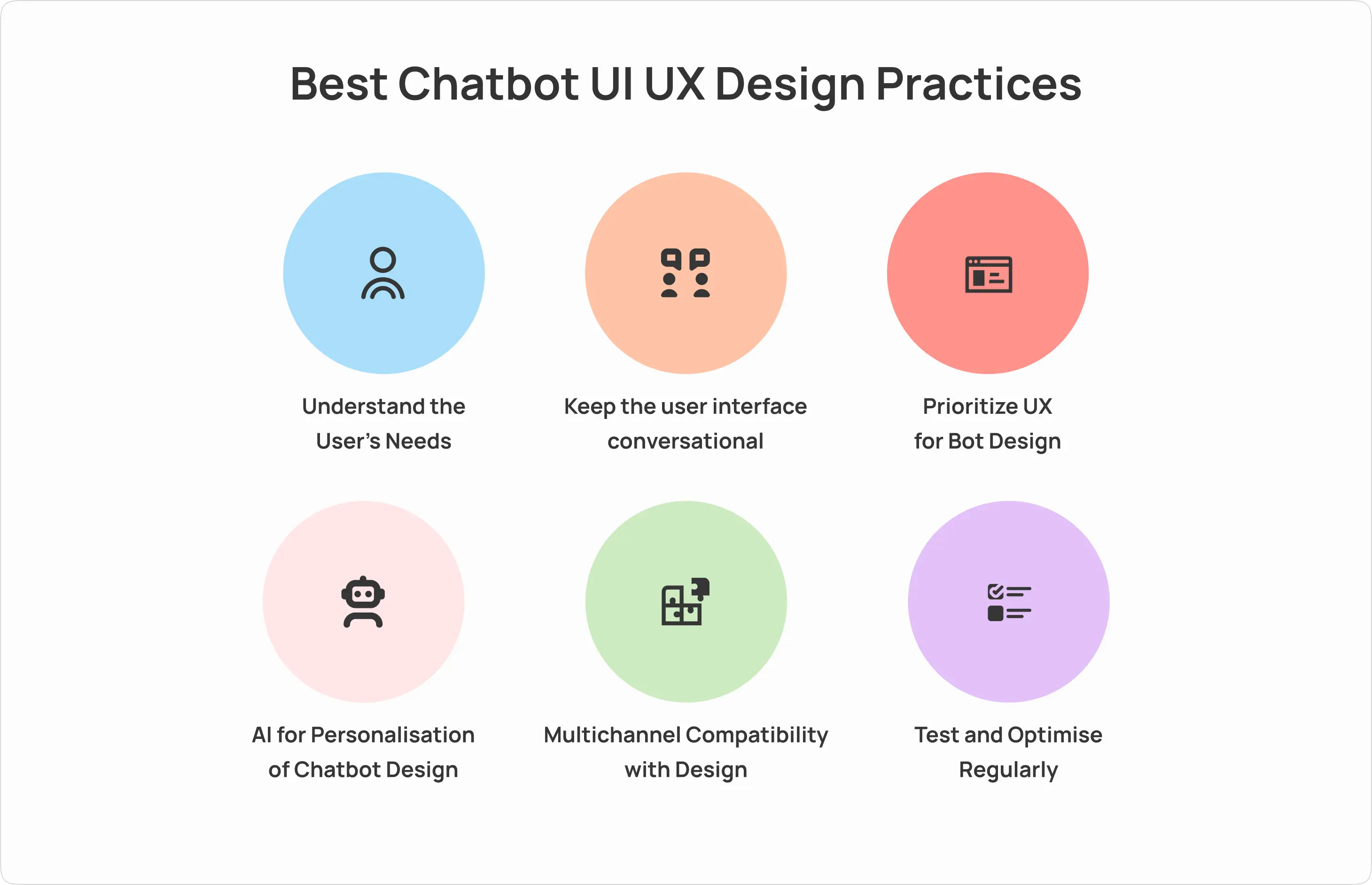
Simply deploying a chat window won’t cut it anymore. Users now expect radical transparency, immediate feedback, and flawless navigation. To build a highly interactive, accessible, and high-conversion conversational interface, weave these design best practices into your layout:
1. Prioritize Capability Transparency Over Personality
A common UX pitfall is prioritizing a witty persona before establishing utility. If a chatbot introduced as “Sparky” tells a joke but fails to process a basic invoice, user satisfaction plummets. Capability transparency means your UI explicitly sets expectations. Use inline tags, onboarding suggestions, or progressive disclosure states to show users exactly what the bot can and cannot execute the moment the window opens.
2. Balance Determinism and Reasoning Step-by-Step
For optimal UX control, divide your conversation flows. High-risk operations—such as processing a bank transfer or updating an account profile—must follow a deterministic path (strict buttons, explicit validation steps, and fixed UI patterns). Conversely, open-ended discovery, like browsing product categories, can leverage the model’s reasoning engine for fluid, natural dialogue.
3. Design the Unhappy Path & Human Handoff First
Every chatbot encounters an edge case, a vague prompt, or an out-of-scope question. The hallmark of exceptional UX is how the interface manages failure. Avoid generic “I don’t understand” responses. Instead, implement recovery loops: provide actionable quick-reply buttons to pivot the query, show source citations for factual confirmation, or offer a seamless, context-preserving handoff to a live human agent.
4. Implement Micro-Feedback Loops & Typing Indicators
Without continuous feedback, users assume a system has crashed. Incorporate clear, non-intrusive typing indicators (such as animated skeletal loaders or bouncing dots) to signal backend processing. For data density control, keep generated text blocks under 60 words for mobile viewports, using expandable accordions for deeper explanations.
5. Leverage AI for Real-Time UI Personalization
Static interfaces are a liability. True engagement relies heavily on semantic systems where the interface elements rearrange themselves depending on user expertise, historical patterns, and prompt context. Integrating AI’s machine learning engine dynamically triggers personalized layouts, shortens transaction funnels, and adapts micro-copy natively. Always design for micro-moments of AI personalization.
6. Ensure Seamless Multimodal & Multichannel Compatibility
Users seamlessly shift between typing, voice input, snapping photos, and clicking buttons. Your digital interface must support these inputs organically. Furthermore, accessibility requires high-contrast chat bubbles, spacious tap targets, full keyboard compatibility, and screen-reader support. Whether on your core website or third-party networks, a unified UX/UI design system guarantees brand consistency across all channels.
7. Run Continuous Usability Testing and Optimization Cycles
Deploying a chatbot is just the starting line. Routinely analyze transcripts to capture half-sentences, unintended inputs, and circular loops. Test for usability across edge groups to identify critical roadblocks. Track key performance indicators (KPIs)—including prompt-to-resolution speed, human-escalation frequencies, and accuracy rates—to iteratively update your conversation maps.
Deepen Your Knowledge: Uncover how deep automation, design mechanics, and machine learning are shifting the digital ecosystem in our analysis of AI for UI/UX design.
Noteworthy Chatbot Examples Running in 2026
1. Secure Banking Operating Layers
Traditional financial services have moved away from basic informational pop-ups. Modern banking assistants serve as direct transaction portals. Safely operating behind biometric validation, they handle complex fund allocations, trace irregular merchant charges, and issue proactive fraud warnings within a highly secure conversational wrapper.
2. Hyper-Personalized E-commerce Agents
Next-gen retail storefronts stand out by minimizing standard menu drilling. Platforms utilize bots like “ShopSense” to match unstructured inputs (“Help me pick an outdoor setup for a rainy porch”) directly to live stock systems, rendering responsive item cards, size pickers, and complete checkout buttons directly inside the chat interface.
3. Multimodal Healthcare Navigators
Navigating dense healthcare portals remains an industry-wide challenge. Systems like the “Medicare Bot” bridge this operational divide. Patients interact naturally using text or voice to cross-reference physician schedules, map urgent symptoms, and confirm clinical check-ins while following absolute data privacy and encryption protocols.
4. Adaptive Educational Companions
Modern digital learning platforms utilize AI-native guides to eliminate learning friction. Instead of rendering static PDFs, these educational assistants parse user input, detect confusion metrics, change content density, and present real-time progressive milestones, turning complex learning pathways into digestible interactive formats.
“Modern conversational design isn’t about copywriting or scripting simple text lines; it’s experience architecture. True trust is earned when the interface remains transparent about machine confidence, handles unpredictable paths flawlessly, and safely translates human intent into systemic action.”
— Jane Doe, Conversational AI Specialist
Trending Now: Learn how multi-agent networks coordinate automated business operations in our latest breakdown of Exploring AI Agents – Types, Real-world Examples, and Limitations.
Conclusion
Chatbot UI UX design has transformed from a structural novelty into a primary front door for modern consumer and enterprise digital experiences. By championing capability transparency, focusing heavily on robust error recovery paths, and tailoring interfaces to user intent, brands convert standard text exchanges into highly profitable customer relationships.
Ready to engineer an elite conversational experience that converts? Contact Lollypop Design Studio today. Let’s design an intelligent, accessible system built specifically for your audience.
Common FAQs on Chatbot Design
1. What makes an AI chatbot interface successful in 2026?
A successful AI chatbot relies on context-awareness, capability transparency, multimodal compatibility (voice, text, photo inputs), and clear error-recovery paths. It must seamlessly shift between automated reasoning and deterministic flows depending on the security level of the user’s task.
2. What are the primary enterprise use cases for chatbots?
Enterprises utilize intelligent assistants as direct action layers to streamline customer onboarding, manage transactional support, capture qualified business leads, automate human resource tasks, and link legacy databases to real-time, natural language queries.
3. How do you design a robust chatbot user flow?
Begin by mapping the core intent and user goals. Build the error-recovery paths and human-escalation triggers first before polishing the ideal path. Ground the system’s responses in structured internal knowledge bases, and utilize progressive disclosure to deliver text clearly without causing cognitive fatigue.
4. How can businesses maximize user engagement through chatbot UI?
Engagement increases when interfaces dynamically adapt to real-time user behavior. Incorporate intuitive visual cards, crisp micro-feedback cues, interactive typing animations, and straightforward alternative suggestions when a query falls out of scope.
5. What is the fundamental difference between a chatbot UI and an AI Agent UI?
Traditional chatbots are fundamentally reactive conversational components designed for single-turn Q&A loops. Conversely, an AI agent interface handles multi-step, autonomous workflows, operates proactively based on external system triggers, and coordinates background executions under human oversight.
