A website needs to support more than a brand’s visual identity. Marketing teams also need to launch landing pages, update content, and respond to new business priorities without relying on developers for every change. When these tasks become difficult to manage, businesses may start looking for a platform that offers greater design flexibility and a more streamlined editing experience. Webflow is one option worth considering, particularly for design-led marketing websites.
Choosing Webflow is only part of the decision. The quality of the final website also depends on how well the agency translates design requirements into a functional, responsive, and maintainable site. Poorly structured CMS collections, inconsistent components, or limited editing flexibility can create challenges long after the website goes live. The right agency should understand not only how to build in Webflow, but also how the website will be managed and developed over time.
Before committing to a Webflow design agency, businesses need to assess whether the platform fits their needs and whether a potential partner can deliver a website that works beyond launch. This guide covers the key differences between Webflow and WordPress, how the Figma-to-Webflow process works, what to look for when evaluating an agency, and which factors influence project costs.
A Webflow design agency helps businesses plan, design, and build websites using Webflow. Depending on the project’s requirements, its services may cover website strategy and design, Webflow development, and launch support. Understanding these service areas can help businesses identify the capabilities they need before choosing an agency.
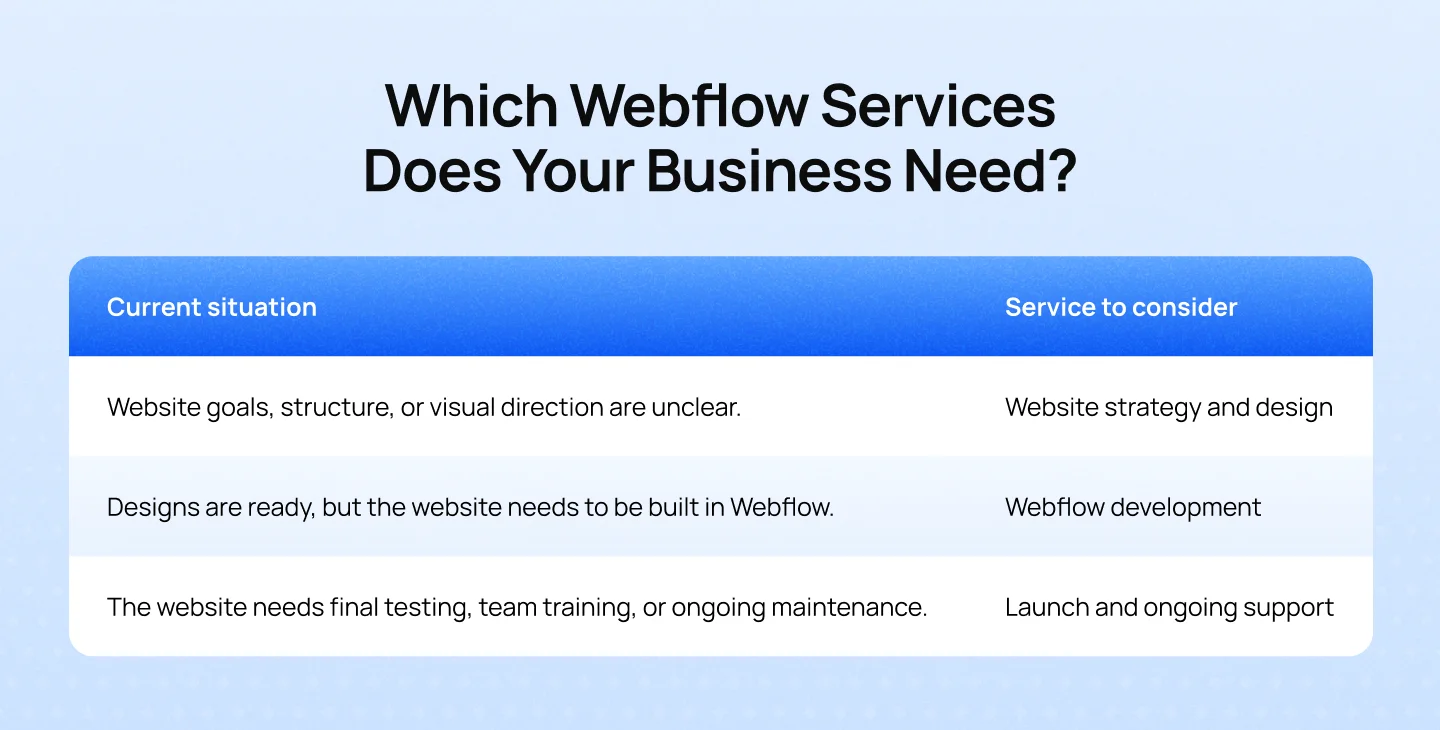
The right scope depends on the website’s current stage, project requirements, and internal resources. Defining these needs early helps businesses focus on the services they need and compare agency proposals more effectively.
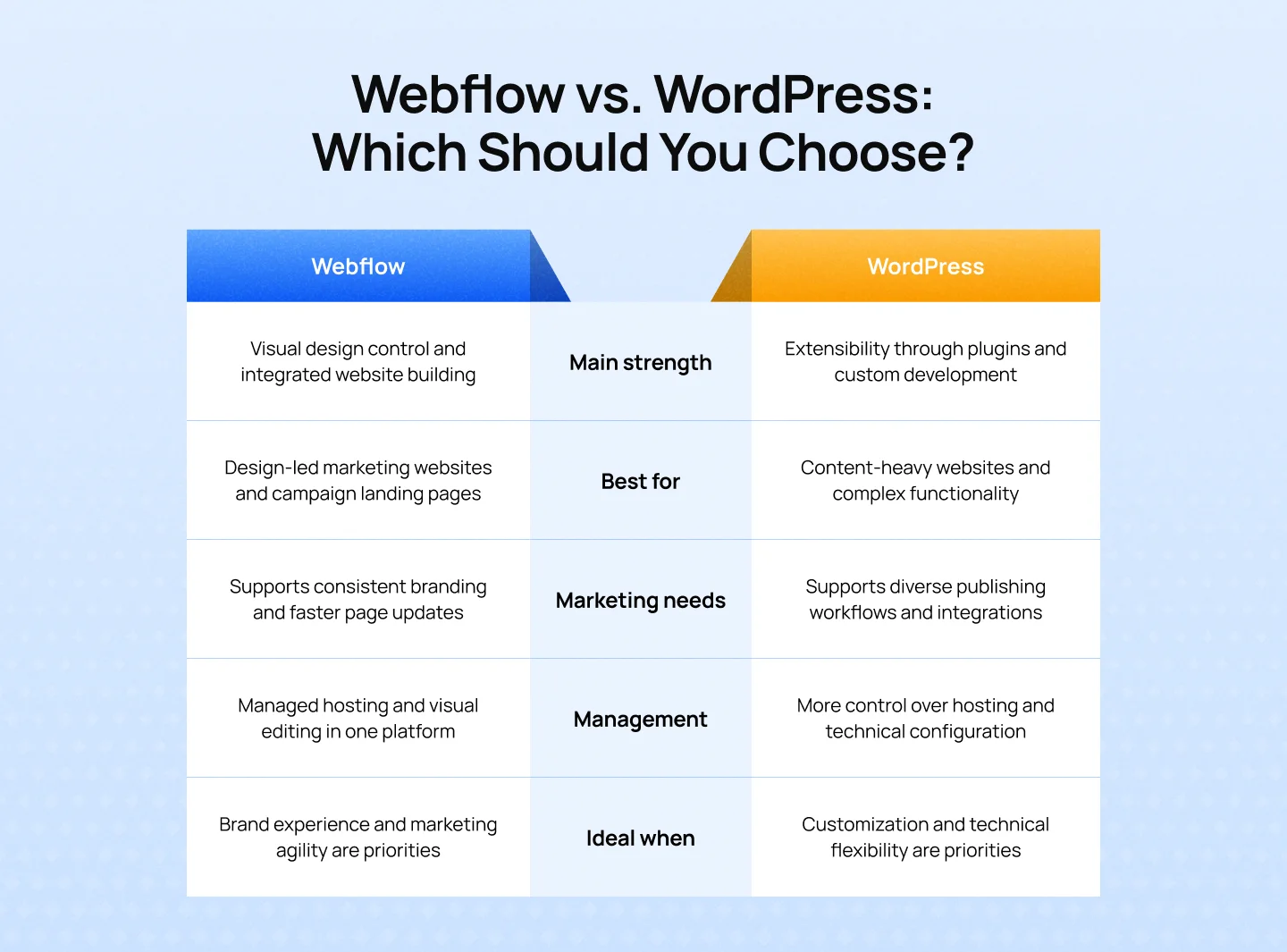
Webflow and WordPress serve different business priorities. Webflow emphasizes visual control and streamlined website management, while WordPress offers greater extensibility for businesses with specialized functionality and content requirements.
Key takeaways:
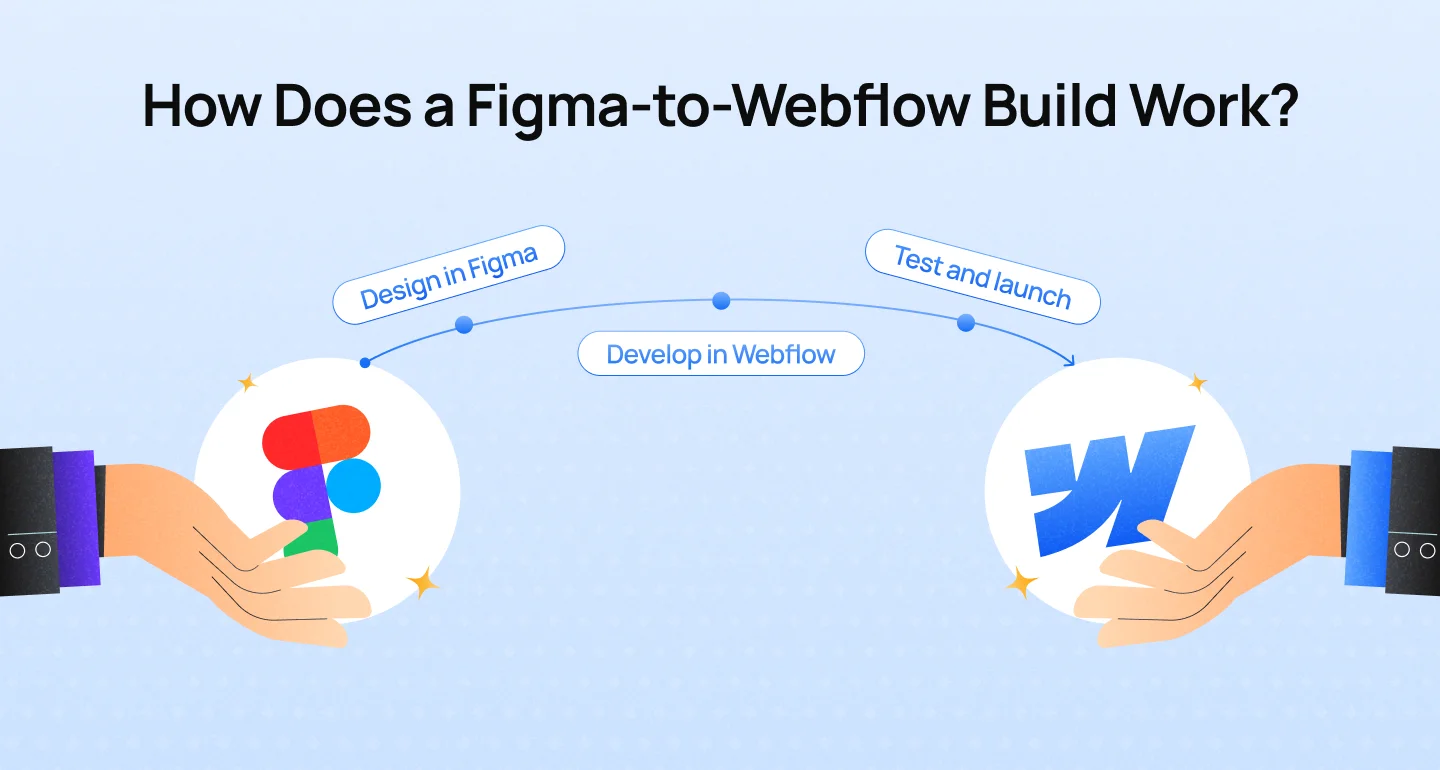
Building a website with Webflow often involves both design and development. Before the website is built, designers may use Figma to plan the page layouts, visual elements, and user experience. These designs then serve as a reference for developing the website in Webflow, helping ensure consistency between the approved design and the final result.
A typical Figma-to-Webflow workflow includes three stages:
This workflow connects the design and development stages, helping teams maintain visual consistency while building a website that can be managed and updated after launch.
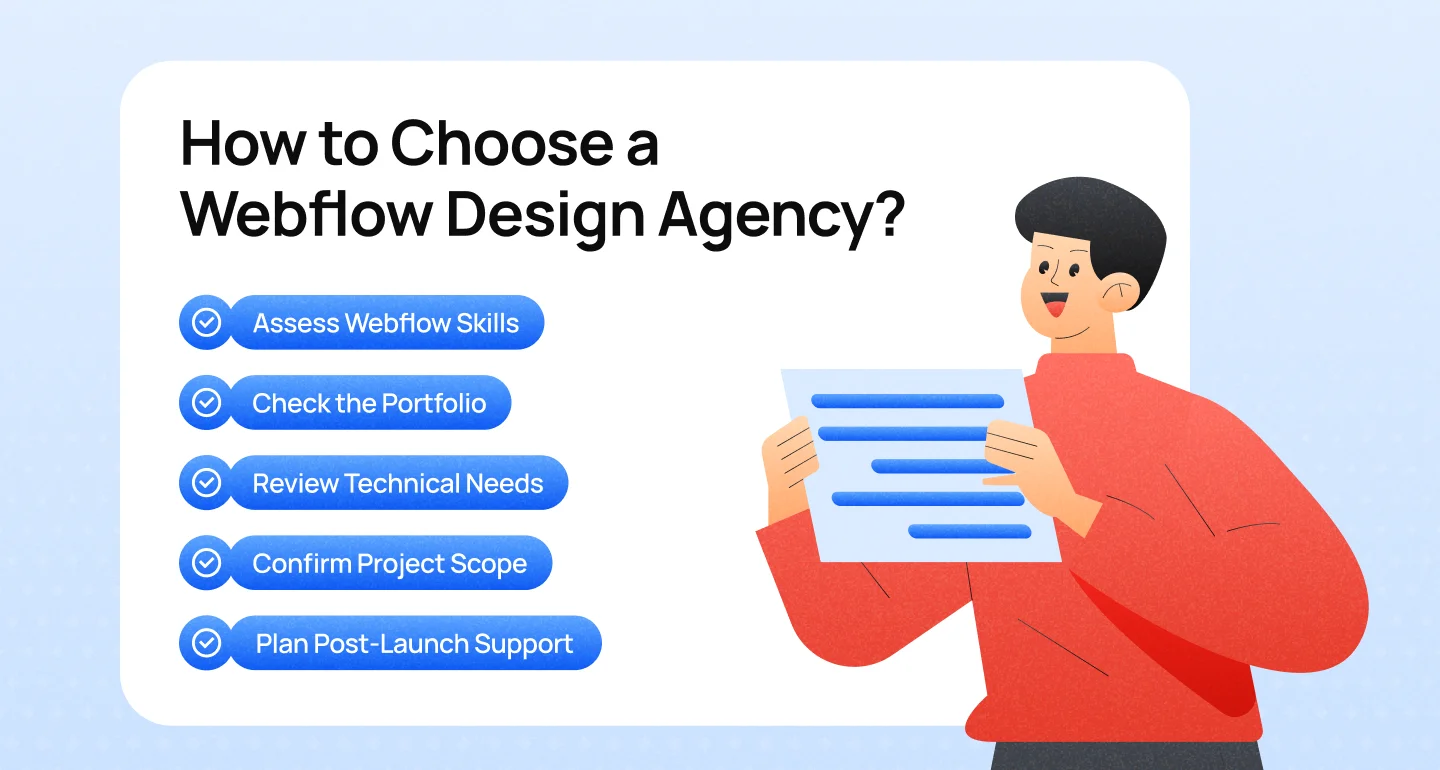
Choosing a Webflow design agency requires more than finding a team that can create an attractive website. Businesses need to assess whether the agency understands their goals, can deliver the required functionality, and can build a website that remains easy to manage after launch. These five criteria can help narrow down the options.
Review live websites the agency has built and look for projects with goals, complexity, or functionality similar to yours. Pay attention to visual consistency, page layouts, responsive behavior, and user experience. For B2B and SaaS businesses, experience with landing pages, product pages, blogs, and case studies can be particularly relevant.
A polished Figma design does not automatically translate into a well-built website. Ask how the agency converts designs into responsive pages, organizes reusable components, and structures CMS collections. A well-planned build should preserve design consistency while making future updates easier.
Confirm that the agency can support the CMS setup, integrations, and technical SEO requirements the project demands. For website migrations, ask how existing URLs, redirects, metadata, and search visibility will be handled. These details help prevent technical issues that could affect the website after launch.
Before signing a contract, clarify the deliverables, timeline, revision process, responsibilities, and pricing. Confirm which tasks are included in the proposal and which may incur additional costs. A clearly defined scope helps businesses compare agencies fairly and reduce unexpected changes during development.
Ask what happens after the website goes live. This may include CMS training, documentation, bug fixes, maintenance, or ongoing optimization. Businesses should understand which services are included, how long support lasts, and what arrangements are available when additional assistance is needed.
Key takeaways:
Before signing a contract with a Webflow design agency, clarify the project scope, responsibilities, and post-launch arrangements. These questions can help identify potential gaps before development begins.
The right website should support both user needs and business goals. Explore how Lollypop approaches digital design to discover how thoughtful design can shape your next website project.
The cost of a Webflow website depends on the project’s scope, design requirements, and technical complexity. A simple landing page typically requires less work than a custom marketing website with multiple CMS collections, third-party integrations, or advanced interactions. Understanding these cost drivers helps businesses set a realistic budget before hiring an agency.
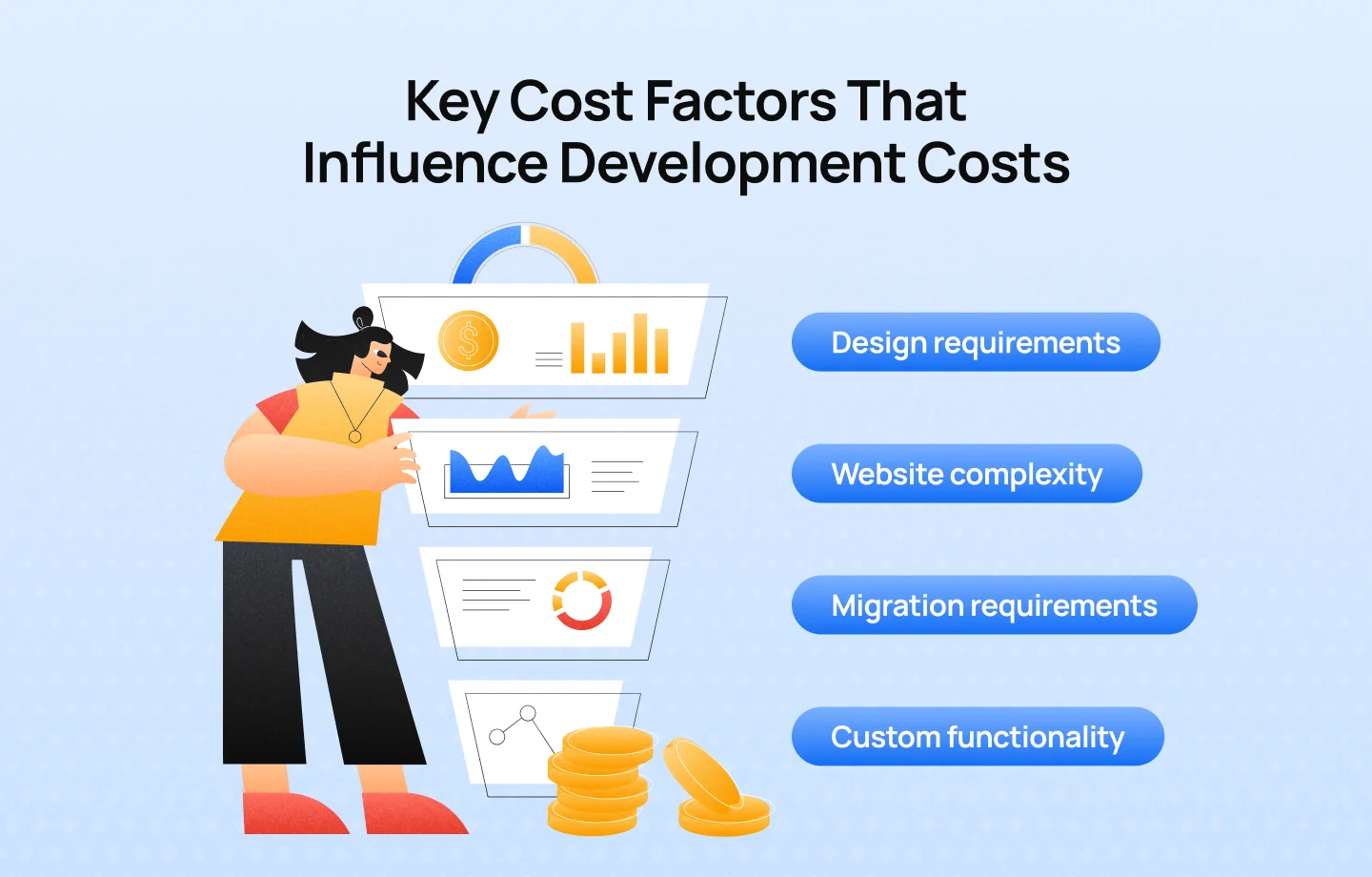
Several factors can affect the overall cost of a Webflow website:
The initial development fee is only one part of the total investment. Businesses may also need to account for:
These expenses vary depending on the website’s requirements and how it will be managed. Considering both development and recurring costs provides a clearer picture of the investment needed to maintain the website over time.
Choosing a Webflow design agency starts with understanding what your business needs from its website. While Webflow offers design flexibility and streamlined content management, the results depend on how well the platform, project scope, and agency’s capabilities align with your goals. Reviewing relevant work, clarifying technical requirements, and confirming post-launch support can help you find a partner who delivers more than an attractive website.
If you’re considering Webflow for your next website project, talk to Lollypop. Our team can help you explore your options, define the right approach, and create a website that supports your brand and business goals.
Yes. Webflow can be a good fit for B2B websites that need custom landing pages, structured content, and consistent branding. However, businesses with complex backend requirements or specialized integrations should assess the platform’s capabilities before committing.
A Webflow designer focuses on the website’s visual design, layout, and user experience, while a Webflow developer handles implementation, responsive behavior, CMS configuration, and interactive functionality. Some professionals offer both skill sets.
Evaluate the agency’s portfolio, Webflow expertise, CMS capabilities, project scope, and post-launch support. The right partner should understand the business’s goals and deliver a website that meets both design and technical requirements.
No. Certification can help businesses identify professionals recognized by Webflow, but it is not mandatory. Relevant experience, project quality, and the agency’s ability to meet specific requirements remain important factors.
Webflow supports essential SEO settings and website migration workflows, but results depend on implementation. Businesses migrating an existing site should plan URL redirects, metadata, content structure, and post-launch monitoring to help preserve search visibility.