A business website is no longer just a digital presence. It supports marketing campaigns, captures leads, communicates brand value, and connects customers with the products or services they need. As these demands grow, the website must evolve alongside the business.
However, not every WordPress website is built to support that evolution. A site that initially works well can become difficult to manage as new features, third-party integrations, content requirements, and performance expectations emerge. Poor technical decisions made during development can also create long-term maintenance challenges, limit flexibility, and increase the cost of future improvements.
This is where choosing the right WordPress development company becomes important.
Beyond delivering a functional website, a reliable development partner should understand your business objectives, recommend an appropriate technical approach, and build an experience that remains manageable and adaptable over time. Yet, with different agencies offering varying services, technologies, and pricing models, determining which partner is right for your project can be challenging.
This guide explains how to evaluate WordPress development companies, compare development approaches, understand project costs, assess technical capabilities, and identify the essential details to confirm before signing a contract.
Not all WordPress development companies offer the same level of expertise. Some specialize in theme customization and straightforward business websites, while others handle custom development, complex integrations, and large-scale digital experiences.
Before comparing agencies, understand the capabilities that matter most to your project.
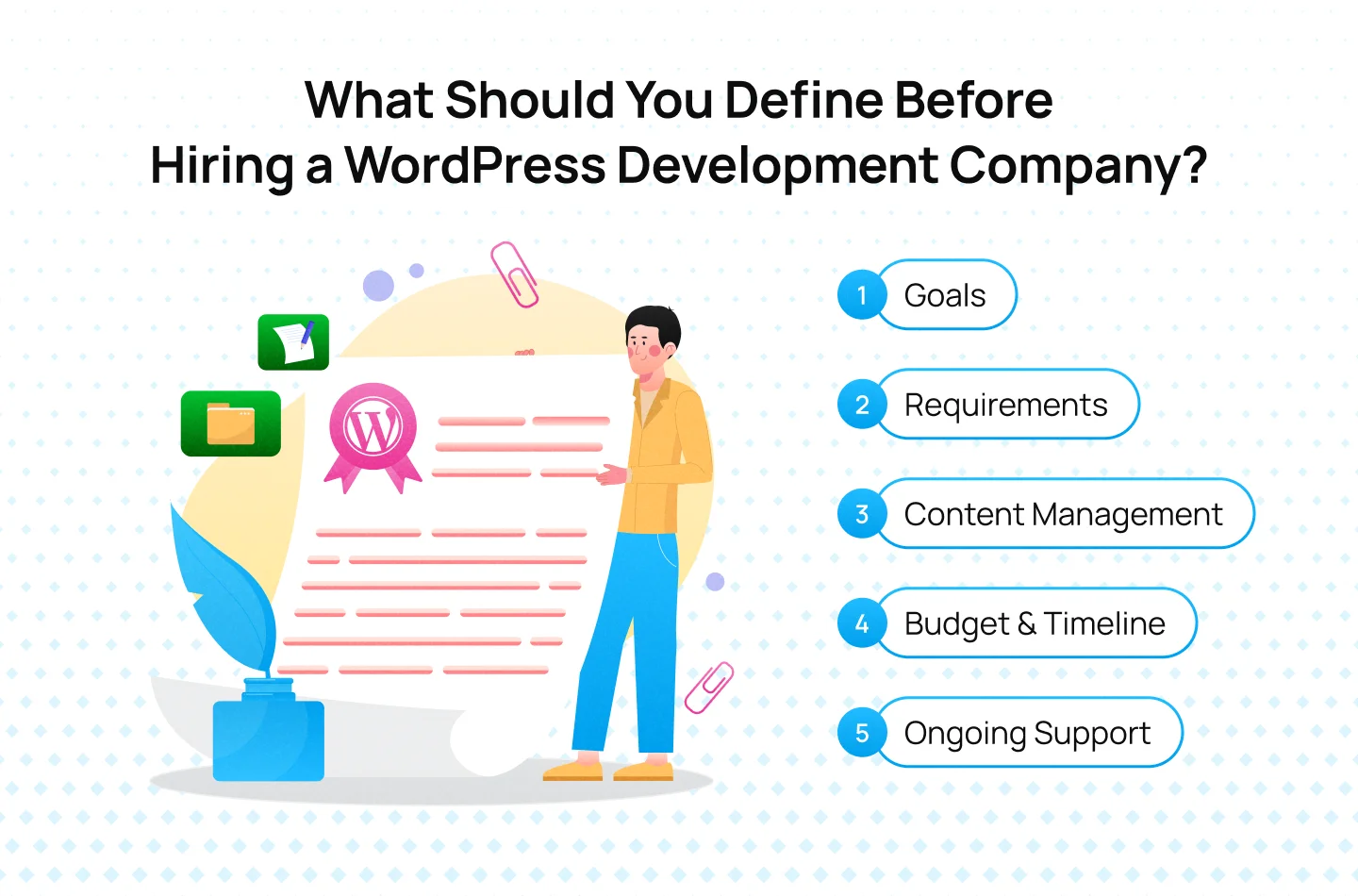
Step 1: Define Your Website Goals
Determine what the website needs to achieve, such as generating leads, improving conversions, or supporting a rebrand. Clear goals help establish project priorities and measure success after launch.
Step 2: Identify Your Functional Requirements
List the pages, features, and integrations your website needs. Consider requirements such as landing pages, CRM integrations, multilingual content, or e-commerce functionality to help define the project scope.
Step 3: Determine How Your Team Will Manage the Website
Consider who will update content, publish pages, and manage campaigns after launch. If your marketing team needs to make frequent changes independently, prioritize an editing experience with reusable blocks and flexible templates.
Step 4: Set Your Budget and Timeline
Establish your available budget and target launch date before requesting proposals. Website complexity, custom development, integrations, and content migration can all affect the resources required.
Step 5: Plan for Post-Launch Support
Decide who will manage software updates, backups, security, and technical issues after launch. Determine whether your team can handle routine tasks internally or needs an ongoing maintenance agreement.
With these priorities defined, you can give potential partners a clearer brief and evaluate their recommendations against your actual business needs.
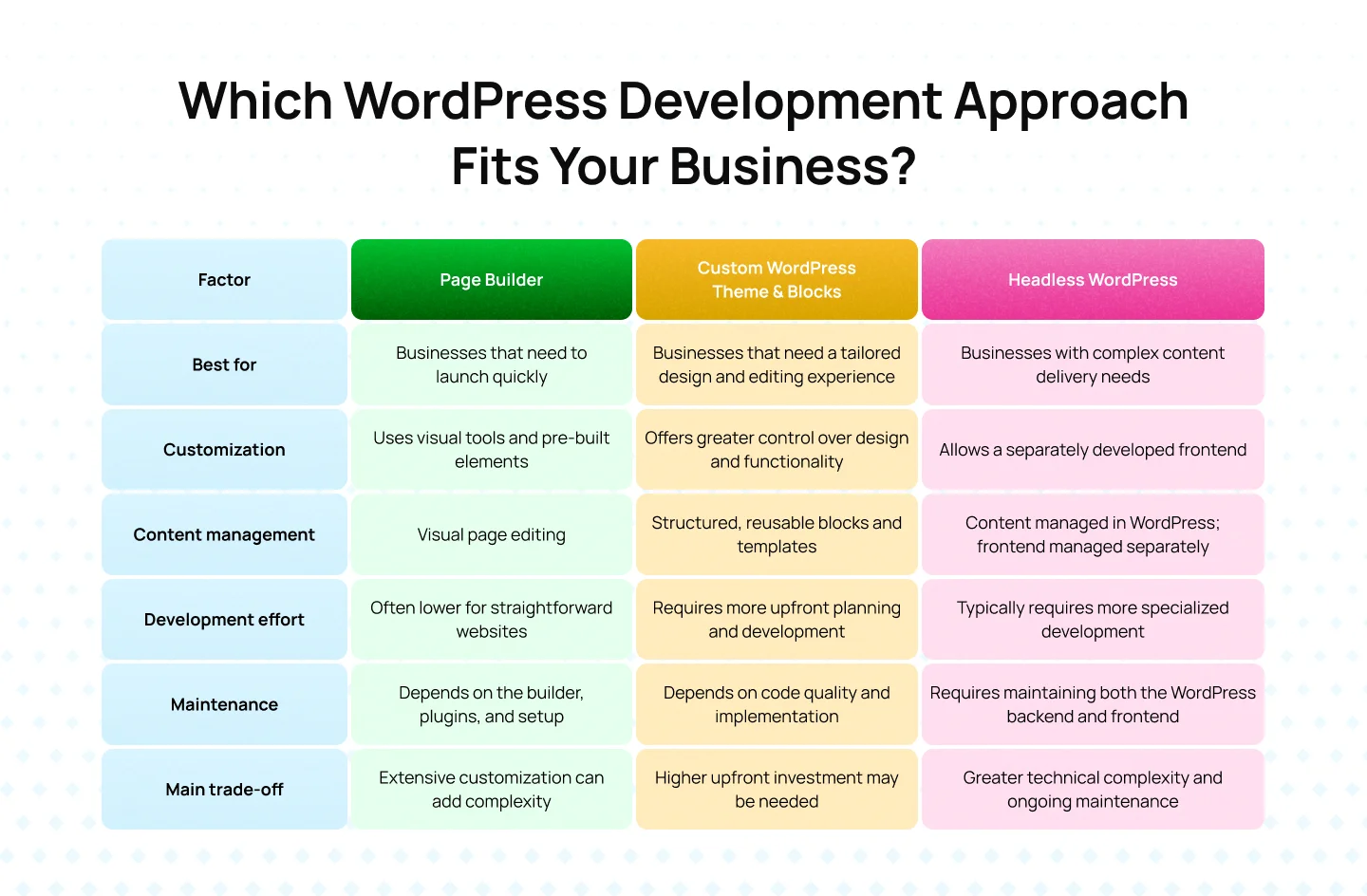
The right WordPress development approach depends on your website’s requirements, how your team manages content, and the level of customization you need. Each option offers different trade-offs in flexibility, complexity, and maintenance.Before choosing an approach, consider your team’s editing needs, required functionality, budget, and available technical resources. The most advanced setup is not always the best choice; the goal is to find a solution that meets your requirements without introducing unnecessary complexity.
WordPress development costs vary depending on the website’s complexity, design requirements, and functionality. A straightforward business website may need fewer resources than a custom build with multiple integrations or complex content workflows. Understanding the main cost factors helps you set a realistic budget before requesting quotes.
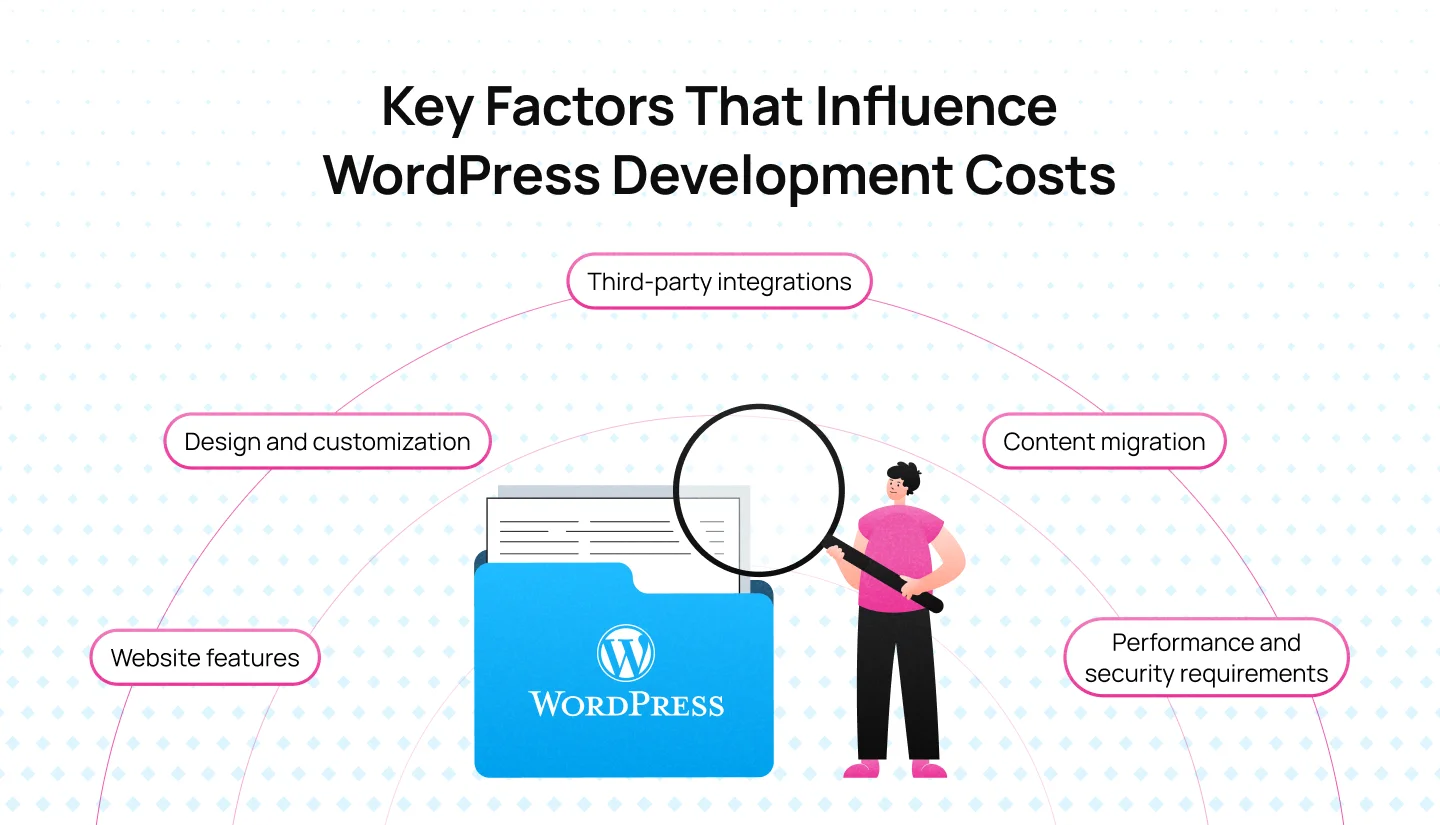
Several factors influence how much you will pay for WordPress development:
The initial development fee is only part of the total cost of owning a WordPress website. Businesses should also account for recurring expenses, including:
Before signing a contract, clarify which services are included in the initial quote and which will incur additional charges after launch.
Page builders can reduce upfront development effort by providing ready-made layouts and visual editing tools. Custom WordPress development typically requires more planning and specialized work, but it offers greater control over design, functionality, and the content editing experience.
The right choice depends on your requirements. A page builder may suit a straightforward website with a limited budget, while a custom theme and reusable blocks may be more appropriate for a business that needs consistent layouts and a tailored editing workflow. Rather than comparing upfront prices alone, consider the development effort, flexibility, and maintenance each option will require over time.
Choosing a WordPress development company requires more than comparing portfolios and quotes. Two companies may propose similar websites but differ significantly in how they manage the project, handle unexpected changes, and support the website after launch.
To make a well-informed decision, compare what each company will deliver, how it will work with your team, and what happens when the project does not go exactly as planned.
Ask each shortlisted company to estimate the project against the same requirements. Compare the scope, deliverables, assumptions, and exclusions rather than looking at the total price alone.
Pay particular attention to details that are easy to overlook:
A proposal should make it clear what you are paying for and what could increase the final cost. If one quote is substantially lower than the others, ask which assumptions, deliverables, or services account for the difference.
The quality of the working relationship can affect delivery just as much as technical expertise. Before selecting a company, understand how responsibilities are divided between its team and yours.
Ask who will lead the project, who will make key design and technical decisions, and who will be your main point of contact. You should also clarify what your team needs to provide, such as approved copy, images, brand guidelines, access credentials, or feedback by specific dates.
A few less obvious questions can reveal potential problems early:
A clear collaboration process helps prevent avoidable delays and ensures that both sides understand their responsibilities throughout the project.
Looking for a WordPress development partner that balances design quality with technical performance and long-term maintainability? Explore Lollypop’s projects to see how the team approaches website design and creates digital experiences around business needs.
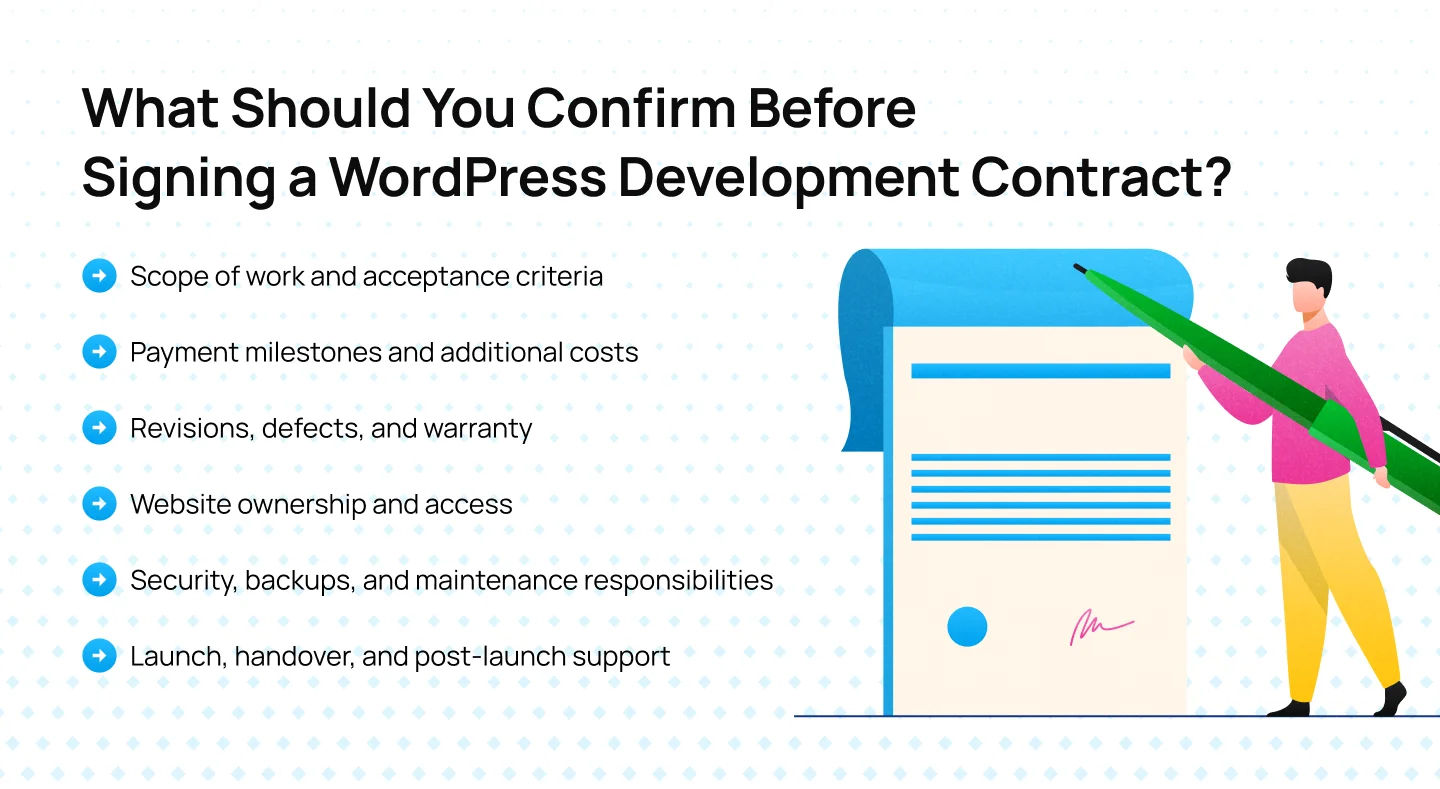
The contract should turn the proposal into a clear agreement about deliverables, responsibilities, payment, ownership, and support. Before signing, review the following areas carefully.
Make sure the contract identifies the agreed deliverables, including page templates, functionality, integrations, and documentation. It should also explain how completed work will be reviewed and accepted.
For example, agreeing that a website must be “responsive” is less useful than specifying that key page types will be tested across agreed mobile and desktop breakpoints. Clear acceptance criteria reduce disagreements about whether the delivered website meets expectations.
Check when payments are due and what each payment is tied to. Milestones may be linked to design approval, development completion, testing, or launch.
Also clarify how the company handles out-of-scope requests, delays caused by missing client materials, and third-party costs such as premium plugins, hosting, or external services. Ask whether additional work requires written approval before charges are incurred.
Design revisions and defects are not necessarily the same thing. A request to change an approved layout may be treated as additional work, while a feature that fails to meet the agreed specifications may qualify as a defect.
Confirm how many revision rounds are included, how defects are reported, and whether there is a defined period after launch during which the company will fix covered issues without additional development fees. The contract should explain the applicable conditions and exclusions.
Do not assume that paying for development automatically answers every question about ownership and access. Clarify who owns or has the right to use the custom code, design files, and other project deliverables, subject to the applicable contract and third-party licenses.
Your business should also understand who controls the domain, hosting account, WordPress administrator accounts, analytics properties, and other essential services. Confirm that the necessary credentials and documentation will be transferred at handover so the website is not dependent on the agency for basic access.
Ask which party is responsible for WordPress core updates, plugin updates, backups, security monitoring, and recovery if something goes wrong. These responsibilities may sit with your internal team, the hosting provider, or the development company, depending on the agreement.
Clarify what the maintenance plan covers, how often backups are performed, how restoration works, and whether emergency support is available. If ongoing maintenance is not included, make sure you have a practical plan for managing these tasks after launch.
A project should not be considered complete simply because the website is live. Confirm what the handover includes, such as administrator access, technical documentation, training for content editors, and instructions for common tasks.
Also establish who will monitor the website immediately after launch, how critical issues will be reported, and whether support is available during an agreed post-launch period. This is particularly important if your marketing team needs to publish campaigns or update pages soon after release.
A clear contract protects both parties by setting expectations before development begins. If a major deliverable, cost, ownership right, or support responsibility is unclear, resolve it before signing rather than assuming it will be handled later.
If you are evaluating potential WordPress development partners,explore Lollypop’s projects to see how the team approaches website design and user experience across different projects.
Selecting a WordPress development company is an important decision that can shape how your website performs and evolves over time. Beyond development skills and visual design, the right partner should understand your priorities, build around your team’s needs, and create a website that can adapt as your business changes.
Before moving forward, take time to clarify your requirements, assess each company’s approach, and understand exactly what its proposal covers. Looking at technical quality, content management, project scope, and ongoing support will help you choose a solution that works both at launch and in the long run.
Planning your next WordPress project? Talk to Lollypop to see examples of how website design can bring business requirements and user needs together.
A proposal should outline the project scope, page templates, required functionality, integrations, content migration, testing, and launch responsibilities. It should also clarify exclusions and explain how additional requests may affect the budget and timeline.
Yes, if the website has a suitable content editing experience. Reusable blocks and structured templates can help marketing teams update pages, publish content, and manage campaigns independently, while complex functionality may still require developer support.
Before launch, confirm that key pages work across mobile devices and browsers, forms and integrations function correctly, and redirects and performance checks are completed. Testing responsibilities should be clearly defined in the development scope.
Beyond the initial development fee, ongoing costs may include hosting, domain renewal, premium theme and plugin licenses, maintenance, security, and technical support. Clarify which services are included in the agreement and which require separate payment.