

Classrooms are no longer offline; they have gone online. Today, in digital classrooms, students interact more with screens than blackboards. But while access to learning apps has grown, many still struggle with confusing interfaces and low student engagement.
This is where UX design in education plays a key role—by making learning apps intuitive, engaging, and tailored to student needs. UX design helps turn passive users into active learners, making learning not just accessible but also enjoyable and effective.
Educational app user interfaces have only recently become more engaging. Up until the last few years, most education apps featured rather basic and uninspiring user interfaces, with limited attention to interactivity or user-centered design.
Recent trends pushed developers to focus on personalization, gamification, and intuitive navigation as key ways to make learning apps more engaging and effective for users
UX design in education refers to the process of crafting digital learning experiences that are intuitive, engaging, and aligned with how students think and learn. UX plays a critical role in helping students stay focused, motivated, and confident while using learning tools. Whether it’s a homework tracker, a quiz app, or a full learning management system (LMS), good UX ensures students can interact with the platform smoothly, without confusion, frustration, or cognitive overload.
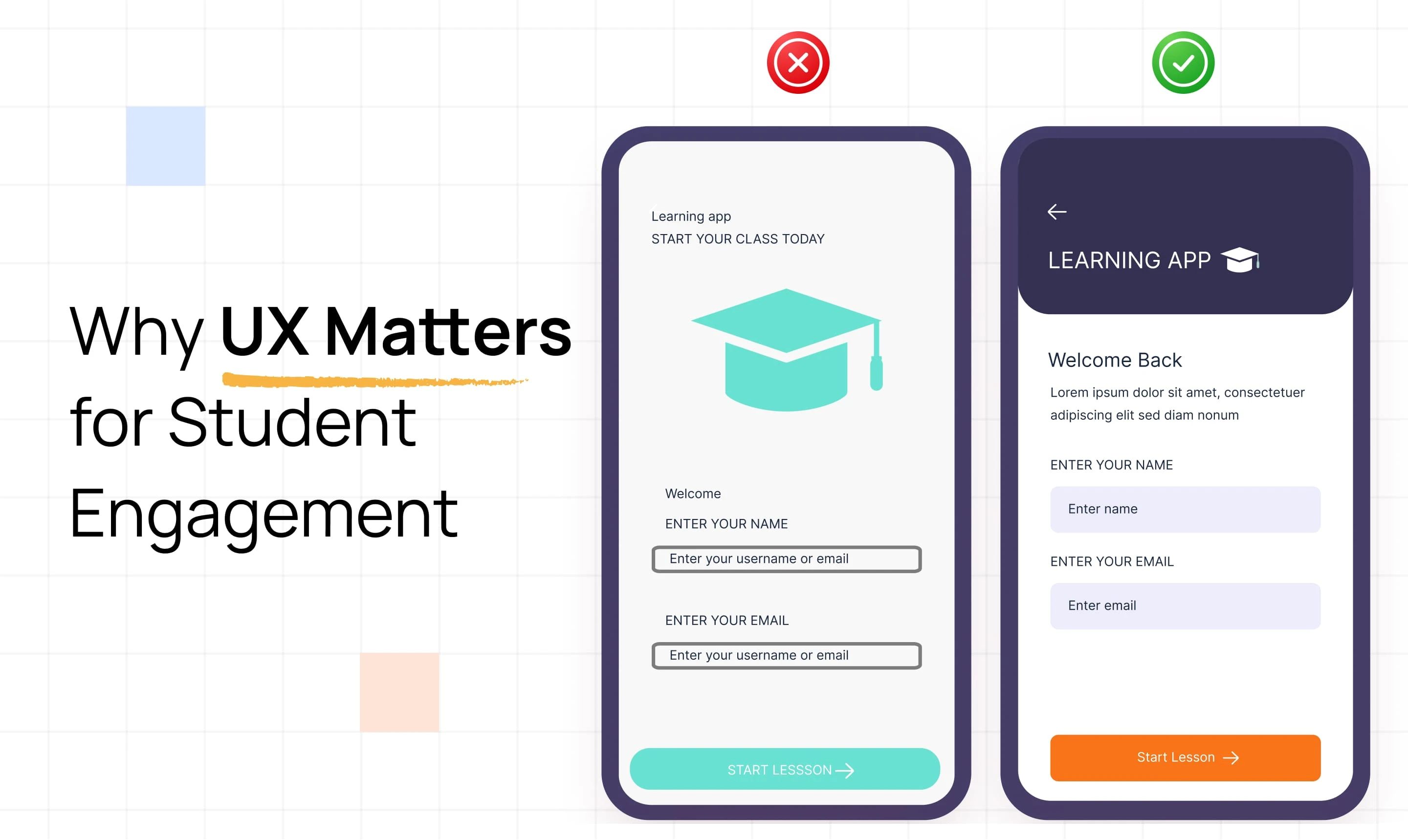
Students’ engagement in learning apps is more than great content—it’s about how that content is delivered. A poor user experience can lead to confusion, frustration, and ultimately, dropout. On the other hand, a well-crafted UX keeps students focused, curious, and willing to continue learning.
When students feel confident and in control, they’re more likely to stay engaged and retain what they’ve learned.
Designing for education means balancing clarity, engagement, and usability. Here are a few core UX principles that make learning apps effective:
These principles help transform a digital platform from just another tool into an environment where students want to learn.
A student-focused design puts learners at the center of the experience. It considers their age, learning pace, and emotional needs—making the app feel approachable, flexible, and supportive. From using age-appropriate visuals to offering personalized progress, designing with the student in mind leads to better engagement and outcomes.

Education technology (EdTech) tools go far beyond simple learning apps—they include learning management systems (LMS), digital classrooms, quiz platforms, and student dashboards. Each of these tools plays a unique role in the student experience, and UX design helps unify them into a seamless journey.
When UX is done well, it:
Whether it’s a gamified quiz app or a full LMS like Google Classroom, thoughtful UX in EdTech ensures that technology supports learning—instead of getting in the way.
Let’s take a quick look at how leading EdTech products use UX to boost student engagement:
Duolingo uses streaks, badges, and bite-sized lessons to keep learners hooked. Its playful interface and real-time feedback make language learning feel like a game—driving daily engagement without pressure.
Khan Academy focuses on simplicity. With a clean interface, personalized dashboards, and minimal distractions, students of all ages can learn at their own pace without getting overwhelmed.
Google Classroom prioritizes function over flair. Its strength lies in intuitive task management—students can join classes, submit assignments, and receive feedback with minimal clicks, making it ideal for remote learning environments.
UX design plays a key role in making digital learning smooth, enjoyable, and effective. A well-designed interface can make students feel confident, reduce frustration, and turn learning into a habit.
Here are simple ways to enhance the experience:
Designing a great user experience is only half the job—the other half is knowing if it’s working. In education technology, UX success can be measured with both quantitative metrics and qualitative feedback.
In education, technology is only as effective as the experience it delivers. A well-designed user experience not only helps students stay engaged—it helps them learn better, faster, and with more confidence. From clear navigation and interactive elements to personalized learning paths, UX design in education plays a powerful role in shaping how students feel and perform.
As EdTech continues to grow, putting students at the center of the design process will be key to building tools that truly support meaningful learning.
UX design in education focuses on creating digital learning experiences that are easy to use, engaging, and tailored to how students learn best.
Good UX reduces friction, provides motivation through feedback or rewards, and keeps students focused—leading to better attention, retention, and participation.
Educational UX must account for diverse learning styles, age groups, and cognitive loads. It also prioritizes clarity, emotional support, and adaptability over flashy visuals.
Tools like Figma, Adobe XD, and usability testing platforms (like Maze or Lookback) are commonly used for wireframing, prototyping, and gathering student feedback.
Track metrics like student retention, task completion rates, and session duration. Collect user feedback through surveys or usability testing to understand the experience from a student’s perspective.





