Enterprise applications run the core of modern business. They manage money, people, customers, and supply chains in one connected system.
Demand keeps growing. Gartner projects the enterprise application software market will reach $569 billion by 2027. Businesses clearly see these tools as key to digital transformation.
In this guide, you will learn what an enterprise application is, the 7 main types with real examples, why design matters, how to design one, and the challenges to plan for.
Quick answer
An enterprise application is large-scale software that helps an organization run its core operations. It connects departments like finance, HR, sales, and supply chain. Common examples include ERP (SAP), CRM (Salesforce), HR systems (Workday), and business intelligence tools (Power BI).
An enterprise application is a large-scale software solution built to meet the complex needs of an organization. It helps businesses automate processes, manage data, and work more efficiently across departments.
You may also see it called enterprise application software, enterprise software, or an enterprise-level application. All three mean the same thing: software built for a whole organization rather than a single person. Learn more about enterprise software.
| Factor | Enterprise application | Consumer app |
|---|---|---|
| Users | Employees, teams, partners | Individual people |
| Scale | Thousands of users and large datasets | One person’s data |
| Purpose | Run business operations | Personal tasks or entertainment |
| Integration | Connects with many business systems | Usually works on its own |
| Security | Role-based access, compliance rules | Basic account security |
| Examples | SAP ERP, Salesforce, Workday | Spotify, Instagram, Uber |
Enterprise apps serve different business functions. But the best ones share these qualities:
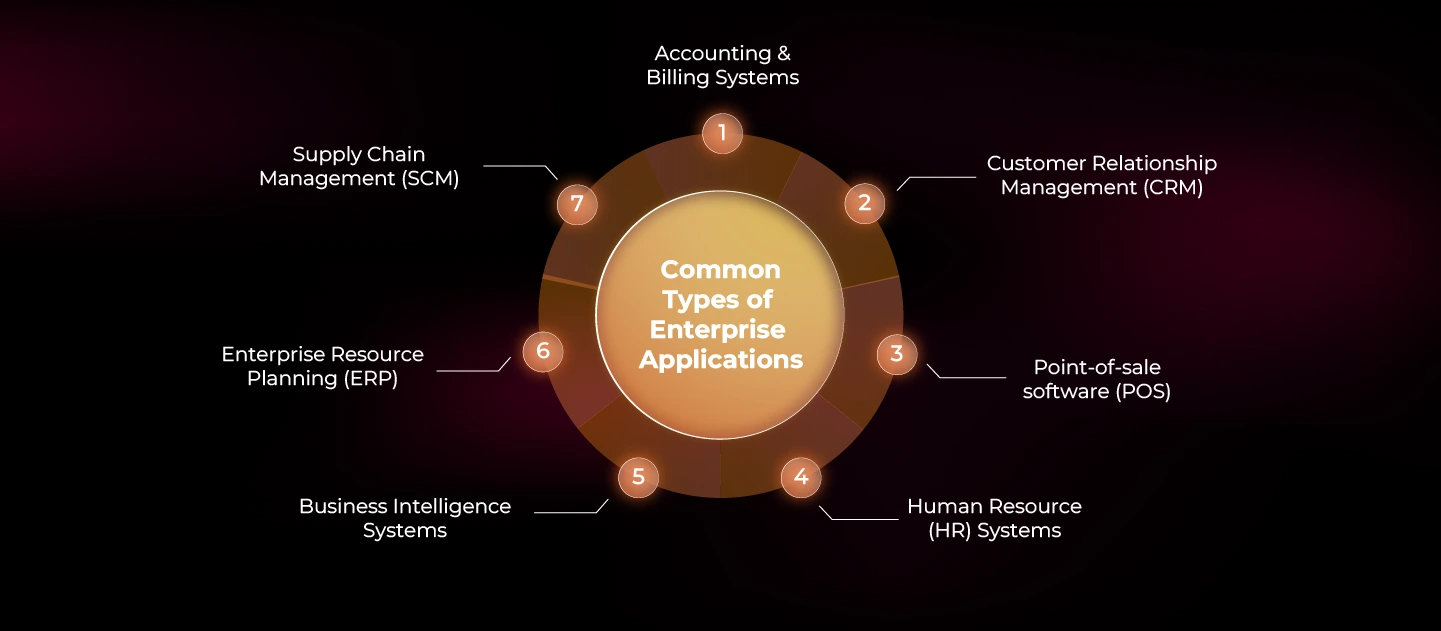
Each type of enterprise application solves a different business problem. Here are the 7 most common types, with popular examples.
| Type | What it does | Examples |
|---|---|---|
| Accounting and billing | Handles transactions, automates invoices, and supports compliance | QuickBooks, Xero |
| Customer relationship management (CRM) | Stores customer data, tracks interactions, and improves sales | Salesforce, HubSpot |
| Point of sale (POS) | Processes payments, tracks inventory, and creates reports | Square, Shopify POS |
| Supply chain management (SCM) | Manages logistics, inventory, and suppliers | SAP SCM, Oracle SCM Cloud |
| Enterprise resource planning (ERP) | Connects finance, HR, procurement, and manufacturing in one system | SAP ERP, Microsoft Dynamics 365 |
| Business intelligence (BI) | Analyzes data and turns it into insights | Tableau, Power BI |
| Human resources (HR) | Manages payroll, hiring, and employee performance | Workday, BambooHR |
Many of these tools rely on dashboards to show data clearly. See our guide to SaaS dashboard UI design for best practices.
“If you think good design is expensive, you should look at the cost of bad design.”
Dr. Ralph Speth, former CEO of Jaguar Land Rover
A well-designed enterprise app solves real problems for real users. It starts with user research to understand behavior, needs, and the pain points that old software never fixed.
Here are 5 benefits of good enterprise app design, with real results from our client Vymo, a leader in AI-driven sales automation. See more of our enterprise design projects.

Businesses with modern enterprise apps move faster than rivals stuck on legacy systems. A connected, easy-to-use app helps teams work smarter. That leads to higher revenue and happier customers.
Impact: After launching its redesigned app, Vymo quickly gained 40 major clients. These included leading banks and insurers in India, such as HDFC Bank and SBI Life Insurance.
Modern enterprise apps use big data and AI analytics to surface useful insights. Teams can make data-driven decisions, predict trends, and personalize services.
Impact: Vymo was named Asia’s only Gartner Cool Vendor in CRM Sales. It was also listed in the Gartner CRM Vendor Guide.
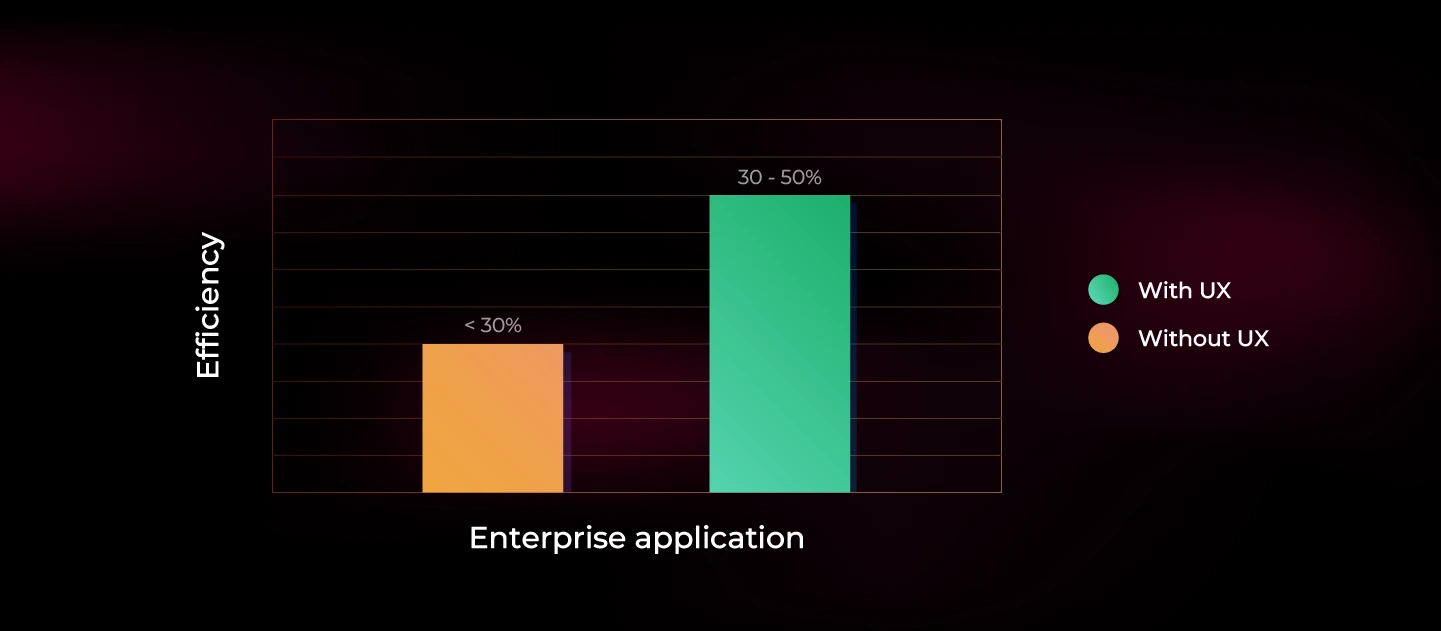
Many enterprise apps follow the org chart instead of real user needs. That creates slow, clunky workflows. User-centered design helps employees finish tasks in fewer steps.
Impact: Vymo’s redesigned app drove a 30–50% increase in sales within three months of launch.
Many enterprise apps overload users with complex screens and too much information. Good design shows only what matters in each context. Users find what they need faster.
Impact: More than 80% of Vymo’s 50,000–100,000 users actively engage with the app.
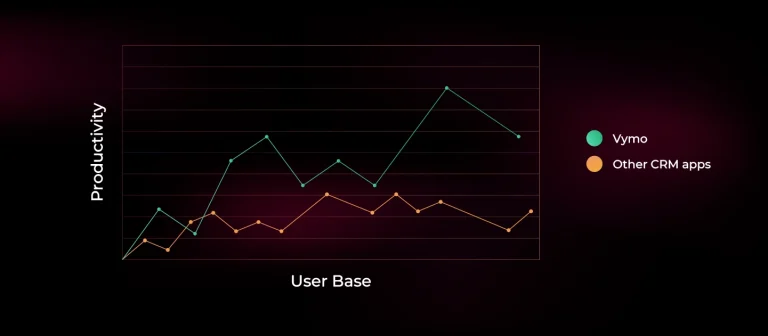
Enterprise software should make work easier, not harder. A well-designed system reduces frustration and makes work more enjoyable. That improves engagement and retention.
Impact: Vymo’s platform has helped some of the world’s largest field sales teams achieve almost 2X productivity.
Every project is different, but most successful enterprise app design follows these steps. They mirror our own design process.
Planning an enterprise app?
See how we research, design, and test complex enterprise products.
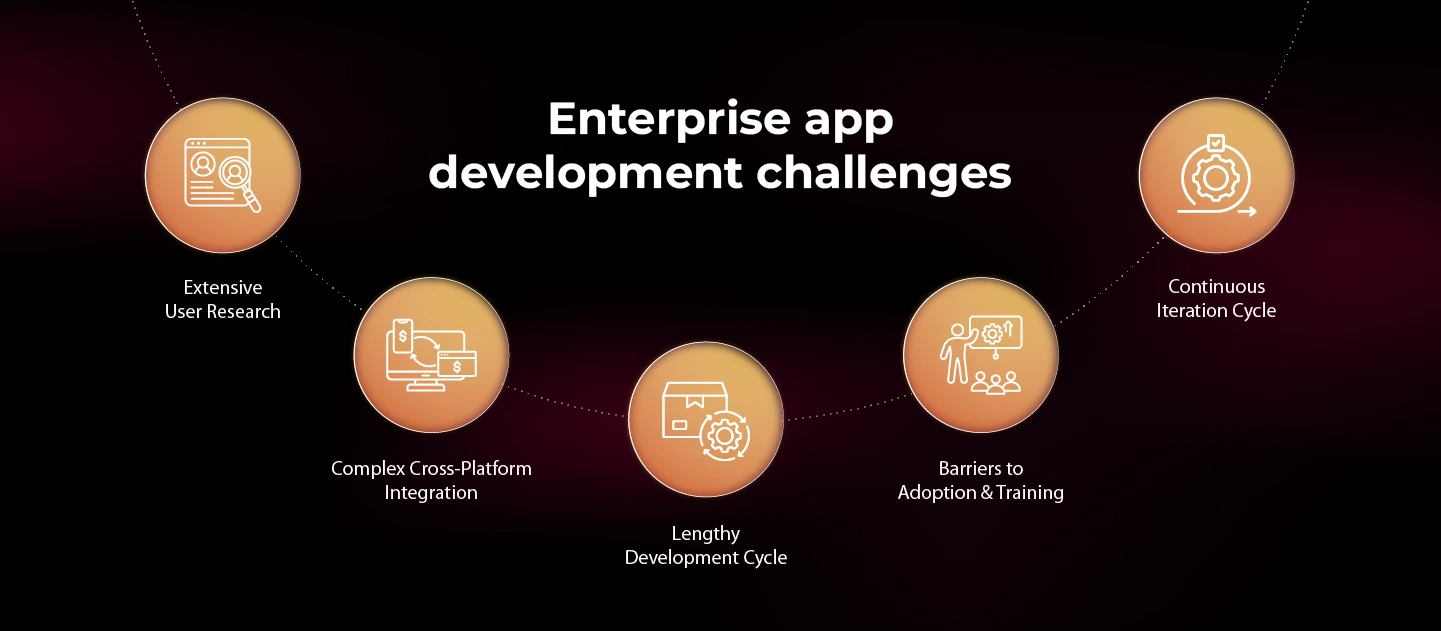
User-centered enterprise apps can deliver great results. But building one takes time and careful planning. Here are the 5 biggest challenges.
Enterprise apps serve many users across departments, roles, and skill levels. Each group has different needs and workflows. That makes research critical.
Designers must run interviews, surveys, and usability tests to find real pain points. Market research matters too. It shows industry trends, competitor offerings, and stakeholder expectations.
Rushing research leads to poor design decisions, low adoption, and frustrated employees.
An enterprise app must work with many existing tools, processes, and frameworks. It must also stay easy to use across departments. That is hard to achieve.
Designers must connect these systems into one clear experience. Employees should move between tools without confusion or technical issues.
Building an enterprise application takes many stages. Research, wireframing, prototyping, development, and testing can take months or even years.
Each feature must meet business needs, security rules, and complex workflows. Without clear goals and strong project management, delays and costs grow fast.
Even great enterprise apps fail if employees don’t know how to use them. New workflows need training and onboarding.
Some employees resist change, especially if they like their old tools. Clear communication, live demos, and hands-on training help. Ongoing support, such as FAQs, video tutorials, and help desks, keeps adoption high.
Enterprise app design is never finished. Businesses change, user needs shift, and technology moves on. The app must keep up.
Regular usability testing, feedback, and performance reviews show what to improve next. Then designers and developers fix issues and add features.
Related reading
Designing an enterprise application is complex. It brings hundreds of requirements together into one functional, intuitive product. It takes commitment, patience, and many hours of work.
AI is now reshaping enterprise applications. Smarter, more adaptive features are making these tools faster and easier to use.
Lollypop Design Studio, a Terralogic company, designs enterprise applications for global businesses. Our design and AI experts help you build software your teams actually want to use.
Based in the US, India, UAE, and Vietnam, including our UI/UX design agency in the USA.
An enterprise application is large-scale software that helps an organization run its core operations. It connects departments like finance, HR, sales, and supply chain, and it serves many users at once.
Common examples include ERP systems (SAP ERP, Microsoft Dynamics 365), CRM tools (Salesforce, HubSpot), HR systems (Workday, BambooHR), business intelligence tools (Tableau, Power BI), accounting software (QuickBooks, Xero), and POS systems (Square).
The 7 main types are accounting and billing systems, CRM, point of sale (POS), supply chain management (SCM), enterprise resource planning (ERP), business intelligence (BI), and human resources (HR) systems.
A regular app serves one person. An enterprise application serves a whole organization. It handles more users and data, connects with other business systems, and needs stronger security and role-based access.
The main challenges are extensive user research, complex integration with existing systems, long development cycles, employee adoption and training, and the need for continuous improvement.
An enterprise app design company researches users, maps workflows, designs the interface, and tests it with real employees. The goal is software that is easy to use, fits business processes, and gets high adoption.