
Launching or improving a Shopify store requires decisions that go beyond its visual design. Businesses need to consider how the store will handle product discovery, third-party integrations, changing customer needs, and future updates. With different agencies offering different levels of technical expertise and design support, knowing what to evaluate before hiring can help businesses avoid costly mismatches. This guide explores the key factors to consider when choosing a Shopify development agency, from technical capabilities and project experience to user experience and ongoing support.
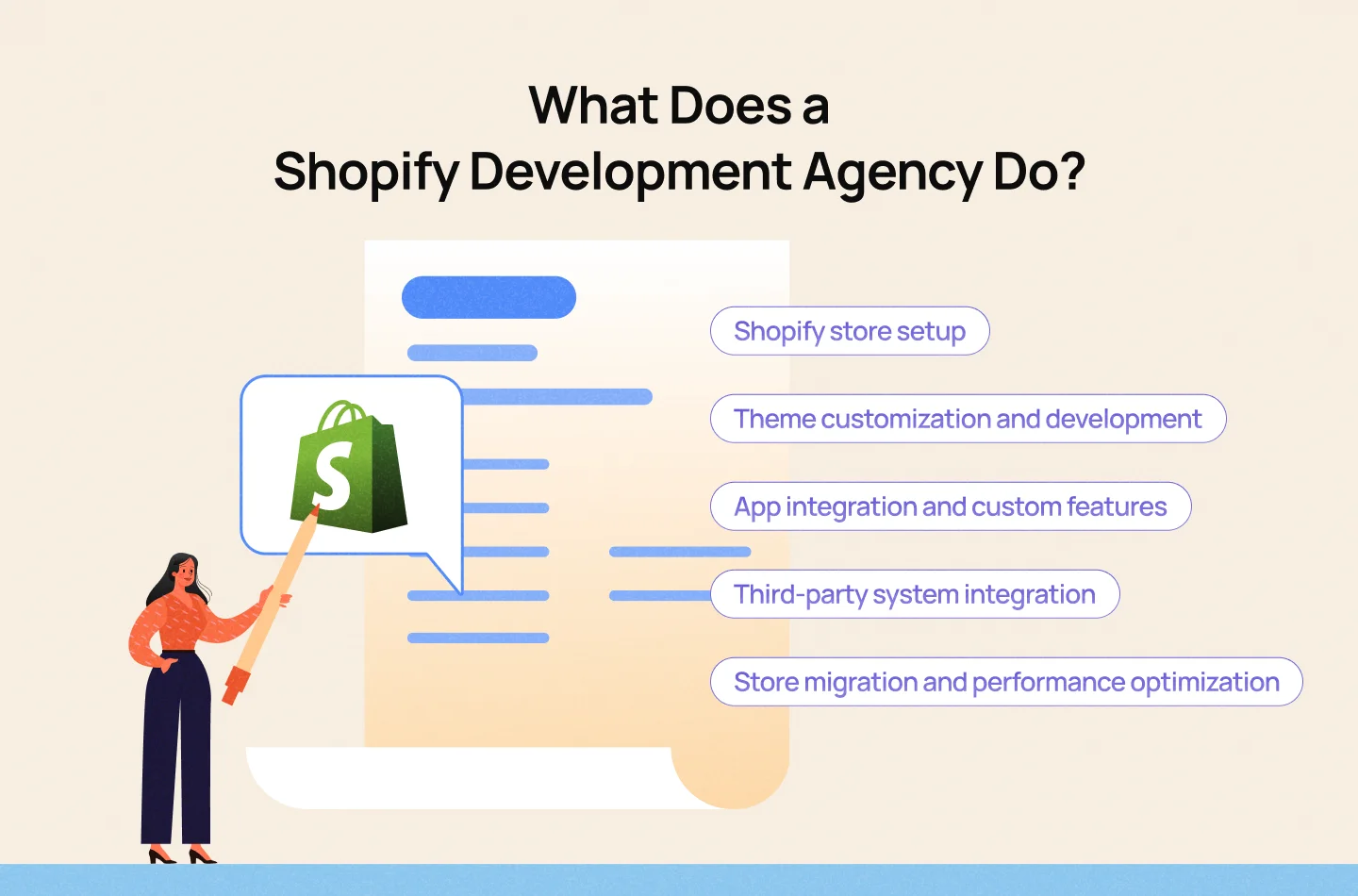
A Shopify development agency helps businesses build, customize, and maintain online stores using the Shopify platform. Its services can range from setting up a store and adapting existing themes to developing custom features and integrating third-party systems. The scope of work depends on each business’s requirements, technical needs, and long-term plans for its online store.
Common services offered by a Shopify development agency include:
Beyond technical implementation, businesses should also consider how their store’s structure, navigation, and product pages support the customer journey. A well-designed storefront should make it easy for customers to discover products, understand their value, and move toward checkout. Depending on the project, businesses may work with a Shopify development agency, an e-commerce design agency, or both to address their technical and user experience needs.
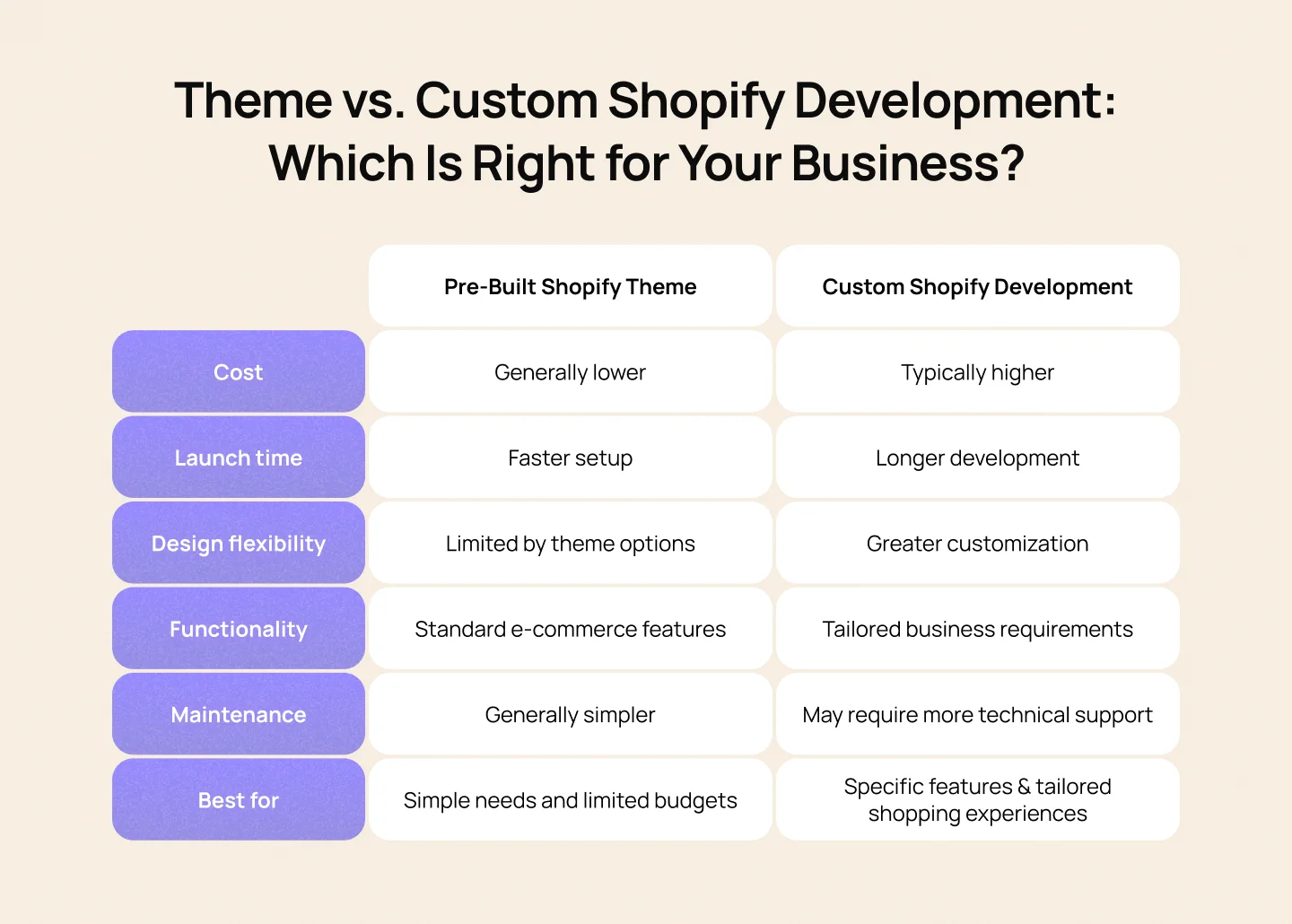
The right approach depends on your store’s current requirements, available resources, and future plans. Before committing to either option, identify the features your business needs, assess whether an existing theme can support them, and consider the resources required to maintain the store over time. This helps ensure your choice supports both your business objectives and your customers’ shopping experience.

Finding the right Shopify agency means looking beyond its pricing and service offerings. A reliable partner should understand your business goals, demonstrate the technical capabilities your store requires, and provide clear plans for ongoing support. These seven factors will help you assess potential agencies and determine which one best fits your needs.
Review the agency’s portfolio to see whether it has worked on projects similar to yours in terms of industry, store complexity, and business requirements. Look beyond visual design to understand how its previous work addresses product discovery, navigation, and the overall shopping experience.
Evaluate the agency’s experience with Shopify themes, Liquid, APIs, app integrations, and other technologies relevant to your project. Its capabilities should match the features and integrations your store requires, rather than simply covering standard store setup.
A functional store also needs to make shopping straightforward. Assess how the agency approaches information architecture, mobile usability, product pages, and checkout flows. These elements influence how easily customers can find products, understand their options, and complete purchases.
Ask how the agency manages discovery, planning, design, development, testing, and launch. A clearly defined process helps establish responsibilities, milestones, feedback rounds, and approval stages, reducing the risk of miscommunication and unexpected delays.
Find out how the agency tests loading speed, mobile performance, accessibility, and compatibility across devices and browsers. You should also ask how it handles quality assurance before launch to identify usability issues and technical errors.
Consider how the agency communicates progress, handles feedback, and responds when project requirements change. Clear communication and defined points of contact help your internal team stay aligned with the project’s goals and timeline.
Clarify what happens after the store goes live. Ask whether the agency provides ongoing maintenance, troubleshooting, updates, and technical support, and whether these services are included in the initial proposal or charged separately.
The best agency for your business is one that combines relevant experience with the technical capabilities and support your store needs. Before signing a contract, review the project scope, deliverables, timeline, costs, and post-launch responsibilities to ensure both parties have clear and aligned expectations.
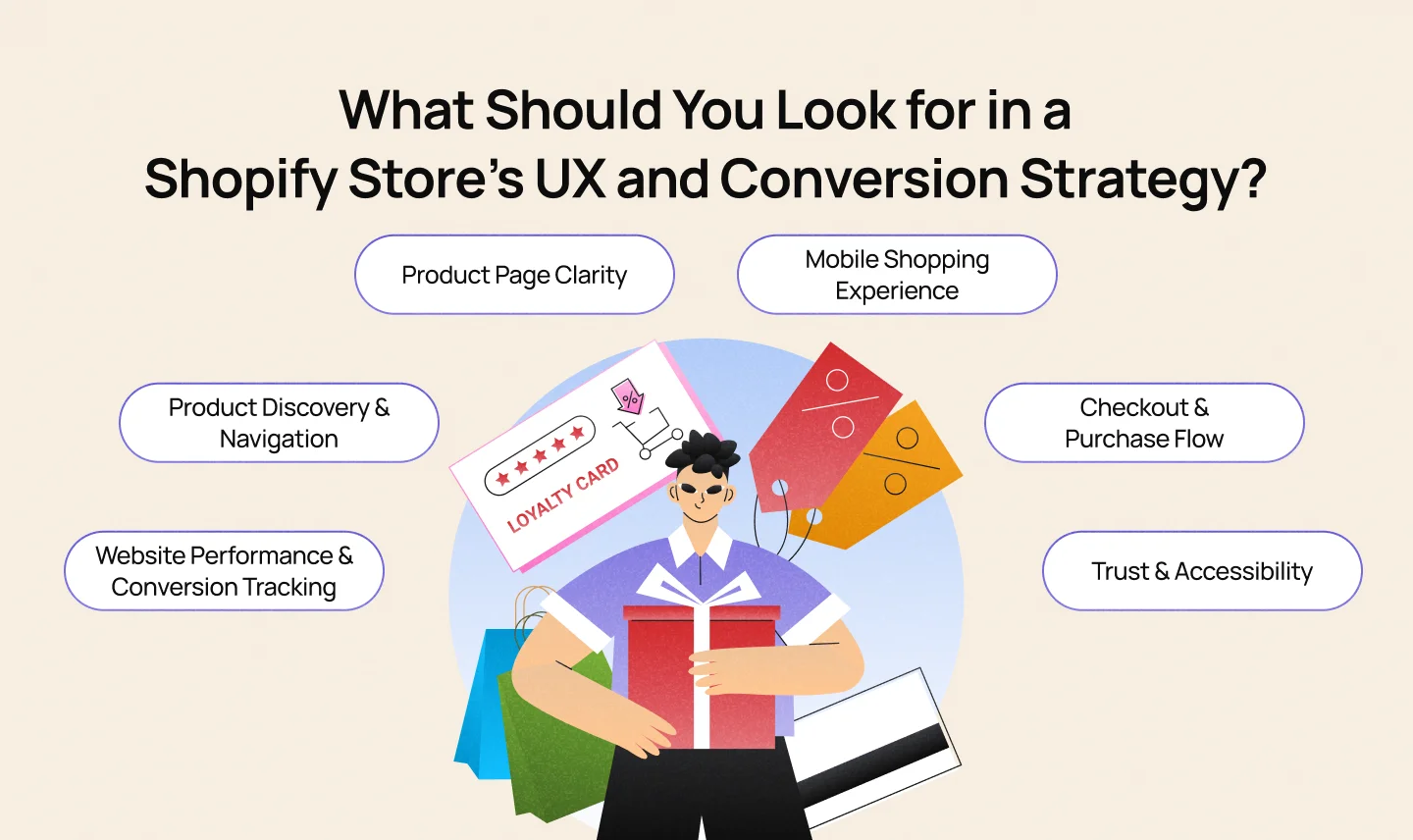
A Shopify store’s UX and conversion strategy should make it easy for customers to find products, evaluate their options, and complete purchases. When assessing a store, businesses should focus on six areas that influence the shopping experience and help identify opportunities for improvement.
Clear categories, intuitive navigation, useful search functions, and relevant filters help customers find products with less effort. For stores with large catalogs, these features are particularly important for helping shoppers narrow down their options quickly.
Product pages should provide the information customers need to make informed decisions. High-quality images, clear descriptions, transparent pricing, product variants, and accessible shipping and return policies help reduce uncertainty. Calls to action, such as “Add to Cart,” should also be easy to identify.
A Shopify store should work smoothly across mobile devices and screen sizes. Readable text, accessible buttons, well-organized product information, and a straightforward checkout process help customers browse and buy without unnecessary friction.
A complicated checkout can cause customers to abandon their purchases. Review the number of steps, the clarity of shipping costs, available payment methods, and whether guest checkout is supported. Customers should understand the total cost and what to do next before placing an order.
Clear contact details, transparent return policies, secure payment options, and consistent product information help customers feel more confident about purchasing. Accessibility features, including sufficient color contrast, keyboard navigation, descriptive labels, and clear error messages, also make the store easier for more people to use.
Slow-loading pages and unresponsive interactions can disrupt the shopping experience. Check loading performance on key pages, particularly product listings and product detail pages. Metrics such as add-to-cart rate, checkout abandonment, and purchase conversion rate can help identify friction points and guide improvements based on customer behavior rather than design assumptions. Reviewing common e-commerce design mistakes can also help businesses spot issues that may affect the shopping experience.
The cost of building a Shopify store depends on the features, design, and integrations the business needs. A store built with an existing theme may require less development work, while a more customized storefront can involve additional time and resources. Looking at these requirements separately helps businesses understand where their budget will go and which costs to plan for beyond launch.
Beyond the initial development, businesses should account for ongoing expenses associated with running and maintaining a Shopify store, including:
Factoring these expenses into the budget from the beginning helps businesses plan for the long-term cost of running their Shopify store.
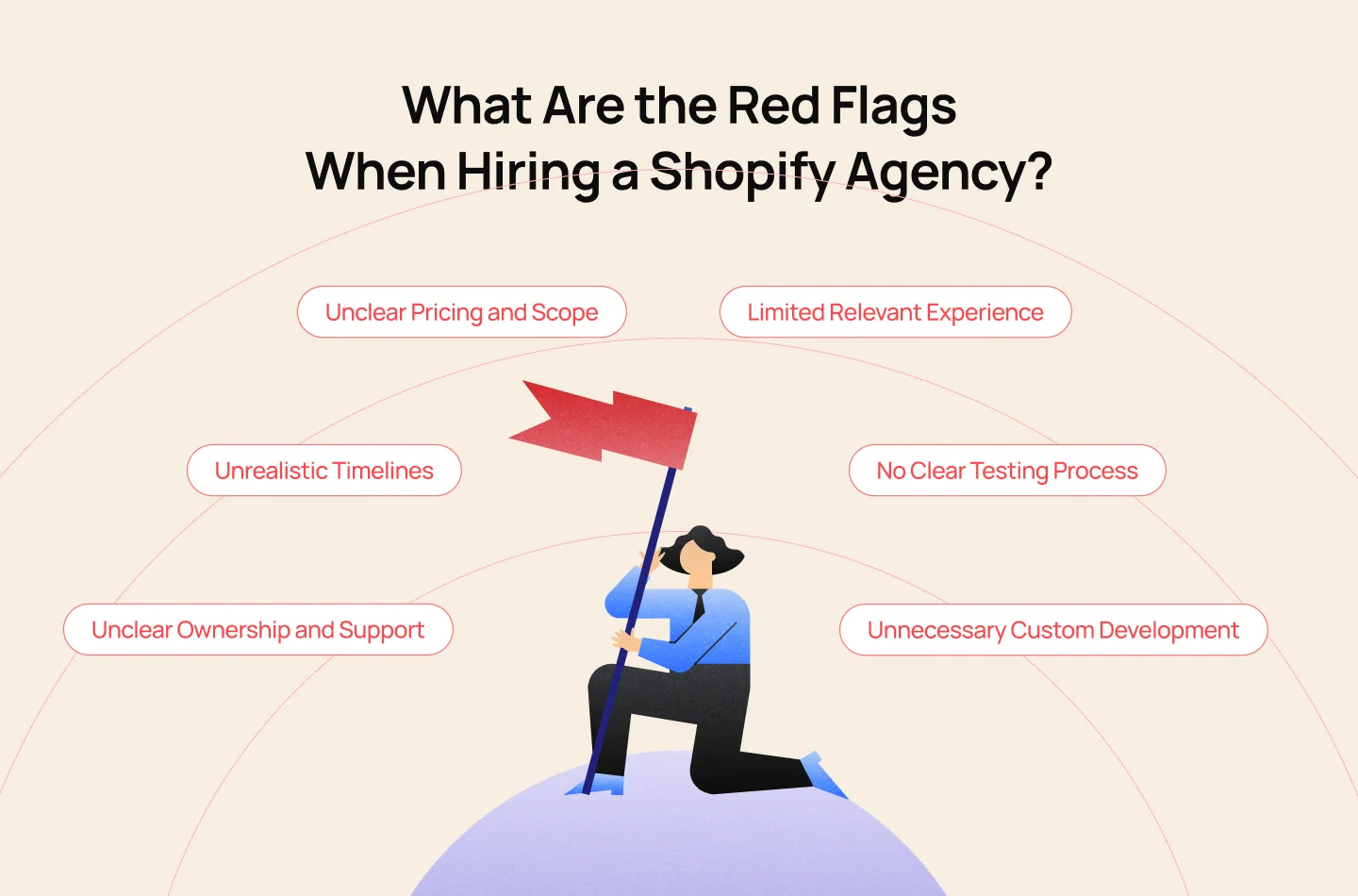
Choosing the wrong Shopify agency can lead to unexpected costs, launch delays, or problems managing your store after handover. Watch for these warning signs before signing a contract.
Before committing, ask for a detailed proposal, clarify responsibilities in writing, and confirm what happens after launch. These steps can help you avoid costly surprises and choose an agency that fits your business needs.
A successful Shopify store depends on more than its visual design. The right development approach, a smooth shopping experience, and reliable technical support all contribute to a store’s ability to meet customer expectations and support business growth.
Before making a decision, consider how well an agency understands your goals, handles technical challenges, and plans for your store’s long-term needs. Talk to Lollypop to discuss your e-commerce goals and identify the right design approach for your business.
The timeline depends on the store’s complexity, design requirements, integrations, and the availability of content and feedback. Stores built with existing themes may take less time than projects requiring extensive customization. Ask the agency for a timeline with clear milestones before development begins.
A Shopify development proposal should outline the project scope, deliverables, timeline, pricing, integrations, and testing process. It should also clarify responsibilities, store ownership, access permissions, bug fixes, and post-launch support.
Yes. Shopify allows store owners to manage products, collections, orders, and other store content through its admin interface. However, changes involving custom code, complex integrations, or specialized features may require technical support. Before signing a contract, confirm which tasks your team can manage independently and which require ongoing assistance.
Post-launch support may include bug fixes, performance monitoring, technical maintenance, and assistance with integrations. The scope varies by agency, so confirm the support period, response times, maintenance fees, and any services excluded from the original agreement.