Naruvi Hospitals is a NABH and CAHO-accredited multispeciality hospital based in Vellore, Tamil Nadu, offering a wide range of healthcare services across multiple specialities.
The project focused on designing a modern, modular hospital management system to streamline daily operations and improve the experience of front desk staff. The solution covered three key operational areas Outpatient Management, Emergency Care and Operations, comprising nine functional submodules.
The existing hospital management system presented several usability challenges, including poorly structured user flows, illogical module grouping and a frustrating interface. These issues made it difficult for front desk staff to navigate the system, access relevant information and complete everyday hospital operations efficiently.
The challenge was to redesign the experience with a clear information architecture, intuitive navigation and streamlined workflows that could simplify complex hospital operations.
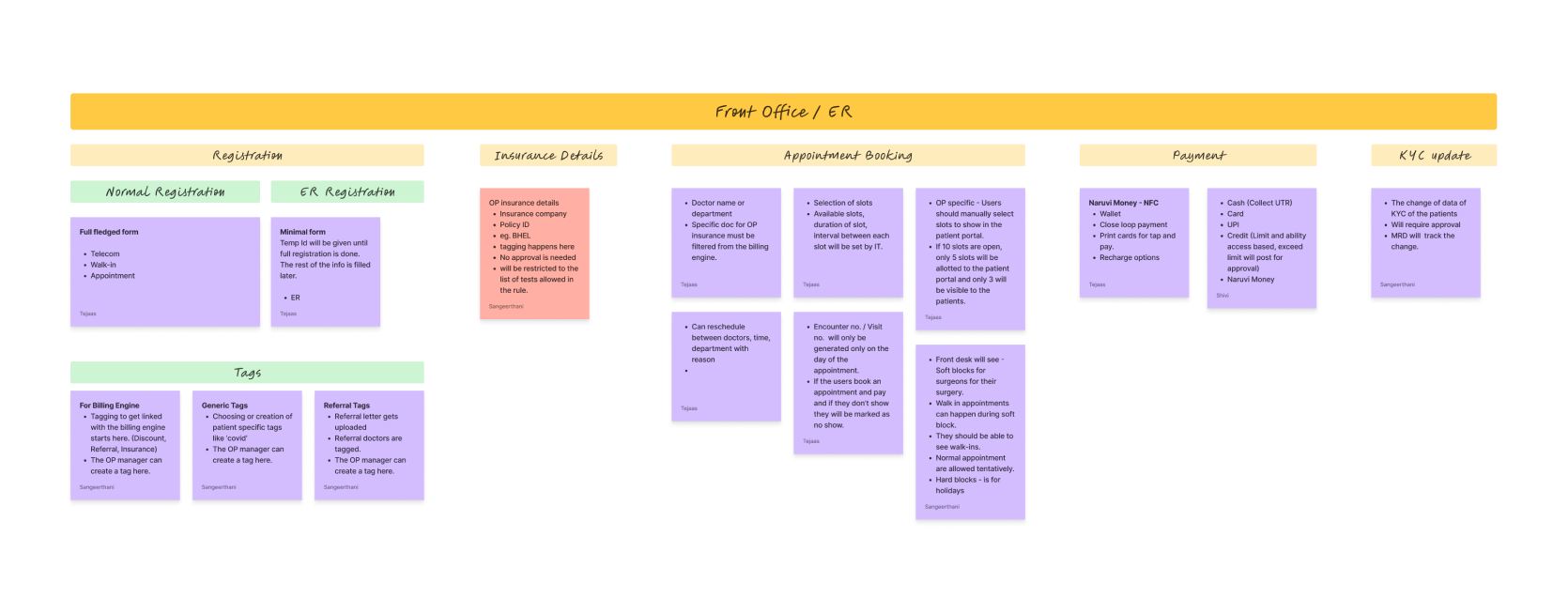
To understand the existing operational challenges, we conducted a cross-functional discovery workshop with the IT, billing, triage, nursing, and administration teams. We also visited the hospital’s front desk to observe staff interactions, patient handling, and daily workflows.
Initially, we planned a unified system with role-based access across Outpatient, Emergency, Bed Management, and Billing. However, the client’s white-label vision revealed that different hospitals have different operational needs, and not all require the same departments.
This shifted our approach towards independent, configurable modules that could be enabled or disabled based on each hospital’s requirements, shaping the final three-group structure, OPD Management, Emergency Care, and Operations.
1.Fragmented Navigation
Staff had to navigate multiple screens to access a patient’s information efficiently.
2. Poor Information Architecture
Information was poorly structured, making relevant details difficult to locate quickly.
3. System-Centric Workflows
Workflow’s were driven by backend processes rather than actual staff requirements.
4. Rigid Department Workflows
Standardized workflows failed to address the unique needs of different departments.
5. Manual Processes
Critical tasks depended on paper records, manual entries and verbal communication.
6.Inconsistent Visual
Design
Visual inconsistencies made information difficult to scan and understand.
Based on the discovery findings, we established three key design directions to address the existing system’s limitations and support diverse hospital workflows.
1.Modular Architecture
Different hospitals have different operational needs, requiring independent modules that can be enabled or disabled based on their requirements.
2. Simplified Information Hierarchy
Staff need quick access to relevant information, requiring a clear interface that prioritizes essential details and reduces information overload.
3. Workflow-Driven Design
Each department has different responsibilities and priorities, requiring tailored workflows that support its specific operational needs.
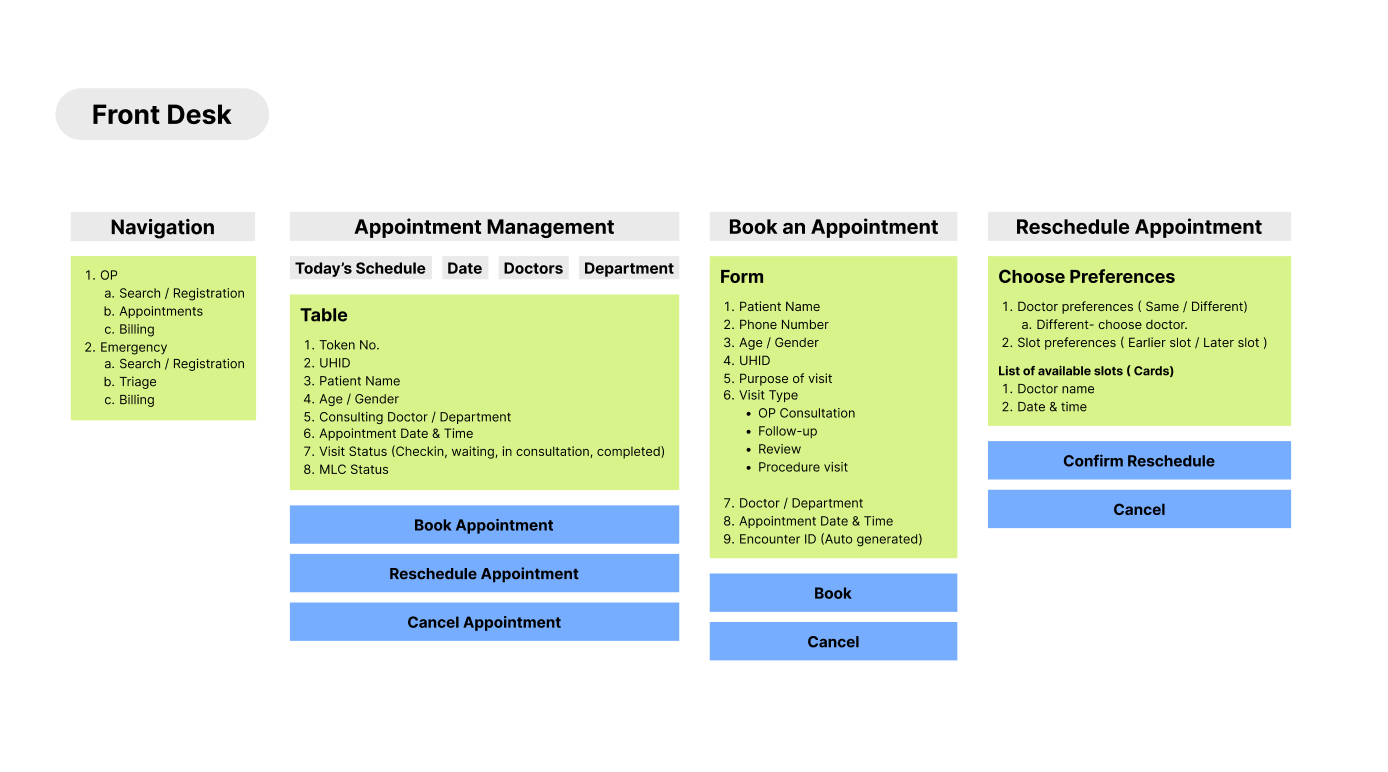
With these design directions established, we translated the requirements into a structured Information Architecture and streamlined User Flows to define how the system is organised and how staff interact with it
The interface was developed using the Telerik & Kendo UI component library, providing a foundation of reusable components and consistent UI patterns. A nested component structure was followed to keep related elements organized, maintain consistency, and support flexibility across different white-label implementations.
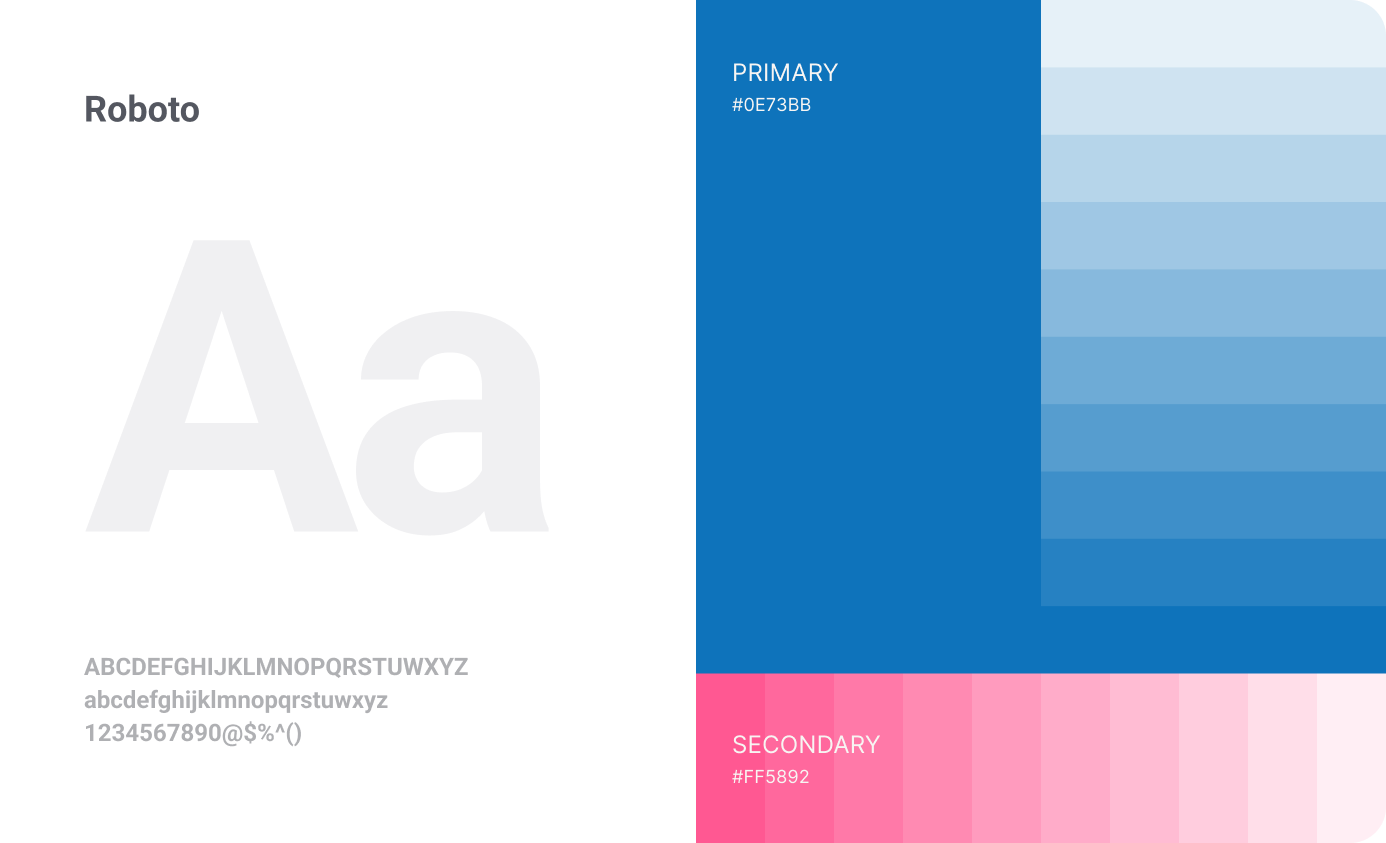
Roboto was selected as the primary typeface for its clean appearance and readability, making it suitable for a Windows desktop application. The interface also incorporates Naruvi’s existing brand colours, derived from its logo and brand identity, to maintain brand recognition and create a cohesive visual experience throughout the application.
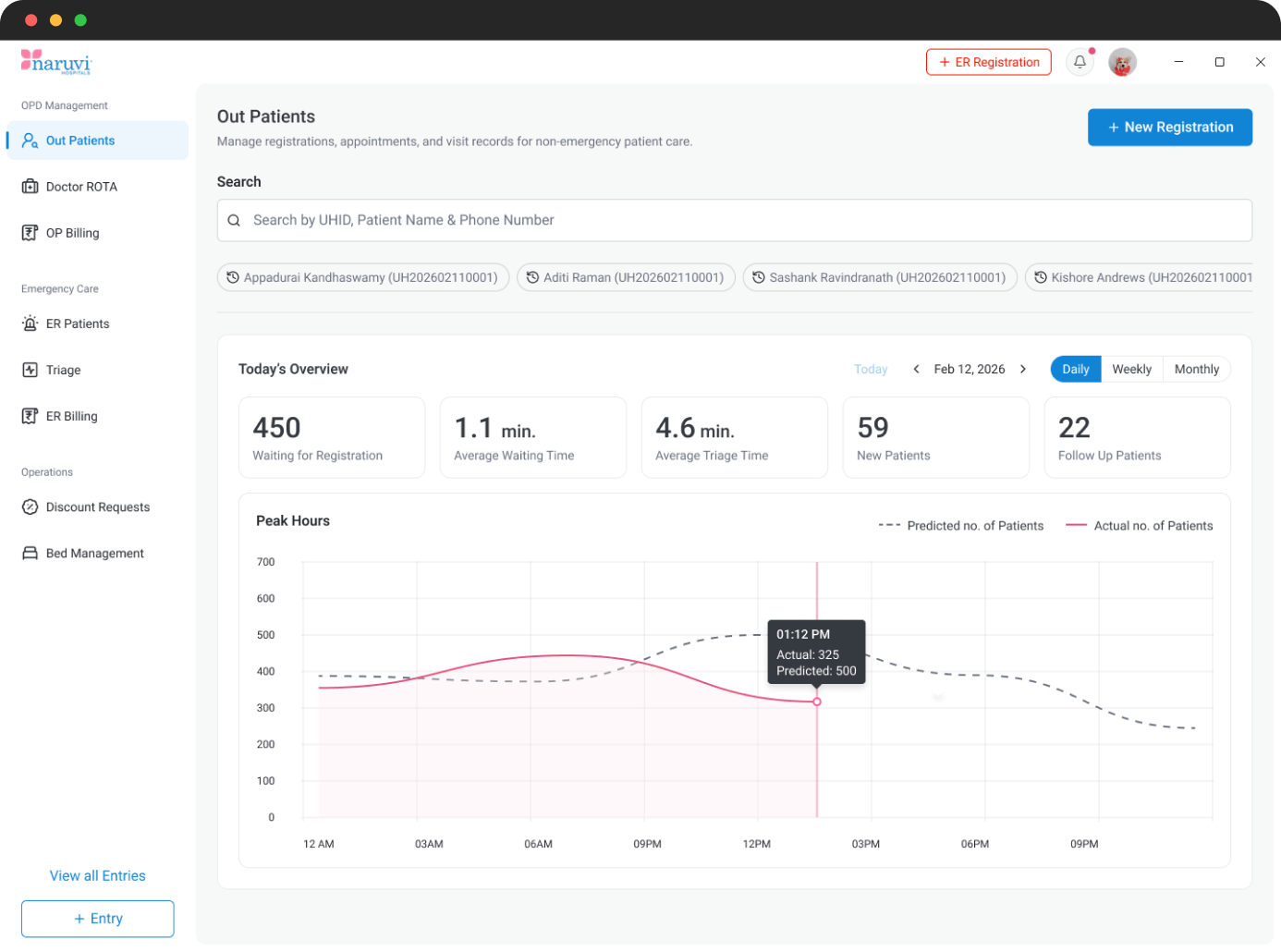
Search-first, action-oriented dashboard – Prioritised patient search and new registration as the two primary actions. Added recently searched patients as quick-access shortcuts. Kept the patient list hidden until a search is initiated, reducing visual clutter.
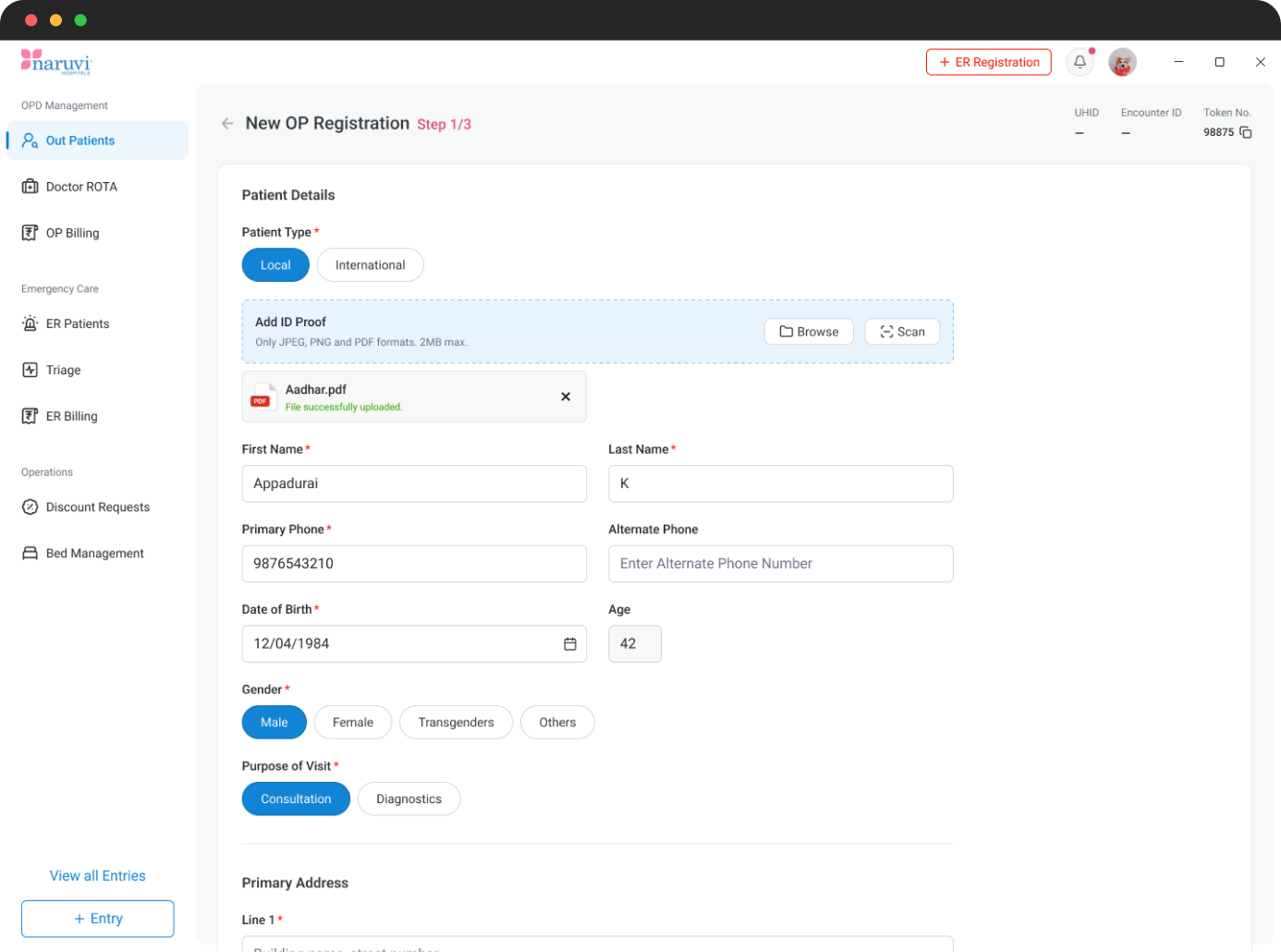
Guided and adaptable registration workflow – Structured registration into three steps: Basic Details, Appointment Booking, and Billing. Introduced conditional fields based on patient type and purpose of visit, allowing consultation and diagnostic patients to follow different journeys. Simplified appointment booking by showing only available slots.
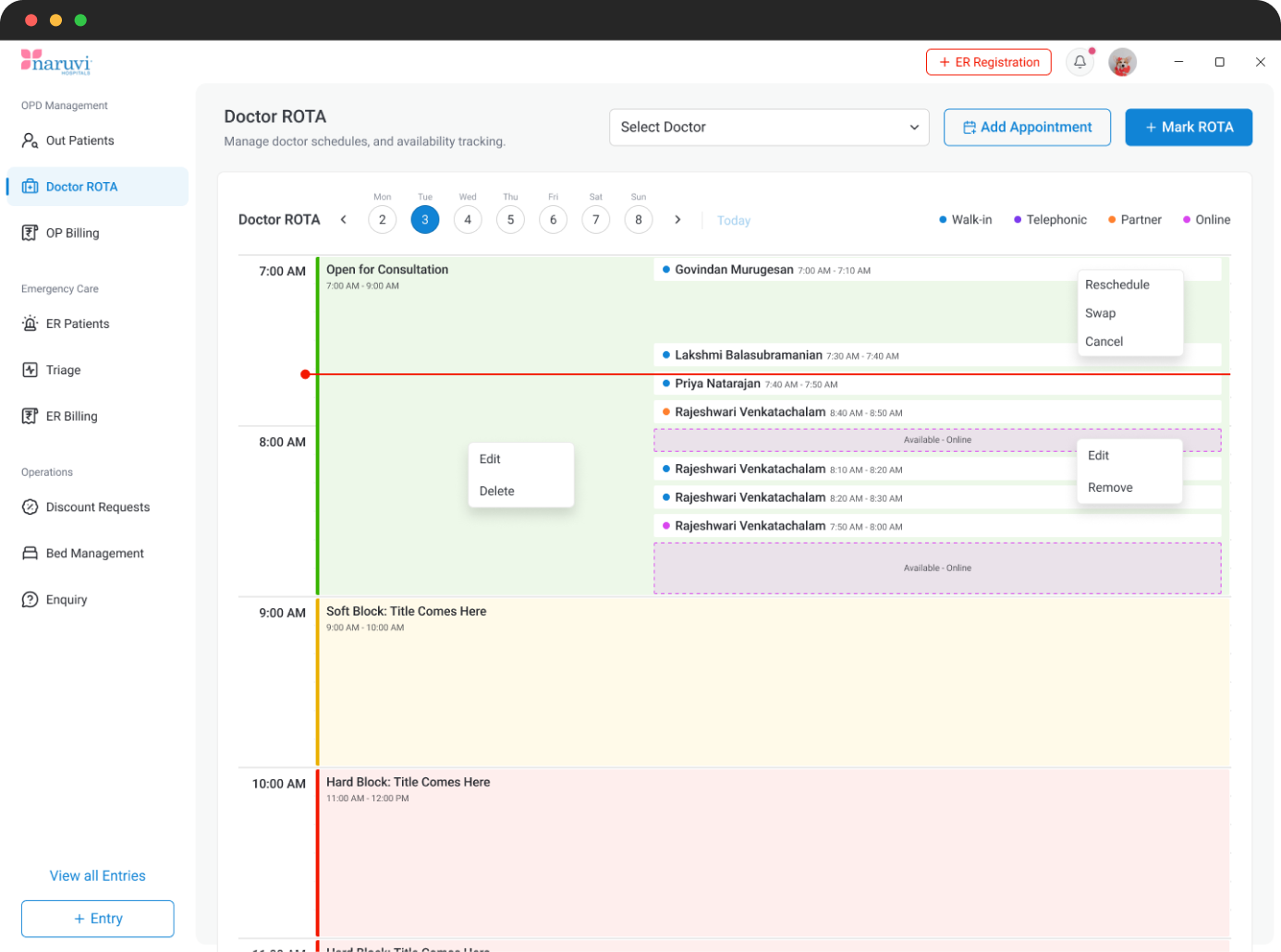
Day-focused scheduling and appointment management – Shifted from a weekly to a daily calendar view to match front-desk working patterns. Introduced dedicated Add Appointment and Mark ROTA actions, with colour-coded ROTA types and appointment channels for easier identification.
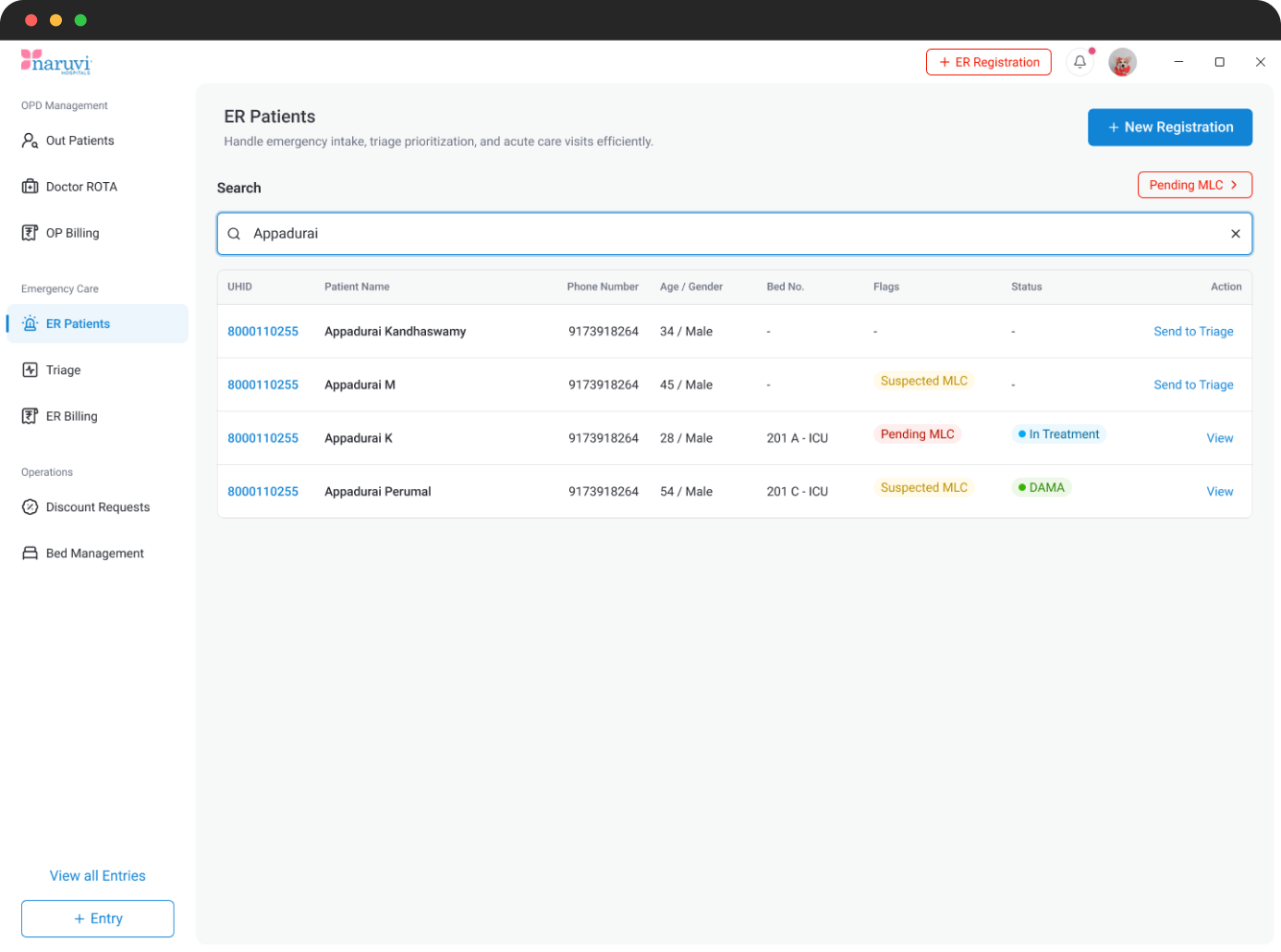
Quick access for time-critical operations – Prioritized patient search and new registration for faster access during emergencies. Added recent patient shortcuts and emergency-specific metrics. Introduced a prominent Pending MLC indicator to ensure legally sensitive cases are not overlooked.
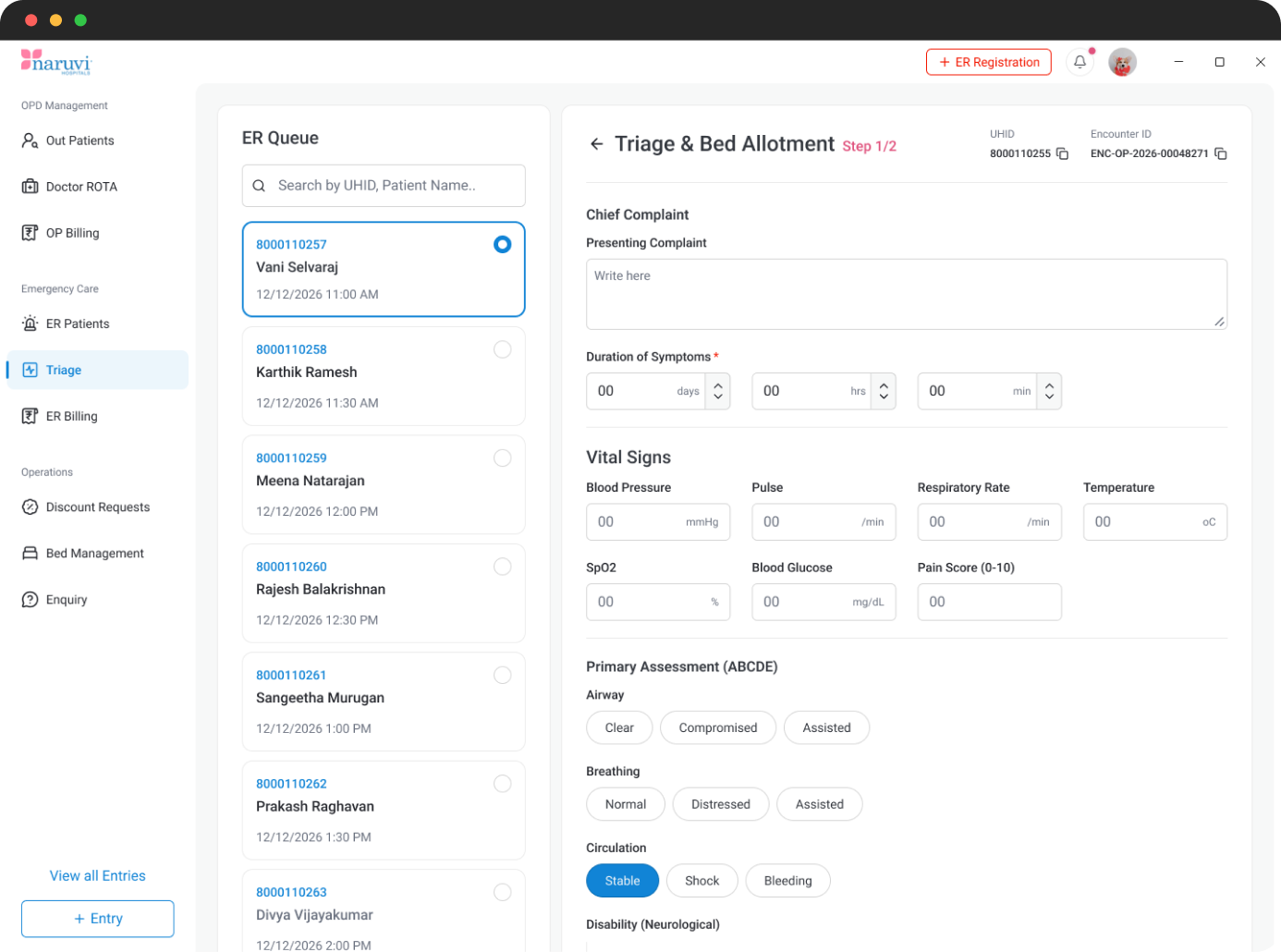
Structured assessment with decision support – Used a split-window layout to keep the patient queue and assessment form accessible together. Introduced automatic Glasgow Coma Score calculation and suggested suitable beds based on triage information. Replaced separate bed-selection tabs with a search-first interaction.
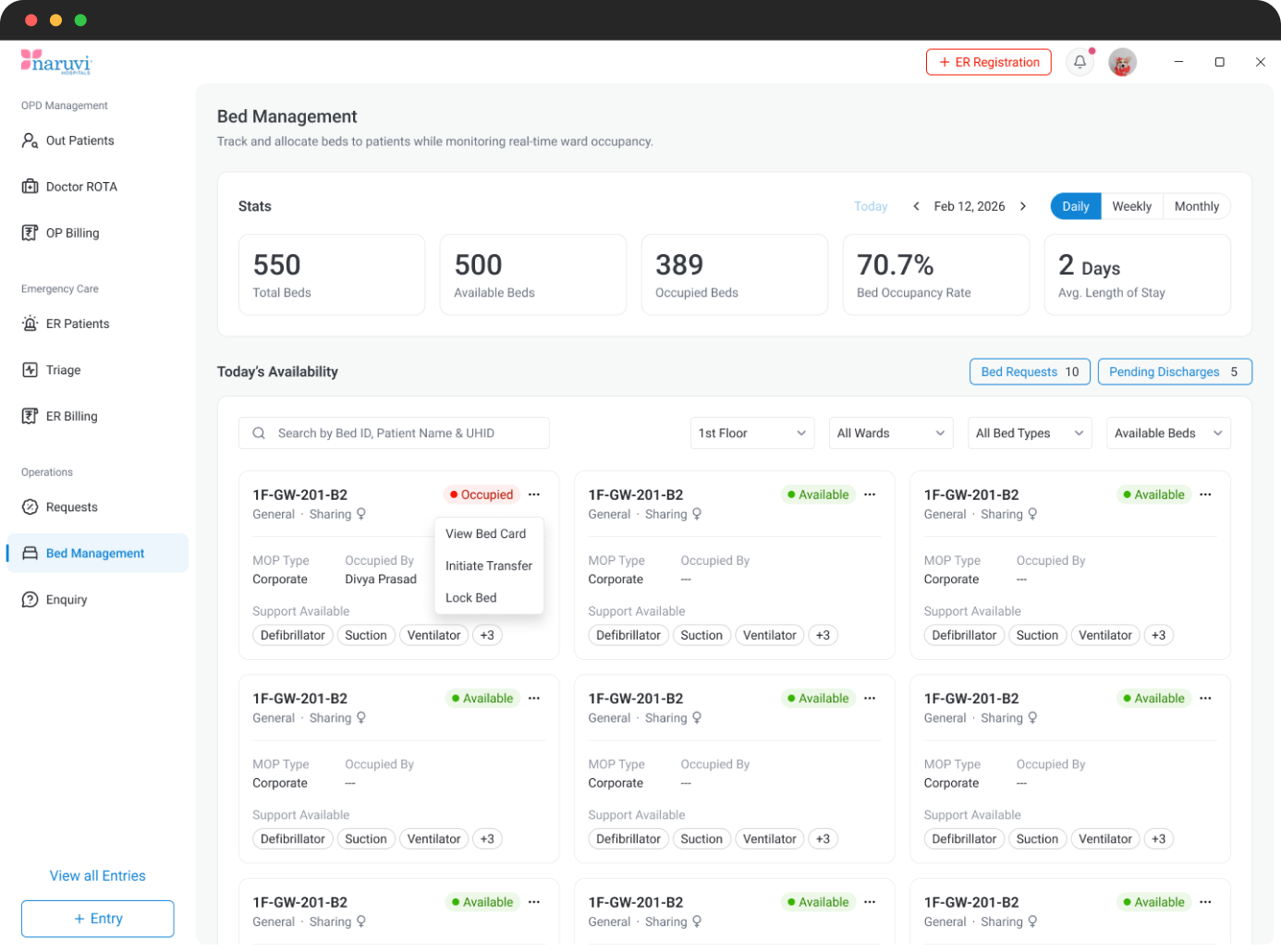
Visual and status-driven bed management – Replaced the traditional table layout with informative bed cards to improve scanning and visibility. Introduced context-sensitive actions based on bed status, along with dedicated Bed Requests and Pending Discharges views for better operational control.
The project established a modular and scalable hospital management system with three independent modules to accommodate different hospital requirements. It simplified key workflows, improved access to relevant information, and introduced a consistent UI through reusable Telerik & Kendo UI components, creating a flexible foundation for different white-label implementations.