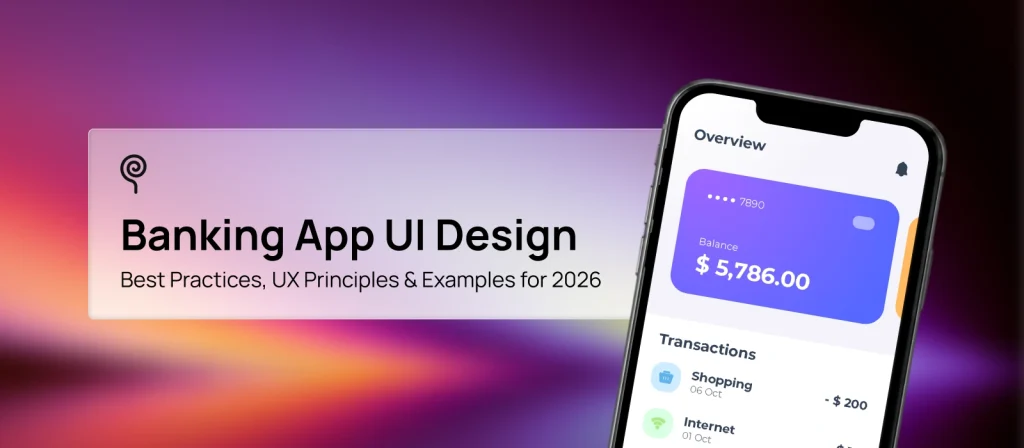
Banking app UI design is no longer just about making financial products look modern. It is about helping users feel confident, informed, and in control every time they interact with their money.
Over the past decade, digital banking has evolved from a convenience feature into a primary banking channel for millions of consumers worldwide. Whether users are checking their account balance, sending money to friends, reviewing investment performance, or freezing a card after suspicious activity, their experience is shaped by the interface they see.
This shift has raised expectations dramatically. Users now compare banking experiences not only against other financial institutions but also against the seamless digital products they use every day. A banking app that feels confusing, slow, or difficult to navigate can quickly erode trust, while a clear and intuitive experience can strengthen customer loyalty and increase product adoption.
Designing for banking presents a unique challenge. Financial information is inherently complex, transactions often carry significant consequences, and security requirements introduce additional layers of friction. Effective banking app UI design balances these competing demands by making information easy to understand, actions easy to complete, and security measures feel reassuring rather than intrusive.
In this guide, we’ll explore the principles behind effective banking UI design, examine the components of high-performing bank dashboards, review mobile banking patterns, analyze money transfer experiences, and highlight examples from some of the most influential banking products in the market today.
Banking app UI design refers to the visual and interactive layer of a digital banking product. It encompasses every interface element users interact with when managing their finances, including dashboards, account summaries, transaction histories, payment flows, authentication screens, and financial insights.
At its core, banking UI design determines how financial information is presented and how users navigate through banking tasks. It governs everything from typography and color systems to button placement, navigation structures, and transaction confirmations.
While often discussed alongside user experience, banking UI and banking UX are not the same thing.
Banking UI focuses on what users see and interact with:
Banking UX focuses on the broader experience users have while completing financial tasks:
In practice, UI and UX are deeply interconnected. A beautifully designed interface cannot compensate for a confusing transfer flow, while an efficient workflow can still fail if critical information is difficult to find.
This relationship becomes especially important in financial products because users are making decisions that involve real money. Unlike entertainment or social media apps, mistakes in banking apps can have serious consequences. Users may transfer funds to the wrong account, miss bill payments, misunderstand fees, or lose confidence in the platform’s security.
As a result, successful banking app UI design prioritizes clarity over novelty. Users should immediately understand:
The most successful banking applications—including Monzo, Revolu and Starling Bank — share a common characteristic: they simplify complex financial information without removing the depth users need to make informed decisions.
For banks, fintech startups, and financial service providers, investing in strong banking UI design is not simply a visual decision. It directly influences customer satisfaction, feature adoption, support costs, and long-term retention. Every interaction within the interface contributes to a user’s perception of trust, and in financial services, trust remains the most valuable product feature of all.
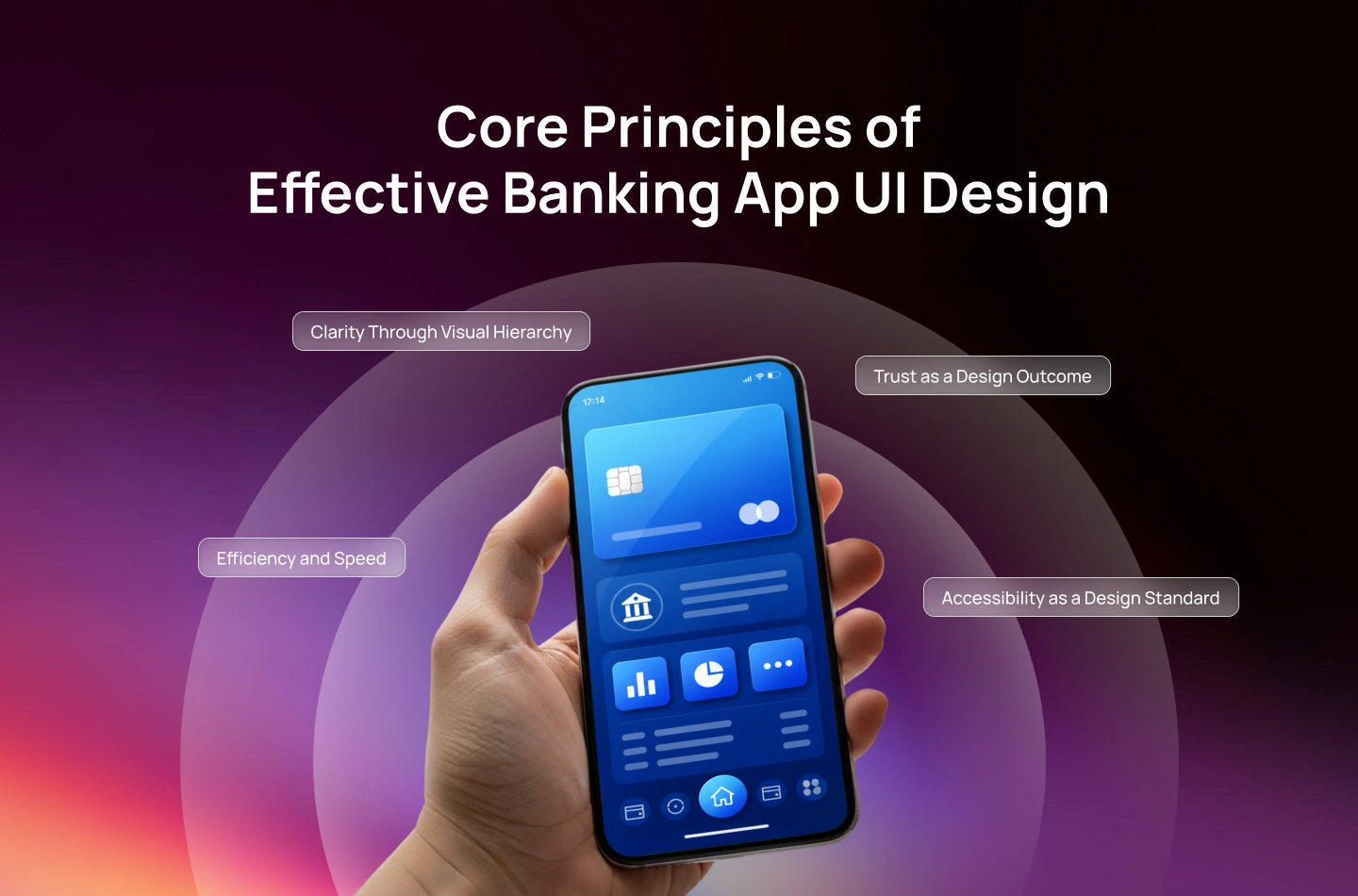
The most effective banking app UI design is built on a simple idea: users should never have to work hard to understand their money.
Unlike many consumer applications where exploration and discovery are encouraged, banking products must prioritize certainty. Users want immediate answers to critical questions:
Every design decision—from navigation patterns to typography choices—should help answer these questions quickly and confidently.
While banking products vary in complexity, the strongest banking interfaces consistently share four foundational principles: clarity, trust, efficiency, and accessibility.
Financial applications often contain large amounts of information. Account balances, transaction histories, investment performance, recurring payments, rewards programs, and credit products may all compete for attention on the same screen.
Without a clear visual hierarchy, users can become overwhelmed. Strong banking UI design prioritizes information based on user needs rather than business priorities. The most important information should appear first and receive the greatest visual emphasis.
For most users, this means:
This hierarchy is often achieved through:
Progressive disclosure is particularly valuable in banking applications. Instead of presenting all information simultaneously, interfaces reveal additional details only when users need them.
For example, a transaction feed may initially display:
Additional information such as category, location, reference number, or exchange rate becomes available after selecting the transaction.
This approach reduces cognitive load while preserving access to detailed financial information.
Trust is one of the most important success factors in any financial product. Users are not simply evaluating the visual quality of a banking interface. They are constantly assessing whether the institution appears reliable enough to safeguard their money. Design plays a significant role in shaping this perception. Several interface elements contribute directly to trust:
Consistent layouts, typography, color systems, and interaction patterns create predictability. When screens behave consistently, users feel more confident navigating unfamiliar features.
Users should always understand:
This is particularly important during payments and transfers. Clear confirmation screens, transaction receipts, and status updates help reduce uncertainty and prevent costly mistakes.
Financial interfaces should be designed to minimize risk before errors occur.
Examples include:
Rather than relying on users to catch mistakes themselves, the interface actively supports accurate decision-making.
Clean layouts, readable typography, thoughtful spacing, and restrained use of color contribute to perceived reliability.
Conversely, cluttered interfaces, inconsistent visual elements, or excessive promotional messaging can undermine confidence, even when underlying systems are secure.
Banking applications are often used in short, goal-oriented sessions. Users typically open their banking app to accomplish a specific task:
Strong banking UI design minimizes friction throughout these journeys. This begins with making high-frequency actions immediately accessible. Common patterns include:
Rather than forcing users to repeatedly enter the same information, the interface anticipates likely actions based on previous behavior. Efficiency also extends to system feedback. Loading indicators, transaction status updates, and confirmation messages reassure users that actions are progressing as expected.
Even when backend processing takes time, thoughtful feedback mechanisms reduce uncertainty and improve perceived performance.
Key takeaway: Speed in banking design is not simply about reducing taps. It is about reducing decision-making effort. The most efficient interfaces help users move confidently from intent to completion without unnecessary interruptions.
Accessibility is no longer an optional consideration for financial products. Banking services must be usable by people with varying physical, visual, cognitive, and situational abilities. An inaccessible banking interface can create significant barriers to financial independence.
Modern banking applications should align with recognized accessibility standards such as WCAG 2.2 and platform-specific guidelines from Apple and Google. Key accessibility considerations include:
Financial information must remain legible across different screen sizes and user settings. Users should be able to increase text size without breaking layouts or obscuring critical content.
Balances, transaction statuses, alerts, and action buttons should maintain adequate contrast ratios to support users with visual impairments. Color alone should never communicate essential information.
For example:
Supporting icons, labels, and descriptive copy improve accessibility for all users.
Buttons, navigation items, and form controls must provide sufficient touch target sizes, particularly on mobile devices. This reduces accidental taps and improves usability across age groups.
Users relying on VoiceOver, TalkBack, or other assistive technologies should be able to navigate account information, transaction histories, and transfer flows without losing context.
Every component should include meaningful labels and logical navigation order.
Many accessibility improvements ultimately benefit all users. Clearer content hierarchy, better readability, larger touch targets, and simpler interactions improve usability regardless of ability level.
For banking products serving diverse customer bases, accessibility is not merely a compliance requirement—it is a competitive advantage.
Key takeaway: The strongest banking app UI design is not defined by visual trends or aesthetic preferences. It is defined by how effectively it helps users understand, manage, and trust their financial lives. By prioritizing clarity, trust, efficiency, and accessibility, financial organizations create interfaces that perform better for both users and the business.
For most users, the dashboard is the heart of a banking application.
It is typically the first screen users see after logging in and often the most frequently visited area of the product. Whether someone wants to check their balance before making a purchase, review recent transactions, transfer funds, or monitor spending habits, the dashboard serves as the starting point.
A well-designed bank dashboard UI provides immediate financial visibility while reducing the effort required to complete common tasks. Rather than overwhelming users with every available feature, it prioritizes the information and actions that matter most in the moment.
The best banking dashboards answer three questions within seconds:
When these questions are answered clearly, users gain confidence and can move quickly toward their intended goal.
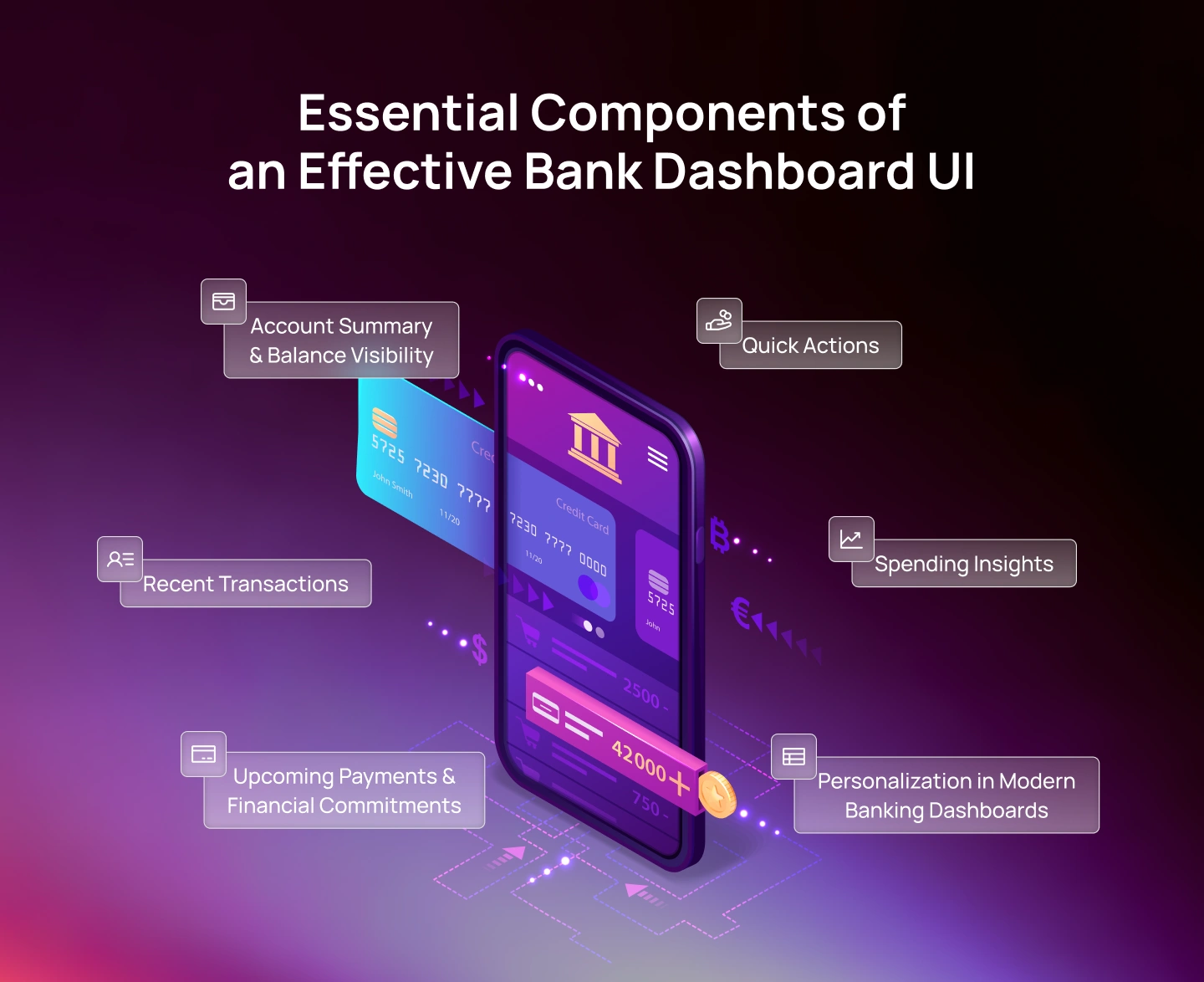
While dashboard designs vary depending on the institution’s products and customer segments, several components consistently appear in successful banking applications.
The account summary is typically the most important element on the screen. Users should be able to identify immediately:
The visual hierarchy should make financial position instantly recognizable without requiring scrolling or additional navigation. Many modern banking apps use card-based account summaries because they provide clear separation between different financial products while remaining easy to scan.
For customers managing multiple accounts, account switching should be frictionless and accessible directly from the dashboard.
Transaction history is often the second-most-visited feature after account balance. A dashboard should surface recent activity in a format that is:
Strong transaction feeds typically include:
Visual recognition plays an important role here. Users often remember where they spent money faster than they remember exact transaction details.
One of the most valuable roles of a banking dashboard is helping users anticipate future obligations. Upcoming payment sections may include:
By surfacing future commitments proactively, banking apps help users avoid missed payments and reduce financial surprises. This transforms the dashboard from a passive reporting tool into an active financial management experience.
The most common banking tasks should be accessible directly from the dashboard.
Typical quick actions include:
These shortcuts reduce navigation depth and support faster task completion.
Consistency is particularly important. Quick-action locations should remain stable over time so users develop familiarity and muscle memory.
Modern banking apps increasingly incorporate lightweight financial insights directly within the dashboard experience.
Rather than requiring users to visit a dedicated analytics section, the dashboard can provide an overview of:
Simple visualizations such as progress bars, category summaries, or spending trends help users understand their financial behavior without overwhelming them with data.
Not all users interact with banking products in the same way. A student managing daily expenses has different priorities from a business owner overseeing multiple accounts or a wealth management client tracking investment performance.
As banking ecosystems continue expanding, personalization becomes increasingly important.
Modern dashboards often allow users to:
This flexibility helps users create an interface that aligns with their financial habits. However, personalization should never come at the expense of usability.
Core banking information—including balances, transactions, and security-related alerts—should remain consistently accessible regardless of customization choices.
Mobile banking is no longer a secondary channel. For many users, it is their primary—and sometimes only—way of interacting with a financial institution.
This shift has fundamentally changed how banking products are designed. Users no longer sit at a desktop computer to review account activity or transfer funds. Instead, they check balances while commuting, pay bills between meetings, transfer money during conversations, and monitor spending throughout the day.
As a result, successful mobile banking app UI design must be optimized for speed, context, and one-handed interactions rather than simply adapting desktop experiences to smaller screens.
The best mobile banking experiences reduce friction, prioritize essential tasks, and help users complete financial actions confidently regardless of where they are.
Most mobile banking interactions happen on the go, often with one hand. As smartphone screens continue to grow, designers must pay close attention to reachability, touch-target sizing, and navigation placement. Both Apple’s Human Interface Guidelines and Google’s Material Design system emphasize accessible, touch-friendly interactions, recommending appropriately sized touch targets and layouts that reduce interaction effort on mobile devices.
For banking products, this means placing high-frequency actions within comfortable thumb zones whenever possible.
Key considerations include:
Users should never need to stretch awkwardly or adjust their grip simply to perform a routine banking task.
When financial actions require precision, comfort becomes a usability requirement rather than a convenience.
One of the most common mistakes in mobile banking UI design is hiding important functionality behind hamburger menus. While this approach may appear to save space, it often reduces feature discoverability and increases navigation effort.
Modern banking apps increasingly rely on bottom navigation because it provides direct access to core destinations. Common navigation categories include:
Bottom navigation offers several advantages:
Certain actions represent the core value of a banking application. These often include:
Users should not need to navigate through multiple screens to access these functions. Many banking apps solve this challenge through persistent action areas, floating action buttons, or dedicated payment tabs.
Regardless of the implementation, the principle remains the same: The most important action should never feel hidden.
For example, a customer who wants to transfer money should immediately understand where to begin the process.
Reducing the effort required to initiate high-frequency tasks contributes significantly to perceived usability.
Mobile users rarely read every detail on a screen. Instead, they scan. This behavior becomes even more pronounced when reviewing transaction histories. Effective transaction interfaces support rapid scanning through:
The goal is to help users find relevant information quickly without requiring extensive effort. This becomes particularly important for customers reviewing long transaction histories or identifying unusual account activity.
Banking interactions often involve moments of uncertainty. Users want reassurance that an action has been completed successfully. Microinteractions provide this reassurance through subtle feedback mechanisms.
Examples include:
These small details may seem insignificant individually, but collectively they contribute to a more trustworthy experience. For financial products, feedback is often just as important as functionality.
When users understand what is happening, confidence increases. When feedback is absent, uncertainty grows.
Modern mobile banking applications must perform consistently across a wide range of devices. Screen sizes now vary significantly between:
Responsive banking UI design requires flexibility. Rather than relying on fixed dimensions, components should adapt gracefully to available space. Key considerations include:
Dark mode has evolved from a niche preference into a standard feature across digital products. Many users interact with banking apps during early mornings, late evenings, or in low-light environments.
Supporting dark mode offers several benefits:
However, implementing dark mode effectively requires more than simply inverting colors. Financial information must remain highly legible. Designers should pay particular attention to:
A poorly implemented dark mode can reduce readability and create confusion, especially when users are reviewing financial information.
Studying successful banking products is one of the most effective ways to understand what great banking app UI design looks like in practice. While every financial institution serves different customer needs, the strongest banking applications share a common goal: they reduce complexity without reducing capability.
Rather than overwhelming users with financial jargon, dense dashboards, or complicated workflows, they present information in ways that feel intuitive, actionable, and trustworthy.
The following examples are not simply visually appealing interfaces. Each represents a distinct approach to solving a specific banking UX challenge and offers valuable lessons for designers, product teams, and financial institutions building modern digital banking experiences.
Monzo is widely recognized for its transaction-centric approach to banking UI. Key strengths include:
The product demonstrates how a banking experience can remain powerful while feeling approachable.
Revolut excels at managing complexity. Its interface successfully accommodates:
Without overwhelming users. The platform provides an excellent example of scalable mobile banking design.
Starling is often cited for balancing simplicity with depth.
Its interface prioritizes:
This makes it a valuable reference for teams designing products intended for broad demographic audiences.
Banking interfaces have evolved significantly over the past decade, moving from transactional utilities to intelligent financial platforms. As customer expectations continue to rise, the next generation of banking experiences will be defined not only by usability but by personalization, automation, and contextual intelligence.
The following trends are shaping the future of banking app UI design in 2026 and beyond.
Artificial intelligence is transforming how users interact with financial products. Historically, banking apps required users to actively search for information. Modern experiences are increasingly proactive, surfacing insights before users need to ask.
Examples include:
Rather than simply displaying data, future banking interfaces will help users interpret and act on financial information. For designers, this introduces new challenges around explainability, trust, and transparency.
Users must understand why recommendations are being made and how decisions are generated.
Traditional dashboards present the same information to every user. Future banking experiences will become increasingly adaptive. Instead of static layouts, dashboards may reorganize themselves based on:
For example: A user preparing for an international trip may see currency tools and travel spending insights prioritized, while a user focused on saving for a home may see budgeting and goal-tracking modules surfaced more prominently.
The challenge will be balancing personalization with predictability. Users should benefit from adaptation without losing familiarity.
Banking services are no longer confined to banking applications. Financial functionality is increasingly being integrated into:
This shift toward embedded finance creates new opportunities for UI design. Designers must create banking experiences that feel trustworthy even when delivered outside traditional banking environments.
Consistency, security, and clarity become even more important when financial actions occur within broader digital ecosystems.
Accessibility is evolving from a compliance requirement into a core design principle. As digital banking becomes the primary channel for financial services, institutions must ensure their products serve a broader range of users.
Future banking experiences will increasingly emphasize:
Organizations that invest in accessibility early will be better positioned to serve diverse customer populations while improving usability for everyone.
Every balance displayed, every transaction confirmed, every error message delivered, and every security check completed contributes to a user's decision about whether to trust this institution with their money. That trust is built through thousands of small interface decisions — and it can be lost in one.
The most successful banking experiences share a common foundation. They make financial information easy to understand, reduce friction in high-frequency tasks, communicate transparently, and provide users with confidence at every step of the journey.
From dashboard design and mobile-first navigation to money transfer flows and security UX, every interaction should support a simple objective: helping users manage their finances with clarity and control.
Whether you’re launching a digital bank, modernizing a legacy banking platform, designing a wealth management experience, or creating a next-generation fintech product, thoughtful UI and UX design can significantly influence adoption, engagement, and long-term business outcomes.
At Lollypop, we help financial organizations design digital experiences that balance usability, security, accessibility, and business goals. From user research and product strategy to UX design, design systems, and scalable fintech experiences, our teams work with organizations to create products that customers trust and use with confidence.
Explore our Fintech Design Services and case studies to see how we help financial brands build better digital experiences.

Banking app UI design is the process of designing the visual interface and interactive components of a digital banking product. It includes elements such as account dashboards, transaction histories, money transfer flows, payment screens, authentication experiences, navigation systems, and financial insights.
The goal of banking UI design is to make financial information easy to understand, actions easy to complete, and interactions feel secure and trustworthy. Effective banking interfaces help users manage their finances confidently while reducing friction and minimizing the risk of errors.
The most important elements of a mobile banking app UI include:
Among these, the dashboard is often the most critical screen because it provides users with an immediate overview of their financial position and serves as the entry point for most banking tasks.
Strong mobile banking UI design prioritizes speed, clarity, and one-handed usability while maintaining security and accessibility standards.
Trustworthy banking interfaces are built around transparency, consistency, and clear communication. Several factors contribute to trust, including:
Users should always know what action they are taking, what outcome to expect, and whether a transaction has been completed successfully. Ambiguity is one of the fastest ways to reduce trust in financial products. Effective banking UI design minimizes uncertainty and provides reassurance throughout the user journey.
A high-performing bank dashboard UI should provide immediate visibility into a user’s financial position while supporting quick access to common tasks. Core dashboard components typically include:
The dashboard should prioritize the information users need most frequently and present it in a clear, organized format that reduces cognitive effort. The best dashboards help users understand both their current financial situation and the actions available to them without requiring extensive navigation.
Banking UI (User Interface) refers to the visual and interactive elements users see on the screen, such as layouts, buttons, typography, navigation, and dashboards.
Banking UX (User Experience) refers to the overall experience users have while interacting with the product, including task completion, usability, efficiency, trust, and satisfaction.
In simple terms:
Both disciplines are closely connected. A visually appealing banking interface can still create frustration if workflows are confusing, while a highly functional experience can suffer if critical information is difficult to find. The most successful financial products combine strong UI and UX to create experiences that are intuitive, efficient, and trustworthy.