

The global online trading platform market is on track to grow from $10.9 billion in 2025 to $19.87 billion by 2033 — a CAGR of 7.9%, according to Grand View Research. That growth is being fueled not by new infrastructure, but by design. As the technical foundations of trading platforms converge, the interface is becoming the product.
For retail investors, a cluttered order screen or an ambiguous chart can mean the difference between a confident trade and an abandoned session. For platforms, it means the difference between retention and churn.
This guide covers the core principles of effective trading app design — from visual hierarchy and real-time data visualization to transaction flow optimization and scalable UX systems — and what it takes to build interfaces that perform under live market conditions.
Poor UX frustrates users in most consumer apps. In trading platforms, poor UX changes financial behavior.
Investors make decisions under pressure, often during volatile market conditions where execution speed matters. If a platform feels unstable, cluttered, or difficult to interpret, users hesitate. That hesitation directly impacts trade volume, session duration, and long-term retention.
This dynamic is why trading app UI design is inseparable from platform trust.
Many legacy platforms were originally built for professional traders — prioritizing dense market data over usability and resulting in interfaces filled with compressed tables, technical indicators, and jargon-heavy workflows. Experienced institutional traders may tolerate that complexity. Retail investors will not.
That gap is driving the industry’s most consequential redesigns. Platforms like Robinhood and Schwab have expanded their retail investor base by radically simplifying onboarding, portfolio visibility, and order placement — proving that usability is not a cosmetic concern. It is a growth lever.
We took on the same challenge when designing Upstox, a mobile-first trading platform for one of India’s fastest-growing fintech startups: the experience had to make low-fee, paperless account opening feel trustworthy to everyday investors.
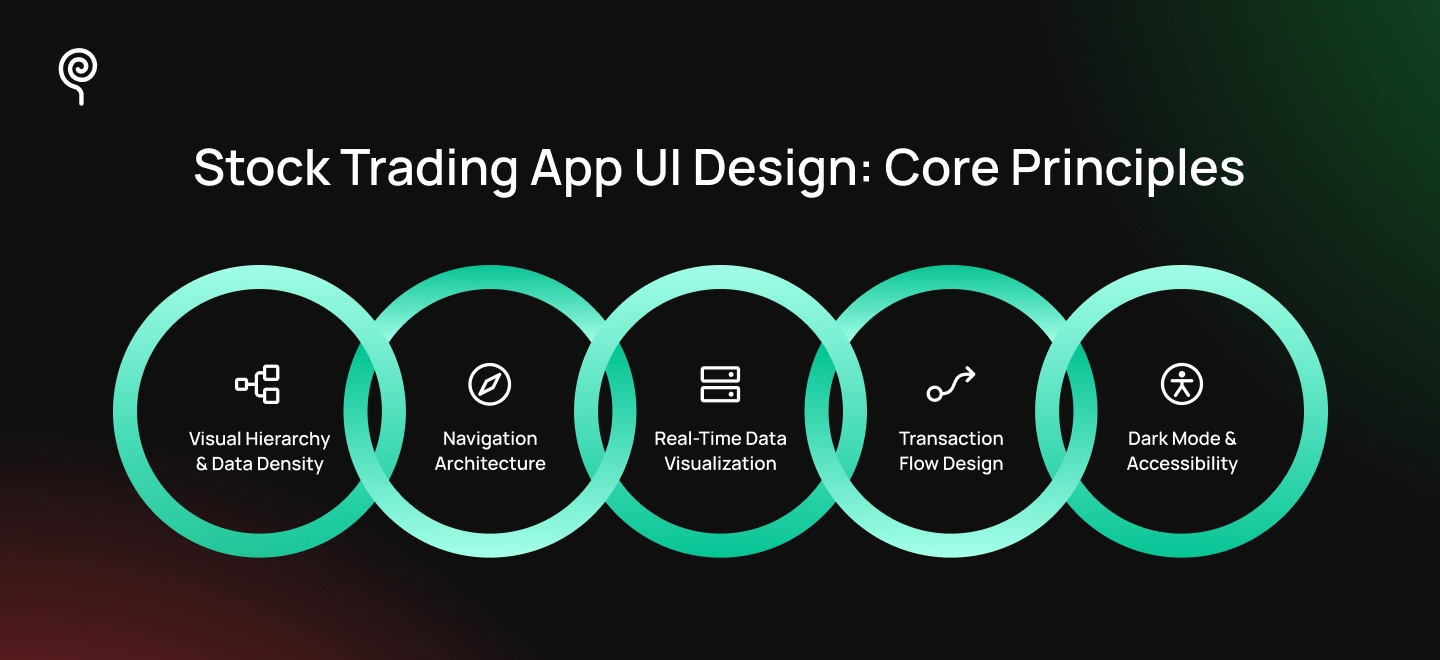
Trading screens must present dozens of simultaneous live data points — prices, volumes, P&L, market depth — without creating cognitive overload. Effective layouts establish a clear visual hierarchy: real-time asset prices at the top in large, high-contrast typography; secondary metrics like daily volume and opening prices below in smaller, muted type.
Color conventions are non-negotiable. Financial platforms universally use green to signal gain and red to signal loss. Deviating from this convention — even for aesthetic reasons — breaks user trust immediately.
The right level of data density depends entirely on who the platform serves. Bloomberg Terminal users expect maximum data density, sacrificing whitespace to display complex option chains and multiple data feeds on a single screen. Retail investors on platforms like Robinhood need the opposite: progressive disclosure, clean typography, and enough whitespace to stay focused on core metrics without being overwhelmed.
Navigation architecture is a trust issue, not just a usability issue. When markets move fast, users need to act fast — and any navigation friction directly translates into execution hesitation.
Mobile trading platforms address this with persistent bottom navigation anchored to three high-frequency destinations: portfolio dashboard (current holdings, P&L, and performance), watchlists (custom asset tracking), and account and settings (profile, security, and funding). These three destinations cover the vast majority of a retail investor’s session activity.
The trade button is the most critical interface element on a mobile trading app. It must be reachable in one tap from anywhere in the experience — not buried inside a menu or discoverable only after two screens of navigation. Advanced functionality like options trading, margin data, and portfolio analytics belongs in secondary layers, keeping the primary interface uncluttered for retail investors making time-sensitive decisions.
Charts are the core interface layer where raw market data becomes a trading decision. Different investors require different chart types: line and area charts serve retail investors tracking long-term portfolio performance, while candlestick charts serve active traders analyzing intraday open, high, low, and close price movement across defined time intervals.
Timeframe selectors — 1D, 1W, 1M, 1Y, ALL — must be positioned directly adjacent to chart modules, not buried in settings. Rapid context switching between timeframes is a core behavior for active traders, and any friction in that interaction disrupts the analytical workflow.
The central technical design challenge is maintaining smooth chart rendering as live data streams update continuously. Lag, flickering, or stale visual states during volatile market conditions are not minor UX friction — they are trust-breaking failures. Solutions include incremental data rendering, frame-rate optimization for animation, and clearly designed loading and stale-data states that communicate system status without interrupting the user’s analytical focus.
Order placement is the highest-risk interaction in any trading platform. A poorly designed flow — ambiguous inputs, unclear confirmation states, or missing fee disclosure — can result in execution errors, unintended trades, or failed transactions with real financial consequences.
Trading interfaces address this through progressive disclosure. The primary order screen presents a simplified ticket for standard market orders: asset name, quantity, and a clear Buy/Sell action. Advanced execution types — limit orders, stop-loss orders, and bracket orders (orders that set both a profit target and a stop-loss simultaneously) — are kept in expandable secondary controls, reducing interface complexity for retail investors who don’t need them for every trade.
Every order flow must end with a dedicated confirmation layer that clearly summarizes: asset name, order quantity, execution price, estimated fees, and total cash impact. The final confirmation step should require a deliberate physical interaction — swipe-to-confirm or press-and-hold — rather than a standard tap. This friction is intentional: it creates a moment of pause before an irreversible financial action.
Active traders often run multiple screens in low-light environments and monitor markets for extended sessions. Dark-mode-first interfaces are not an aesthetic preference in this context — they are a usability requirement, reducing glare, minimizing eye fatigue, and maintaining screen clarity during extended market monitoring.
Trading platforms must meet WCAG 2.1 AA accessibility standards, maintaining a minimum 4.5:1 contrast ratio across all trading data, typography, and interactive elements. However, financial platforms have an additional obligation beyond the general standard: red/green color semantics alone are not accessible to color-blind users — approximately 8% of men and 0.5% of women have some form of color vision deficiency. Trading platforms must supplement color conventions with secondary indicators such as arrows, icons, or typographic treatments to ensure gain/loss signals are readable for all users.
Micro-animations serve a specific function in trading interfaces: they communicate real-time system state. A pulsing indicator signals a live data connection. An animated fill communicates order progress. A brief confirmation animation distinguishes a completed trade from a pending one. These interactions must be subtle enough not to distract during active sessions, but clear enough to provide confidence that the system is responding correctly.
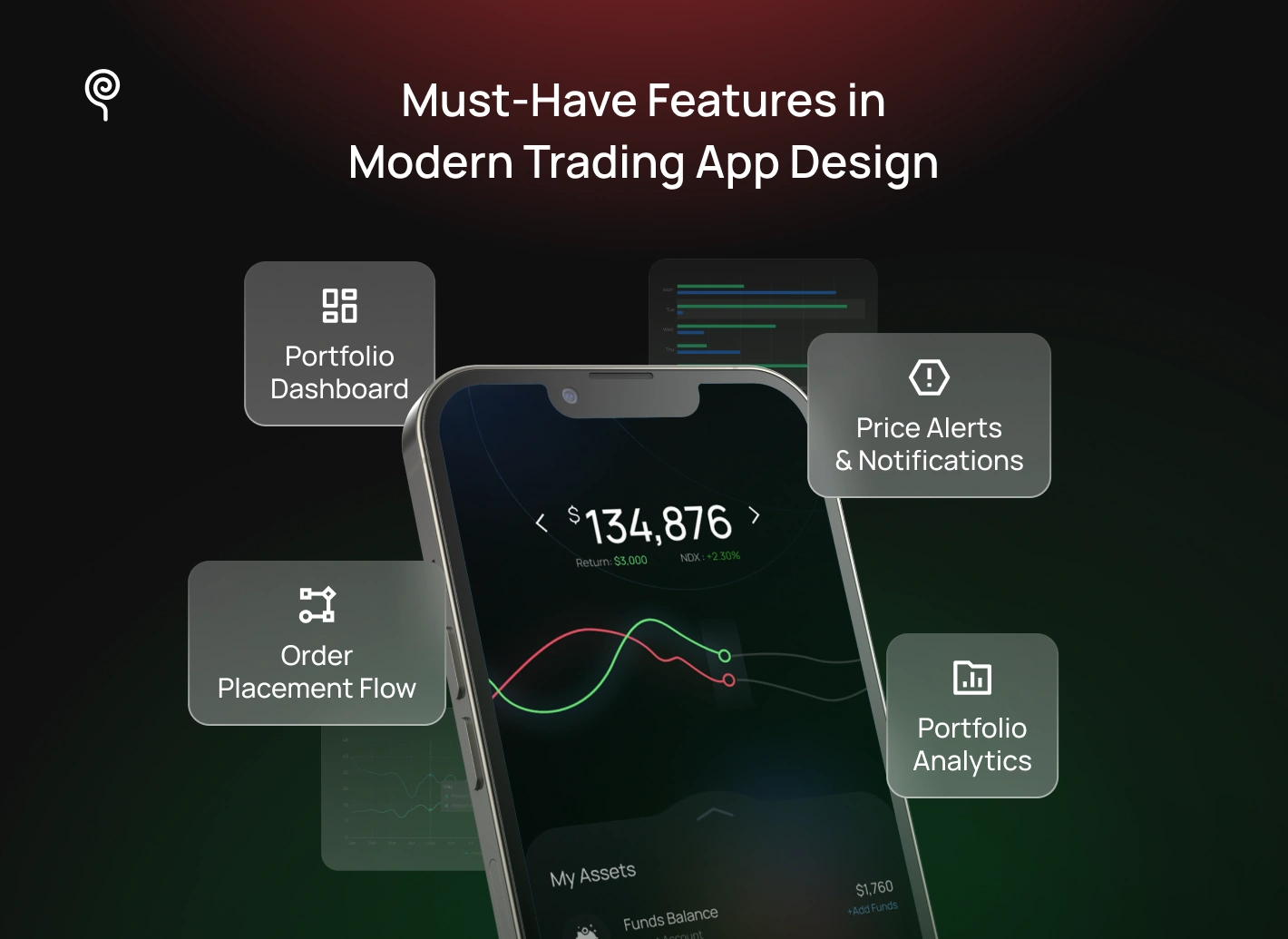
These six features form the functional core of any competitive trading platform. Each serves a distinct behavioral need.
At Lollypop Design Studio, our process combines behavioral UX research, real-time systems thinking, and fintech product strategy to design trading platforms that remain usable under live market conditions.
We begin with multi-persona behavioral research, mapping the distinct decision-making patterns, risk perceptions, and usability friction points of both retail investors and professional traders. We do not start designing until we understand how each persona behaves under real market pressure — not just in calm conditions.
Information architects translate behavioral research into structured product flows and system-level data mapping — connecting portfolio states, live market feeds, execution events, and KYC workflows into a coherent architecture before any interface design begins.
We build token-based fintech design systems optimized for dark-mode environments, high-frequency data visualization, and cross-platform scalability. Reusable components and chart modules are designed for consistency across mobile and desktop while accelerating engineering implementation.
Before engineering handoff, we stress-test every trading flow under simulated volatile-market conditions. Production-ready specifications detail real-time UI behavior in full: loading states, stale-data guardrails, latency handling, partial-fill logic, and instant transaction confirmation systems — because the gap between a design that looks right and a design that works under pressure is where most trading platforms fail.
The most effective trading platforms use AI to simplify decision-making, not replace it. That distinction matters — because the risk of AI in trading interfaces is not that it will make investors over-reliant, but that it will add cognitive noise to an already high-pressure environment if implemented poorly.
The shift toward AI-assisted interfaces reflects a real behavioral challenge: retail investors are navigating an accelerating volume of market signals — earnings releases, analyst upgrades, macro events, social sentiment — with limited time and context to interpret them. AI systems embedded directly into the trading interface address this by surfacing what is relevant now: summarizing earnings activity, flagging unusual price or volume movement, explaining portfolio exposure in plain language, and highlighting actionable market signals without requiring the user to leave the platform to research them.
The primary UX challenge is integration without disruption. AI insights must appear contextually — tied to a specific asset, position, or market event — rather than as a separate dashboard or notification layer that competes with execution speed and interface clarity.
Biometric authentication has become the default access expectation in modern fintech. Face ID and fingerprint recognition are now standard — not differentiating features — with PIN and password login repositioned as fallback mechanisms for the minority of cases where biometric recognition fails.
For trading platforms, authentication UX must resolve a specific tension: security cannot slow access during time-sensitive market conditions. A biometric flow that takes three seconds, requires multiple attempts, or drops into a disruptive password screen at the worst moment is a UX failure with real consequences.
The design standard is: biometric authentication should complete in under one second with a single clear visual confirmation, and fallback to PIN should occur within the same screen without a full redirect. The transition must feel like a continuation, not a recovery.
Gamification in trading platforms is not a trend to adopt uncritically. In most product categories, engagement mechanics — streaks, badges, progress milestones — are benign. In trading, they carry real risk: patterns designed to encourage frequent interaction can also encourage impulsive trading behavior with genuine financial consequences.
Applied responsibly, however, engagement design can meaningfully improve outcomes for a generation of new investors who need it most. Lollypop Research data shows that 32% of new retail investors are now under 30 — a cohort that grew up with interactive digital experiences and finds static data dashboards alienating rather than informative.
That was also the brief behind our work on Paytm Money’s mutual fund investment app: bringing online investing to the Indian masses, at a time when less than 1.5% of the population invested online, meant the experience had to be intuitive, assistive, and hassle-free.
Responsible trading gamification means: portfolio milestones that celebrate long-term behavior (not frequent trading), educational prompts triggered by market events rather than by platform engagement goals, and deliberate friction during high-volatility conditions — confirmation flows, plain-language risk disclosures, and interaction patterns that create a pause before impulsive decisions.
At Lollypop Design Studio, these principles were explored through TradingLeagues, where complex stock market concepts were transformed into a more accessible and engagement-driven learning experience. The platform reached more than 1 million downloads within its first 30 days while maintaining clarity across trading interactions and educational workflows.
The gap between a trading platform that looks right and one that performs under live market conditions is where most products fail. Visual polish is table stakes. What separates the platforms investors trust from the ones they abandon is the quality of the decision-making experience — how fast data loads, how clearly an order confirms, how confidently a user can act when the market is moving. That alignment between interface design and system performance is what Lollypop builds
At Lollypop Design Studio, we partner with fintech companies to design trading experiences that balance behavioral UX, scalable frontend systems, and real-time financial infrastructure.
Looking to build from scratch? We help fintech teams design and scale trading products from the ground up — from multi-persona user research and information architecture to fintech design systems and real-time interaction frameworks. Whether you are building for retail investors, active traders, or wealth management ecosystems, our team creates trading experiences optimized for modern market behavior. Contact the Lollypop team today to schedule a strategy session.
Already have a trading app? Launching your app is only the first step—ensuring your target audience can actually find it in the age of AI search is the next challenge. If you want to see whether major AI engines and conversational search platforms recommend your trading app when users look for the best investing platform, test your platform on Lollypop Spot, which can analyze your domain, test live AI search queries, and ensure your product is perfectly optimized to capture maximum visibility across all AI-powered searches.

Effective trading app UI design balances information density with usability clarity. Strong platforms prioritize visual hierarchy, real-time data readability, rapid navigation, and streamlined transaction flows — all designed to support confident decision-making during volatile market conditions, not just during calm ones.
A trading platform’s backend consists of several interdependent systems: real-time market data pipelines, order execution and routing infrastructure, portfolio management services, authentication and security layers, compliance workflows, and scalable cloud infrastructure. The design challenge is ensuring all of these systems surface accurate, low-latency information to the frontend interface without interruption.
Trading platforms operate in environments where market conditions change in milliseconds. Delayed data, slow chart rendering, or inconsistent transaction feedback are not minor UX friction — they are trust-breaking failures. High-performance systems ensure the interface remains responsive precisely when users need it most: during volatile, time-sensitive market activity.
Modern trading platforms require: real-time portfolio dashboards, live market charts with multiple timeframes, predictive asset search, customizable watchlists, biometric authentication, educational onboarding flows, price alerts, and AI-assisted investing insights.
AI is transforming trading interfaces by helping users interpret market data faster and with greater confidence. Platforms are integrating AI-assisted insights, portfolio summaries, contextual market signals, and predictive search directly into the interface — reducing the cognitive load of active investing without removing the user’s decision-making authority.





